
System76 is preparing another visual customization feature for its COSMIC Desktop environment. Company CEO Carl Richell has previewed Theme Constellations, a new system of bundled themes that combine wallpapers, colors, icons, and fonts into a single package.
The announcement follows the introduction of the frosted-glass design in COSMIC Desktop 1.3, released in July, which added translucent, blurred surfaces to panels, menus, and other desktop elements.
With Theme Constellations, users will be able to change the desktop’s overall appearance without manually selecting individual wallpapers, icon themes, fonts, and color schemes.
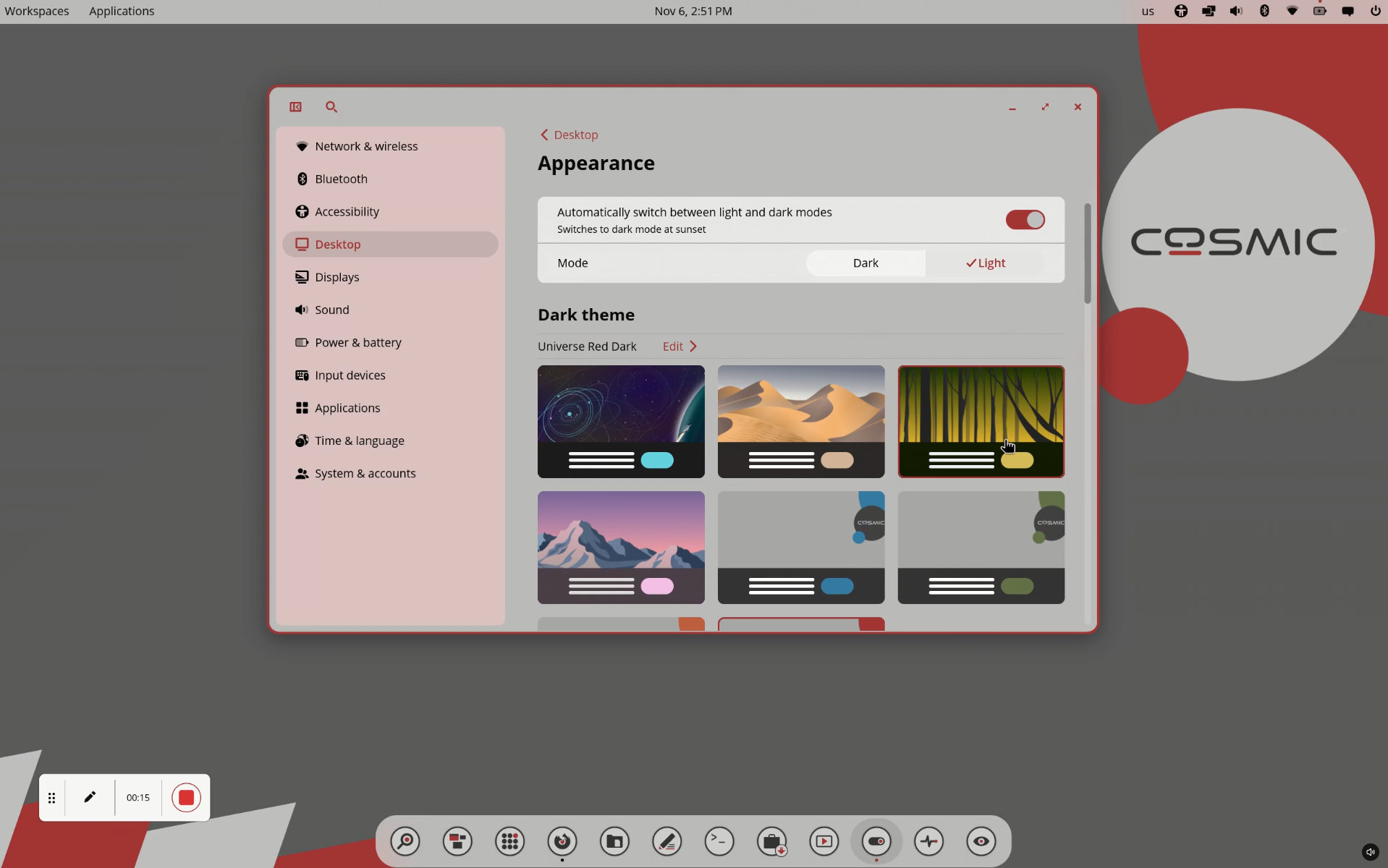
In a short video shared on X, Richell demonstrated the upcoming functionality through COSMIC Settings under Desktop > Appearance. The interface shows a gallery of themes with visual previews, letting users see the available styles before applying them.
The demonstration includes several dark themes with different wallpapers, accent colors, and icon styles. Switching between them changes the desktop’s appearance, including its wallpaper and panel styling.
Additionally, COSMIC already supports keeping transparency effects enabled when windows are maximized through an existing configuration flag. According to Richell, this option still needs to be added to the graphical settings.
For now, System76 has not announced a release date for Theme Constellations or specified which COSMIC Desktop version will introduce it. Richell described it simply as coming soon.
Image credits: Carl Richell




Bundling wallpaper, colors, icons, and fonts into a single Theme Constellation is the convenience COSMIC has been missing if you want a coherent look without visiting four settings panels. The gallery with visual previews under Desktop > Appearance is the right UI, especially after the frosted-glass work in 1.3. I hope the existing flag that keeps transparency on maximized windows also lands in the graphical settings when this ships, rather than staying a hidden config toggle. No release date yet is fine; I would rather they finish the preview-and-apply flow than rush another half-themed pack.
I realy love the concept behind Cosmic : Gnome + some shell extensions, written in Rust.
But sorry, I use Mango wm, btw 😉
mango bongo, Cosmic is the scene, man