Koko, a still-in-development KDE image viewer and photo-browsing application, originally developed for mobile devices, is getting a substantial update with the upcoming 26.12 release in December.
The changes address many missing features and usability issues, moving the application closer to becoming a potential replacement for Gwenview, KDE’s current default image viewer.
According to KDE developer Nate Graham, the upcoming release focuses heavily on community feedback after an earlier announcement about the application’s future. One immediate change is its name. The proposed generic name “Photos” has been abandoned, with the application returning to its original Koko branding after users expressed their preference.
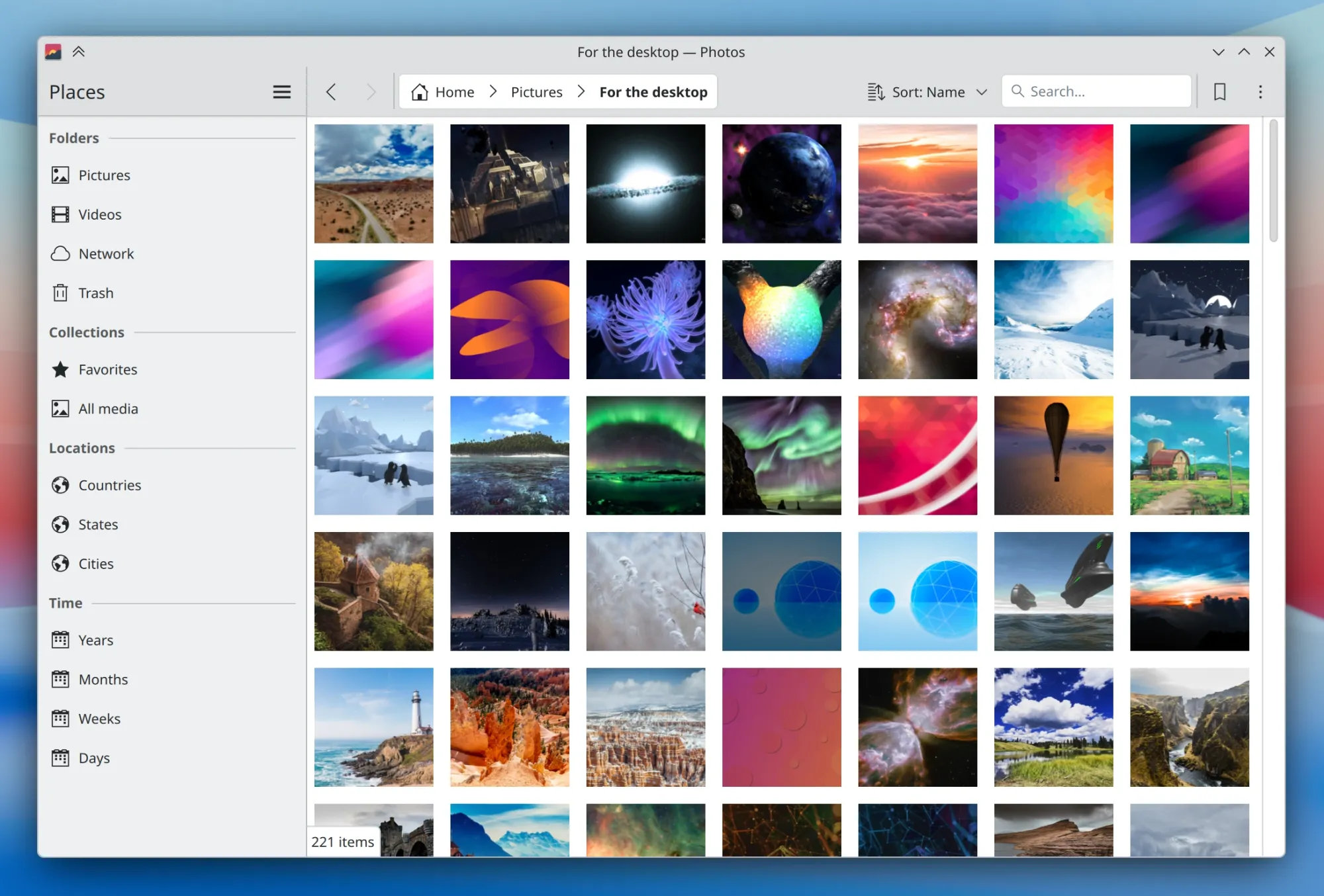
On the functionality side, Koko 26.12 introduces a new “All Photos” view for browsing images, along with several file management capabilities previously missing. Users can now rename files, cut and paste items, drag and drop images, and access the standard file properties window.
Image viewing and editing are also improving. The release adds brightness, contrast, and gamma adjustments, allowing users to make basic corrections without switching applications. New “Fit” and “Fill” zoom modes provide more control over how images are displayed.
For desktop users, new options allow setting a neutral gray background and choosing an application-specific color scheme. Koko can also open multiple instances, enabling work with separate windows simultaneously.
Several interface changes make the application more familiar to KDE users. Pressing Delete now moves an image to the trash and offers an undo option, while F11 and Ctrl+Shift+F toggle fullscreen mode alongside the existing F shortcut.
Other refinements include using the spacebar to play or pause videos, pressing Escape to exit editing view, and providing keyboard shortcuts for all editing actions. Images smaller than the viewing area are now enlarged to fit by default, and the thumbnail strip can be scrolled independently.
The application remembers whether controls were visible when switching between normal and fullscreen modes. Settings are easier to access directly from the viewer, and unnecessary toolbar separators have been reduced.
Apart from those new features, Koko 26.12 fixes several issues affecting everyday use. Thumbnails now refresh when images are modified by another application, editing works correctly with filenames containing square brackets, and cropping controls remain accessible on mobile devices and in smaller windows.
Another fix prevents multiple overlapping editing views from opening when users repeatedly press Ctrl+E.
According to Graham, additional improvements are already planned for Koko 27.04, expected in April 2027, including changes that could not be completed in time for the December release.
For more information, see the original announcement.
Image credits: KDE