
Vivaldi has released version 8.3 of its Chromium-based web browser, with a redesigned built-in Ad and Tracker Blocker, reworked to handle large filter lists more efficiently. It also features an updated interface and four predefined protection levels: Off, Light, Strong, and Aggressive.
The Light setting blocks most known trackers and some advertisements, while Strong provides more extensive protection. Aggressive blocks almost all trackers and ads, although the latter two settings may cause certain websites to malfunction.
Users can set a default protection level for all websites or override it individually via the shield icon in the address bar. Vivaldi remembers these site-specific preferences, allowing stricter blocking on some sites while maintaining compatibility with others.
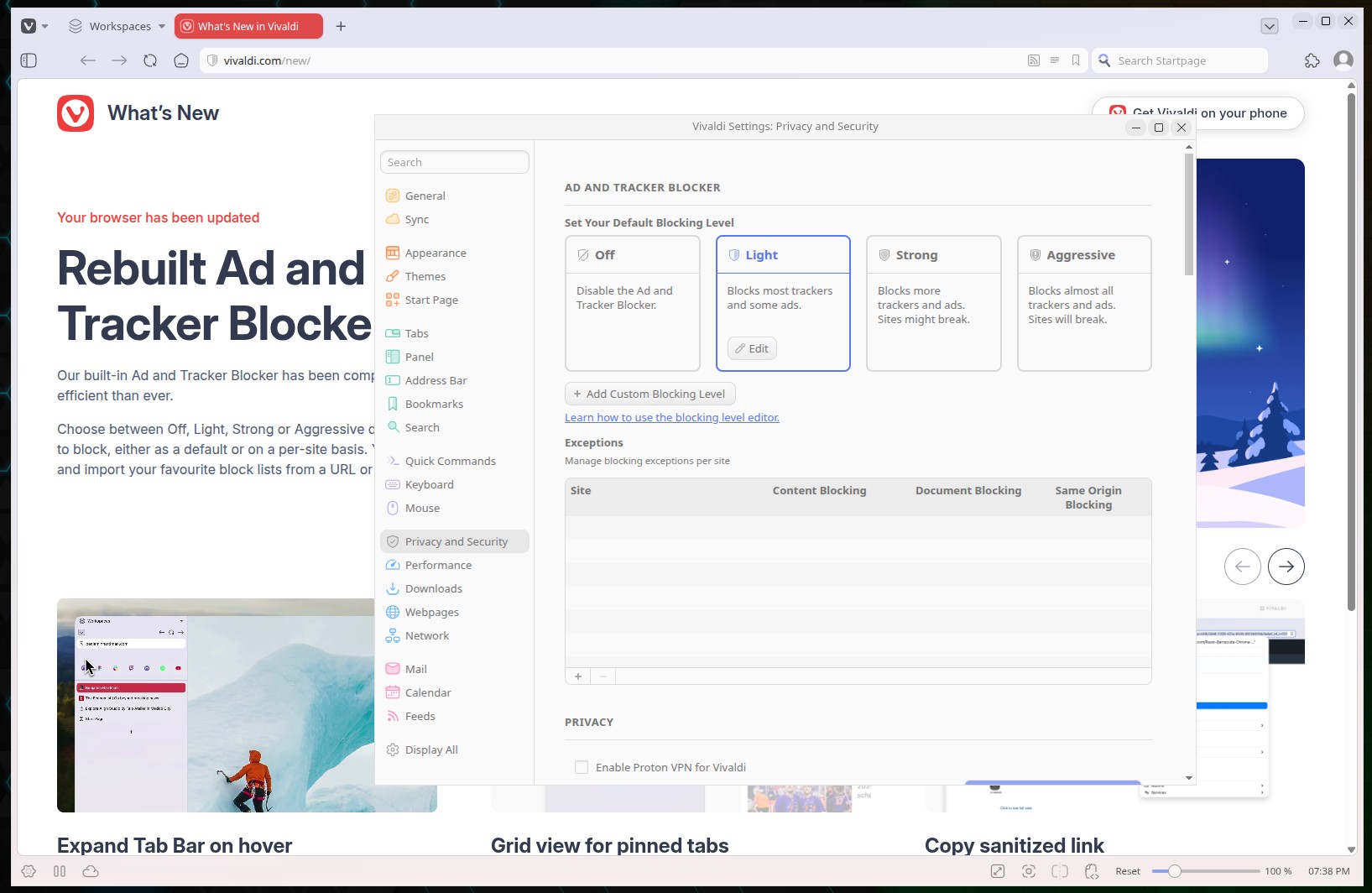
Moreover, the browser now supports custom blocking profiles, allowing users to select their preferred filter lists and add additional ones from remote URLs or local files. The redesigned blocker is also available in Vivaldi 8.3 for Android and iOS.
Another improvement concerns vertical tabs. The new Expand Tab Bar on Hover feature lets users keep the vertical tab bar collapsed, showing only favicons until the mouse pointer moves over it. The bar then expands to reveal full tab titles and collapses automatically when the pointer moves away. This works with vertical tabs on either side of the browser window.
Pinned tabs also get a layout improvement. Instead of occupying individual rows, they now appear side by side in a compact grid at the top of the vertical tab bar, leaving more room for other open tabs. Users who prefer the previous layout can restore it through pinned tab settings.
In addition, Vivaldi 8.3 introduces a multi-URL Paste and Go feature. Users can copy a list of links, paste it into the address bar, and the browser opens each address in a separate tab automatically.
There’s also a new Copy Sanitized Link option that strips tracking parameters from URLs before copying them to the clipboard, making it easier to share links without tracking information.
Reader Mode has been optimized to open faster and provide smoother scrolling. Additionally, Vivaldi now supports Chrome’s Tab Groups API, improving compatibility with browser extensions that rely on tab grouping functionality.
For more information, see the official announcement. Vivaldi 8.3 is available for download from the project’s website, including packages for Linux, Windows, and macOS.
Image credits: Vivaldi Browser