
Nearly three years after Mageia 9 arrived in August 2023, Mageia 10 is here, bringing a long-awaited refresh to a classic community-driven Linux distribution rooted in the Mandrake/Mandriva family.
The road to this release began earlier this year with the first Alpha ISO in January, followed by the Beta release in March, and now Mageia 10 completes that cycle.
The release is powered by Linux kernel 6.18 LTS, which brings better hardware support across modern systems, especially for newer CPUs, graphics, storage, and peripherals. On the desktop side, Mageia 10 ships with KDE Plasma 6.5, GNOME 49, and Xfce 4.20 as the main live desktop options.
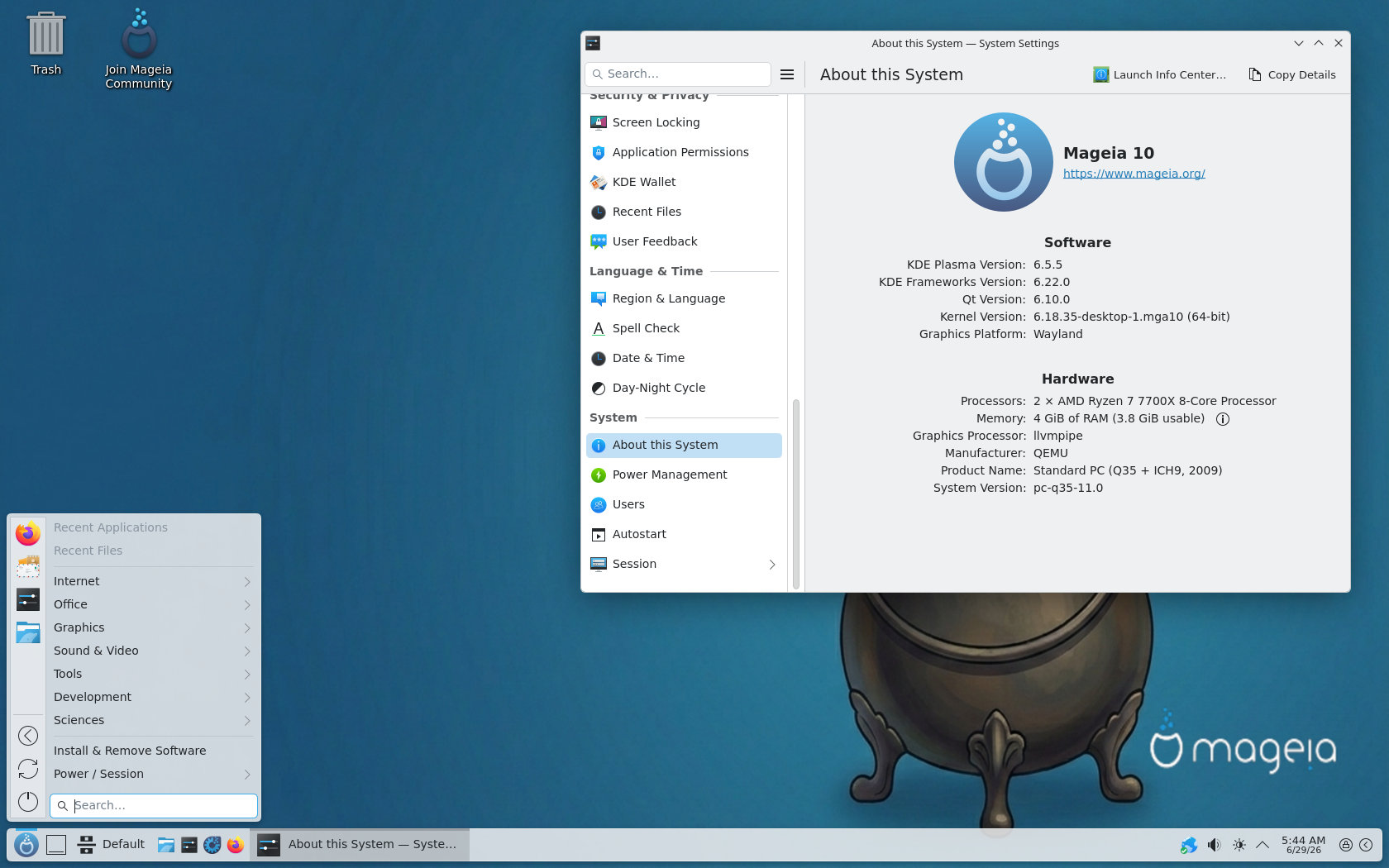
That is a big jump compared to Mageia 9, especially for Plasma users, as Mageia 10 moves the distribution firmly into the Plasma 6 era. MATE 1.28, LXQt 2.3, and Cinnamon 6.6 are also available as options. Regarding package management, Mageia 10 includes RPM 4.20 and DNF 5 tooling
The development stack has been refreshed as well. Mageia 10 includes GCC 15.2, LLVM/Clang 20.1, and Mesa 26. Application updates include LibreOffice 26.2, Firefox ESR 140.8, VirtualBox 7.2.8, and many more. For NVIDIA users, proprietary drivers are still available through Mageia’s Non-free repository, which is enabled by default during installation.
Mageia 10 also brings a broad refresh across programming languages. Python 3 has been updated to Python 3.13, while Python 2 is being retired, with most Python 2 modules already removed.
Perl moves to 5.42, Ruby to 3.4.7, and Rust is included at version 1.95, with Mageia planning to keep it updated during the Mageia 10 support cycle. PHP 8.4 is the main PHP version, while PHP 8.5 is available as an alternative that can be installed in parallel.
Finally, the distro continues to support both Live and Classical installation media. Live ISOs let users test the system before installing, with Plasma, GNOME, and Xfce as graphical options. The Classical installer remains the traditional route for installing Mageia directly and choosing from a wider set of desktop environments.
For additional details, see the release notes. The official announcement is here. Downloads are available via the project’s website. Existing Mageia 9 users can upgrade to Mageia 10, but given the size of the jump, the project strongly recommends reading the upgrade documentation and errata first.


I hope you are not going by the inaccurate table of packages at Distrowatch. For a variety of reasons Distrowatch fails to list all the packages. This also happens with some other distributions.
Xlibre is an immature code base and seems to be more of a vanity project.
Mandrake legacy, thumbs up.
My 1st linux distro sold in a computer magazine and on compact discs.
Saw some videos about Mageia. The control center looks great.
But I am affraid some packages are missing. Sure, it is not Aur…
Will rock on old computers.
Interesting to see it not based on Debian, Ubuntu or Arch,
I would prefer it was systemd free and Xlibre (I would have test it, in this case).