
Every now and then, a small Linux desktop app appears that does not try to replace a massive professional tool but focuses on doing one simple thing well. Drawy is one such example.
It is a young KDE application built around the idea of an infinite whiteboard, a free canvas where users can sketch ideas, create diagrams, take visual notes, add text, insert images, and arrange concepts without being limited to a fixed page size.
In short, consider it less as a traditional drawing program and more as a visual thinking space. It is the kind of app you open to quickly explain an idea, map out a workflow, sketch a diagram, or make handwritten notes without launching a heavier design or illustration suite.
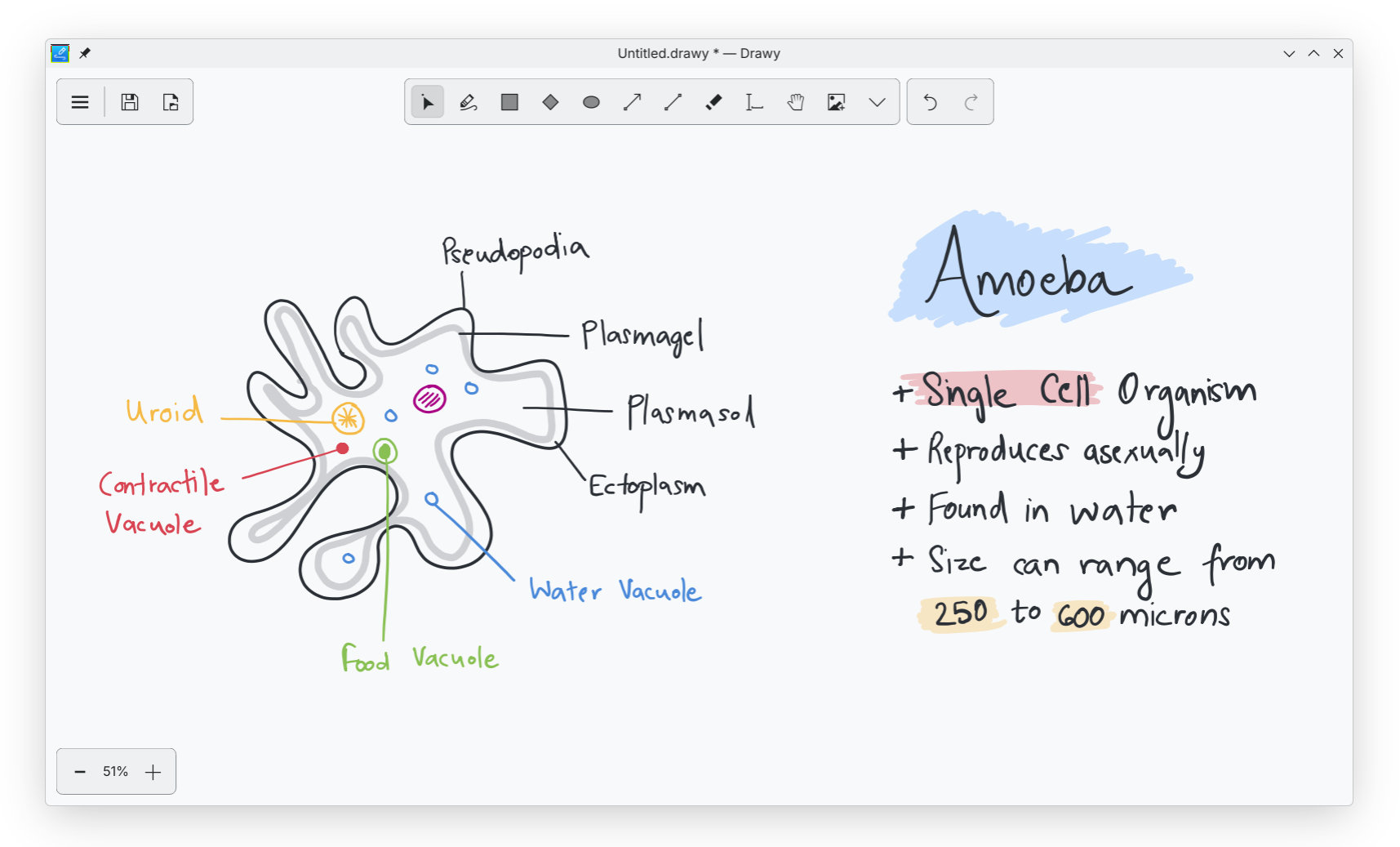
According to its project page, Drawy is written in Qt/C++ and aims to be a native desktop alternative to Excalidraw, the popular web-based whiteboard tool, targeting KDE desktop users who prefer local, native applications over browser-based tools.
The app provides a clean interface with tools for freehand drawing, rectangles, ellipses, arrows, lines, text, image insertion, selection, panning, zooming, and undo/redo. Users can choose their own color palette and export their work as image files. It also supports pressure-sensitive tablet input, making it more useful for people who draw or annotate with a stylus rather than only a mouse.
The latest Drawy 1.0.2 update focuses on improving the freehand drawing experience. Hand drawing now feels smoother and more natural, while new settings let users adjust pen pressure and line smoothing. The release also fixes an issue where newly drawn lines and shapes could flicker right after being created.
The app is available as a Flatpak for x86_64 and ARM64 systems, so trying it out is simple on most Linux distros:
flatpak install flathub org.kde.drawy
For additional information, see Drawy’s repo on GitLab.
Image credits: KDE


I am very impressed with this program – it does what it does with no fuss, but at the same time has drawing tools and functions that I did not expect, for example the ability to group and ungroup objects so that they can be moved and scaled together, and alignment tools. It works perfectly with a drawing tablet for input; the pressure sensitivity makes writing on the board a pleasure.
PS I compiled from source on KDE and needed to identify and install a number of libkf6-dev libraries, but it was definitely worth it!
I took a graduate course “Cost Effective Software Engineering”. One of the lessons learned from rapid prototyping and storyboards is that people felt more comfortable commenting on perceived drafts than perceived final products. This is in regard to knowing the people giving the feedback, not the public. This is because people who know you don’t want to offend you if they think a presentation is final.