
86Box 6.0 has been released as the latest stable version of the open-source, low-level x86 emulator focused on recreating classic IBM PC-compatible systems for running old operating systems, DOS games, legacy Windows software, and retro computing setups.
Unlike a modern virtual machine, 86Box emulates old PC hardware in detail. It lets users recreate machines similar to those that once ran MS-DOS, Windows 3.11, Windows 95, Windows 98, Windows 2000, OS/2, BeOS, and early Linux distributions from that era, for example, Red Hat Linux, Mandrake Linux, Caldera OpenLinux, and so on.
The project covers systems from the original IBM PC period through later PCI-based machines, with emulation for older CPUs, chipsets, graphics cards, sound cards, network adapters, hard disk controllers, SCSI adapters, floppy drives, CD-ROM drives, printers, and other period hardware.
One of the headline changes in the new 6.0 release is support for Windows ARM64 host systems. The project now provides a dedicated Windows ARM64 build for machines using Snapdragon, Nvidia N1, and other ARM processors. Intel and AMD Windows systems continue using the existing 64-bit Windows build, while ARM builds require Windows 11 and currently lack a few minor features tied to external components.
The release also adds a fast-forward command that removes emulation speed limits, making it easier to skip slow installation stages, lengthy boot sequences, or other waiting periods inside older operating systems. Screenshot handling has been expanded as well with commands for copying screenshots to the clipboard and taking raw screenshots without scaling or shaders.
Linux users get several important fixes and additions. 86Box 6.0 fixes an AppImage startup crash affecting Wayland Linux hosts using NVIDIA drivers. It also adds CD-ROM passthrough for real drives on Linux hosts, physical floppy drive support on Linux hosts, and Linux support for named pipe serial passthrough.
The user interface has received a broader cleanup, including:
- Reworked Settings and Preferences windows.
- Key bindings moved from per-machine settings to the system-wide Preferences window.
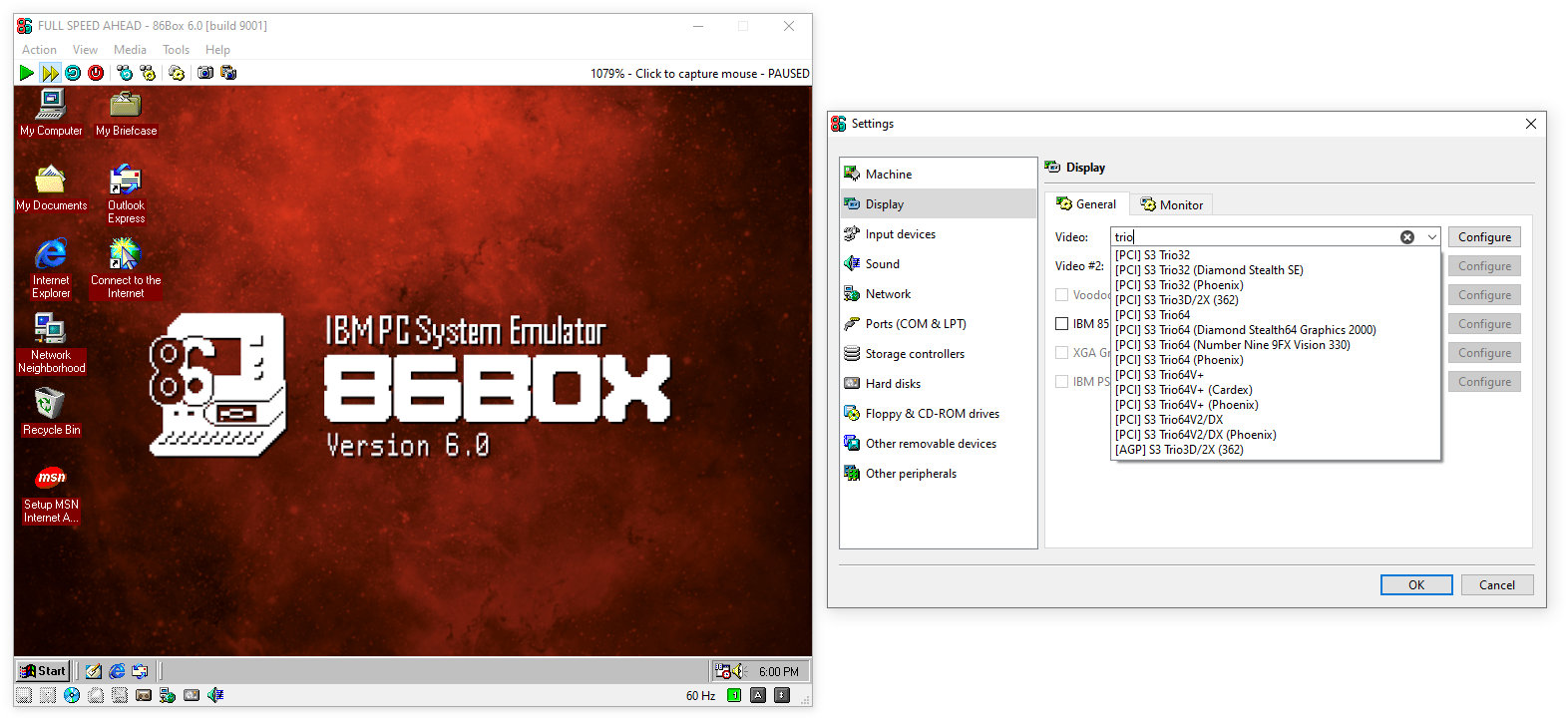
- Monitor settings moved to the Display page.
- Text search added to device lists in Settings.
- Screenshot buttons added to the toolbar.
- Status bar indicators updated to show additional CD-ROM, cassette, and write-protection states.
86Box 6.0 also improves the built-in manager, including better performance when selecting machines, improved ordering of machines and devices, better handling of invalid machine names, and fixes for several manager-related edge cases.
On the emulation side, the release adds and updates numerous machines across several generations, including 808x, 286, 386, 486, 586, and 686-class systems. The list includes additions such as IBM Multistation 5550, Nixdorf 8810 M30, HP Brio 83xx, TriGem Como 440EX, MSI MS-6117, Intel Classic R/R Plus, Tandy 1000 RSX, and others.
Moreover, the release adds optional hard disk sounds, SCSI tape drive emulation, MFM/RLL hard disk models with speed emulation, QLogic ISP1xxx PCI SCSI controllers, Daemon Tools MDS v2 and MDX CD-ROM image support, and several new IDE and CD-ROM drive models.
It also fixes hard disk write errors with VHD images on some hosts, Rock Ridge permission issues with CD folder mounting on Linux and macOS hosts, CD audio playback in specific DOS games, and several controller compatibility problems affecting older operating systems and drivers.
Sound and multimedia hardware support has expanded, with the release adding the Analog Devices AD1816 audio controller, implementing the Aztech AZTPR16 audio controller, improving Aztech support, and including fixes for Crystal CS423x devices with newer Windows drivers. Graphics-related work includes fixes for ATI Mach64, S3 ViRGE, Voodoo, Vulkan screenshots, and 8514/A-compatible behavior.
Importantly, 86Box 6.0 drops support for macOS High Sierra 10.13. The minimum supported macOS version is now macOS 10.14 Mojave, with the project noting that a future release will move the requirement to macOS 10.15 Catalina. On Linux, the project lists Ubuntu 16.04, Debian 9.0, or distributions released in 2016 or later as the minimum baseline.
For additional details, visit the release announcement or check out the changelog.
Image credits: 86Box





so this would let me play all those sierra games i played on tandy 1000 like space quest, kings quest, heroes quest, police quest and other games like dungeons and dragons and bunch of others. Me and people I new back then use to copy each others games. Hopefully it would play the games at same speed so they would not seem like there running to fast.
Yes indeed, it emulates old PCs very accurately, so you could get a very authentic experience emulating a system similar to the Tandy 1000 and loading those games onto it. The accuracy of the emulation also means that it will likely run various games more accurately than other emulators would, such as DOSBox. On the other hand, it is also a little more complicated to get set up and running.
You could just use ScummVM to play those games. Pretty sure they are all supported.