Debian 13 “Trixie” receives its sixth point release, version 13.6, bundling 120 security updates and 124 fixes for serious bugs and other stability issues across the distribution.
If you’ve been keeping your system updated through security.debian.org, there’s not much to do with this release, because most of the fixes were already included in earlier updates. 13.6 just brings them together in one place.
Among the packages receiving corrections are Apache, Calibre, Curl, Dolphin, FreeCAD, GIMP, LibreOffice, Mesa, Postfix, Python 3.13, QEMU, Samba, Wireshark, XZ Utils, and many others.
Apache has been updated to address several vulnerabilities, including use-after-free issues, cross-site scripting, buffer overflows, denial-of-service flaws, out-of-bounds reads, and a vulnerability that could allow unauthorized file access.
Curl has also received security updates addressing credential and bearer-token leaks, improper connection reuse, SMB use-after-free issues, stale cookie exposure, and proxy authentication vulnerabilities.
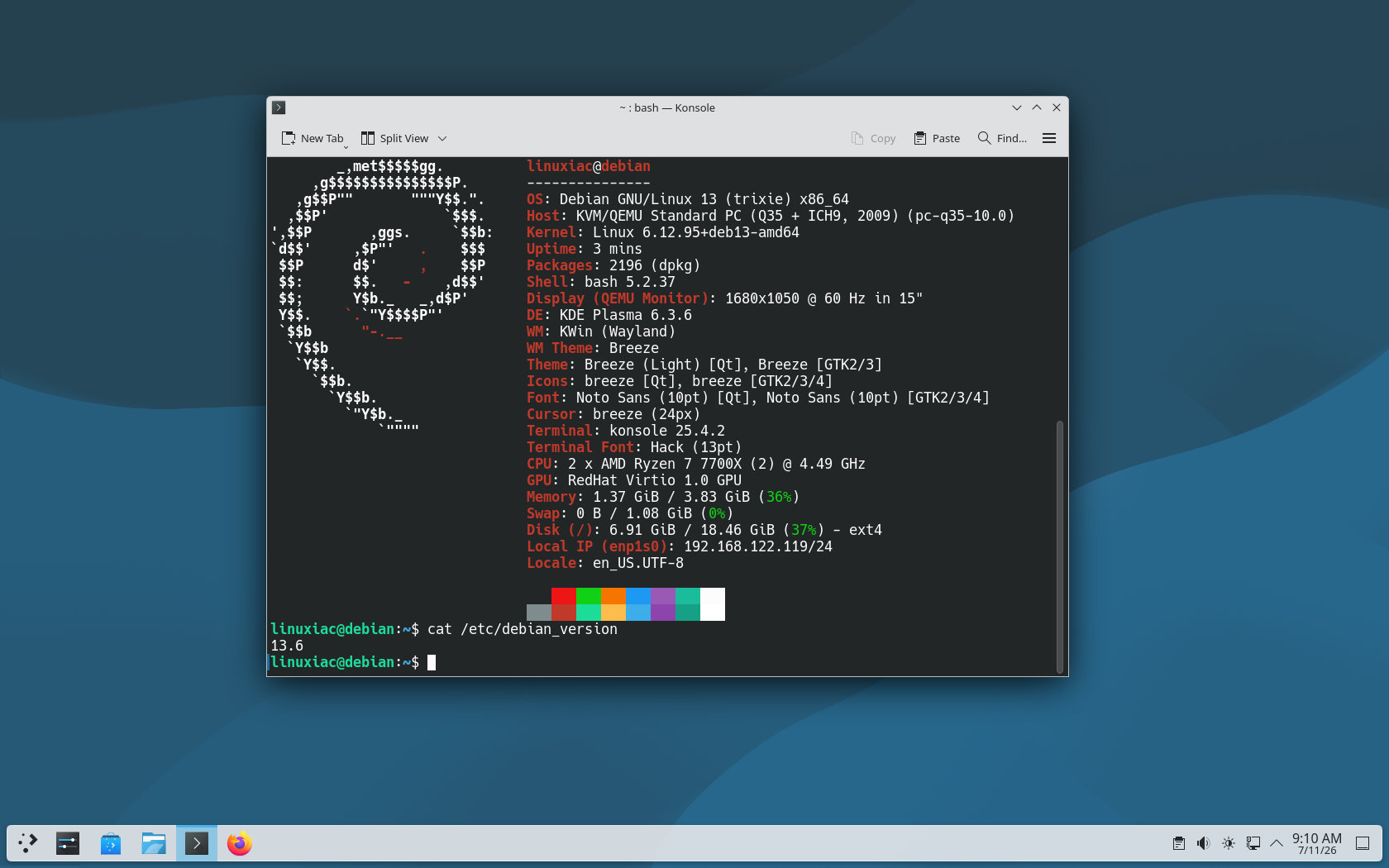
Other notable changes include a fix for a sandbox escape in KDE’s Dolphin file manager, resolution of integer overflow vulnerabilities in GIMP, a WebGPU/SPIR-V memory allocation fix in Mesa, multiple security patches for Python 3.13, and numerous vulnerability fixes in QEMU.
Moreover, the Debian installer has been rebuilt for this point release and now uses Linux ABI 6.12.94.
Importantly, this release includes improved Secure Boot support. The fwupd package has been updated to version 2.0.20, which adds support for updating the Secure Boot certificate authority, Key Exchange Key, and DBX revocation databases.
This is important because the Microsoft UEFI Secure Boot certificate authority issued in 2013, which is commonly installed on PCs, has now expired. Debian warns that future shim-signed updates may prevent some machines from booting with Secure Boot enabled unless the necessary firmware certificate updates are applied.
In light of this, users are strongly advised to install any available CA, KEK, and DBX firmware updates from their computer or motherboard manufacturer.
Another noteworthy change affects the geoip-database package. Debian has reverted it to a version dating from approximately December 2019 because newer GeoLite databases are not considered compatible with the Debian Free Software Guidelines.
Unfortunately, this can result in applications that use Debian’s packaged GeoIP database providing outdated location or network allocation information. Debian recommends that users who need current GeoLite data obtain a license directly from the provider rather than relying on the distribution package.
The Security Team has also included previously issued advisories for packages such as Chromium, Firefox ESR, Thunderbird, Linux, OpenSSL, Nginx, Apache, Samba, PostgreSQL, Redis, OpenVPN, Varnish, Wireshark, Kdenlive, Okular, Poppler, Exim, Dovecot, and others.
Once again, this point release is all about fixing bugs and addressing security issues. So, if you’re already using it, simply run the command below to update your system to the latest stable Debian 13.6 release.
sudo apt update && sudo apt upgradeCode language: Bash (bash)For more in-depth information on all the changes, see the release announcement. A comprehensive list of all packages that have received updates is available here.
It’s worth noting also that Debian 13.6 arrives alongside Debian 12.15, the fifteenth and final point release in the Debian 12 “Bookworm” series.
But what’s more importantly, Debian 12.15 marks the end of Debian Bookworm support from the Debian Release Team, Security Team, and Backports Team. Selected architectures will continue receiving updates through Debian’s Long Term Support program, but users are now officially advised to upgrade their systems to Debian 13 “Trixie.”
If you are planning a fresh install, Debian 13.6 netinst ISO images are available for download here. They offer a base system ideal for servers or users who want to customize the installation to their needs, with support for six architectures: amd64, arm64, armhf, ppc64el, riscv64, and s390x.
For a ready-to-use experience, the new release also provides Live images with pre-installed desktop environments: GNOME, KDE, LXDE, Xfce, Cinnamon, and MATE. These are available only for the AMD64 architecture.
Finally, consider enabling automatic security updates to receive future patches without delay if you haven’t already. If you’re unsure how, our guide will have you up and running in no time.