DankMaterialShell, a desktop shell built with Quickshell that provides panels, an application launcher, notifications, a lock screen, and system controls for Wayland compositors such as Hyprland, Niri, and Sway, has been renamed Dux Shell with the release of version 2.0, codenamed “Heisenberg.”
At the same time, the project’s parent organization also changed its name from Dank Linux to Dux Labs. Despite the rebranding, the shell retains the DMS abbreviation and the familiar dms command.
Version 2.0 introduces a redesigned interface based on Google’s Material 3 Expressive design language. Settings, Control Center, and Dash now feature updated layouts, navigation, animations, and controls. Settings have been reorganized to make the growing number of customization options easier to find.
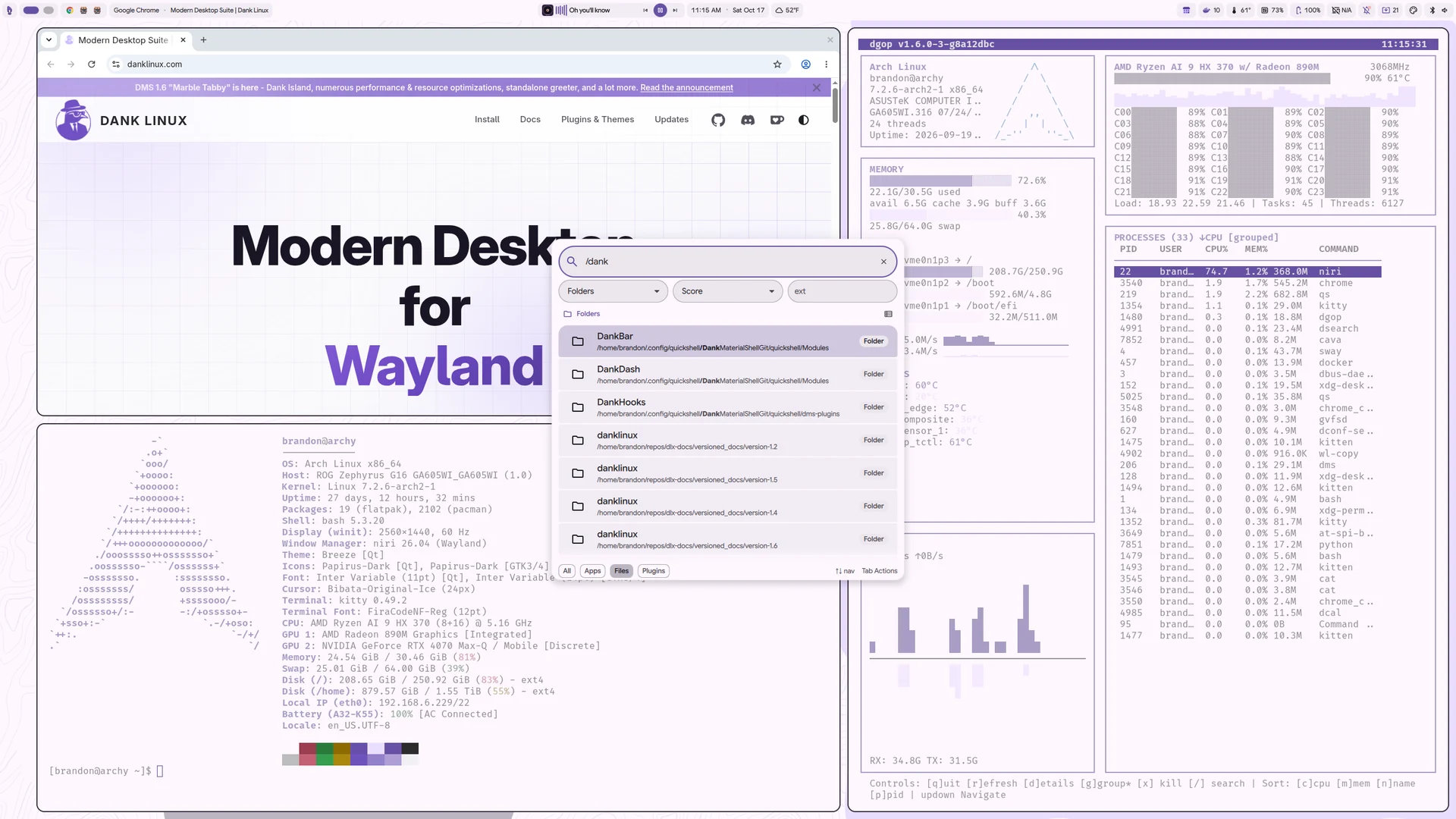
Dash, the shell’s central dashboard, now supports plugins that add entire tabs or individual cards to its overview. Users can rearrange and resize these elements. The built-in media player, weather, and wallpaper pages have also been refreshed.
Another notable improvement is the customizable lock screen. A new visual editor lets users add, move, resize, and configure widgets for the clock, date, notifications, system status, and power controls, with a live preview of changes.
On the multimedia side, the new Dux Lyrical Engine adds synchronized lyrics to the built-in media player, including word-level and syllable-level timing when available. It supports several lyrics providers, including LRCLIB, YouTube Music, and KuGou, as well as locally stored lyrics.
One of the biggest additions, however, in this release is Dux Files, a standalone file manager that shares the shell’s visual style but runs independently. It supports tabs, split views, file previews, and different viewing modes, alongside common file operations with progress tracking and undo functionality.
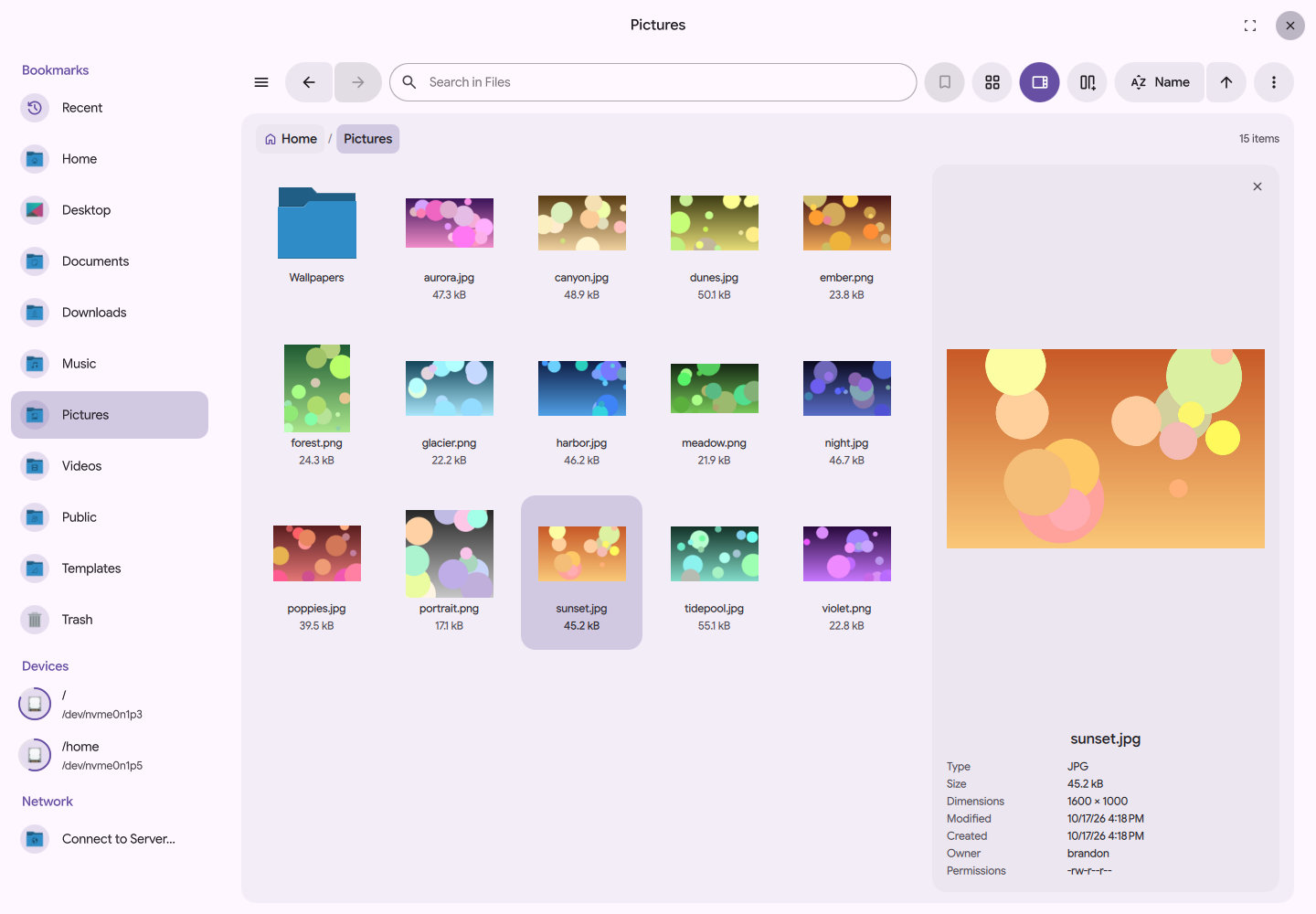
Archive support covers ZIP, TAR, 7z, and RAR formats. Remote file access is available through SFTP, SMB, and WebDAV. The file manager can also mount removable drives, unlock encrypted storage, and integrate with file selection dialogs in supported applications.
Dux Shell 2.0 also introduces Dux Dot, a minimalist alternative to traditional desktop panels. This small, movable interface can expand into an application launcher, dashboard, Control Center, media controls, weather information, or notifications, depending on what the user needs.
Moreover, the existing island component gains more placement options, including vertical orientation, floating positioning, and integration into desktop panels. The dock, now called OmegaDock, supports multiple instances, additional widgets, various screen positions, and a full-width taskbar layout.
Regarding Wayland compositor integration, the release adds support for Hyprland 0.56 features, improves compatibility with MangoWC 0.18 and Niri, and introduces support for Aqueous alongside initial integration with Umbriel.
Apart from the new functionality, the developers report more than 90 bug fixes addressing lock screen behavior, multi-monitor configurations, Wi-Fi connectivity, system tray stability, notifications, screenshots, and other desktop components.
Finally, the developers report that the project’s plugin registry now includes more than 380 plugins and 47 themes, with an improved browser for discovering and managing extensions.
For more details, see the official announcement or the GitHub release page.
Image credits: DMS