
A new Linux distribution has arrived, and unlike many newcomers that mainly offer a different theme and software selection, Shadowfetch Linux, a Debian Testing-based distro featuring the KDE Plasma 6.6 desktop, puts locally running AI at the center of its desktop experience.
Underneath, this is still very much Debian. The project says security updates and about 99% of its package archive come directly from upstream Debian, while the Shadowfetch developers add their own desktop configuration, graphical installer, first-boot wizard, networking defaults, recovery tools, creative software collection, and local AI environment.
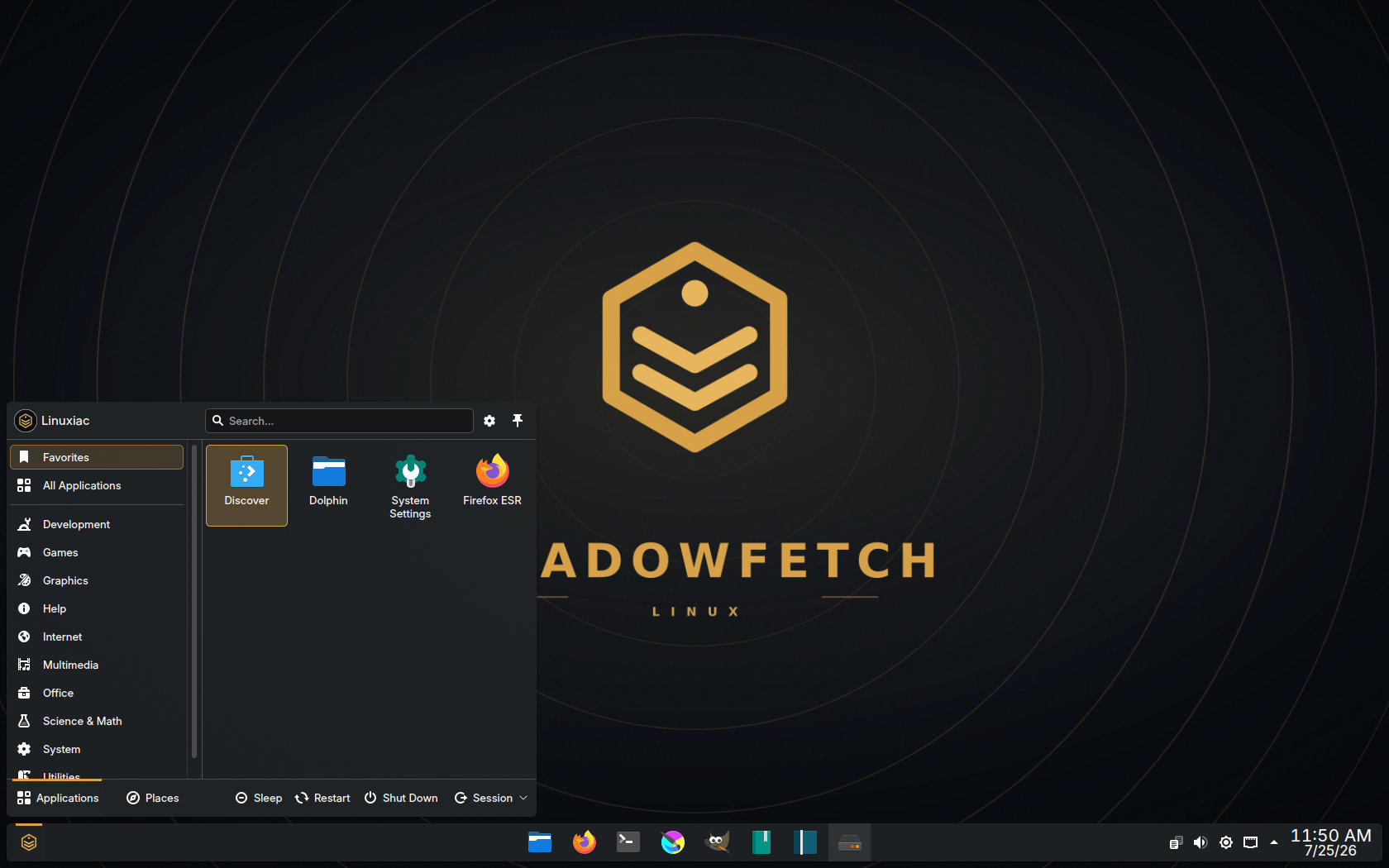
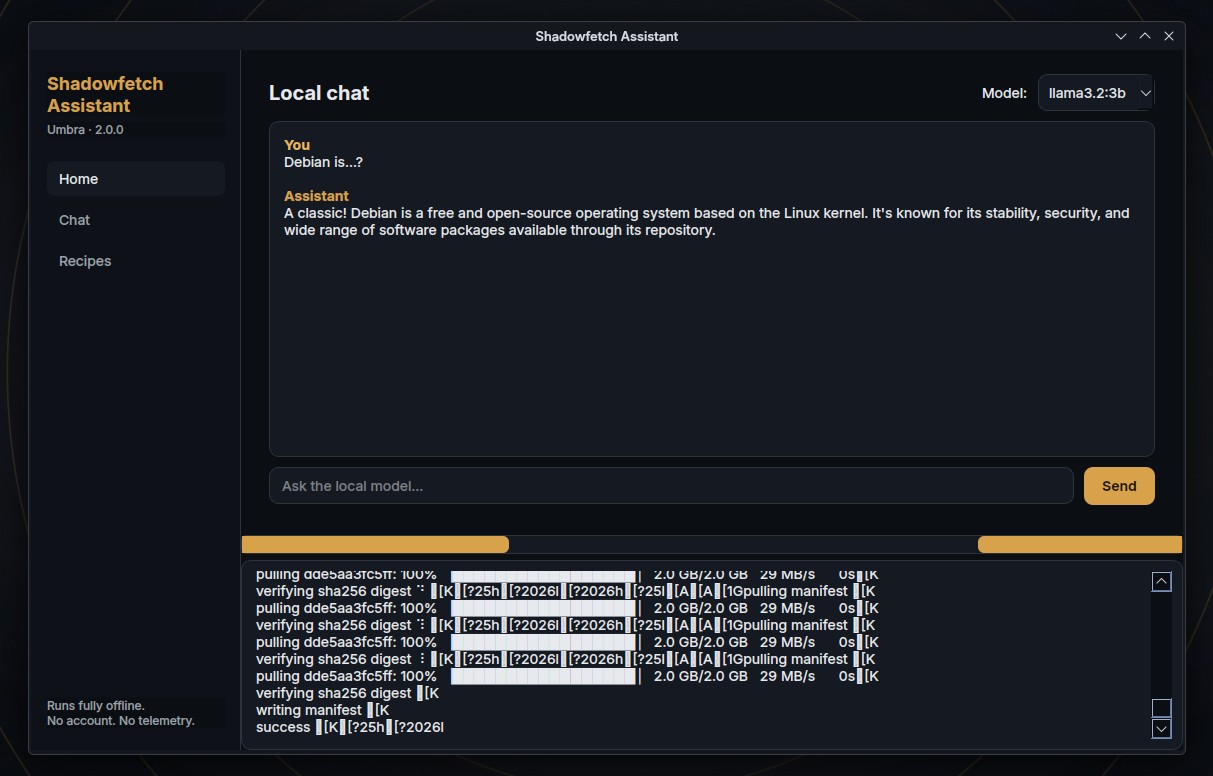
That AI focus is immediately visible. Shadowfetch includes its own assistant, which examines the system’s hardware and recommends a local model suitable for the available memory and graphics capabilities. The shadowfetch-ai package can then install the recommended model together with a locally hosted web-based chat interface.
The goal is to make running an AI model locally much easier than manually choosing a model, installing a runtime, configuring a web interface, and checking if the computer can handle everything. Shadowfetch goes past conventional local chatbots, however. The distribution also provides tools for running autonomous AI agents directly on the computer.
Among the supported options are Hermes, described as a self-improving agent capable of creating its own skills, and OpenClaw, a lightweight personal agent designed to work with locally hosted models. These can be installed via dedicated Shadowfetch packages rather than assembled manually from their individual components.
Another important part of the system is Agent Studio. It creates separate workspaces for AI-assisted projects, each containing its own instructions, tasks, persistent memory, logs, artifacts, and safety rules. This is intended to prevent agent-generated files and working data from spreading unpredictably throughout the user’s home directory.
The distribution’s Control Center brings these AI tools together with more ordinary system-management features. From there, users can access safe system updates, health checks, snapshots, recovery options, graphics configuration, first-run setup, and agent-management tools.
Despite the heavy emphasis on AI, Shadowfetch is also presented as a ready-made creative workstation. Its default software collection includes GIMP, Krita, Inkscape, and Scribus for graphics and publishing, along with darktable, RawTherapee, and digiKam for photography.
For audio and video work, the distro includes Ardour, Audacity, Hydrogen, Kdenlive, Shotcut, OBS Studio, and a collection of LV2 audio plugins. Blender, FreeCAD, OpenSCAD, ArgyllCMS, DisplayCAL, and colord cover 3D creation, engineering, and color management.
Visually, the distribution uses a customized dark “Umbra” design built around graphite and gold colors. The theme goes beyond the Plasma desktop to GRUB, boot splash, login screen, installer, and first-boot experience, giving the system a more consistent appearance than a standard Debian installation.
On the privacy side, the UFW firewall is enabled by default, MAC address randomization is configured, and the system includes hardened kernel parameters. The locally installed AI stack operates on the user’s hardware without requiring an online account or external API key.
Shadowfetch also provides Btrfs snapshot and recovery facilities, along with support for NVIDIA’s proprietary graphics stack. Flatpak and Flathub are also available alongside Debian’s normal APT package management.
The current ISO is about 4.5 GB and targets 64-bit Intel and AMD computers. Minimum requirements include 4 GB of RAM and 40 GB of storage, though the project recommends at least 8 GB of RAM and 100 GB of disk space. Running more capable local AI models will require stronger hardware.
Still, Shadowfetch Linux is a very young distro and should be considered carefully before relying on it for critical work. Moreover, its GitHub repository lists only one contributor, suggesting Shadowfetch is largely a one-person project for now.
In conclusion, Shadowfetch Linux is not reinventing Debian or KDE. It just takes Debian Testing and turns it into a preconfigured Plasma workstation aimed particularly at users interested in creative applications and private, on-device AI. Whether that is enough reason to install an entire OS instead of adding Ollama and other AI tools to an existing Debian setup, as always, depends on the user’s preferences.
For additional details, see the project’s website.



Live cd looks nice.
But had problem to install it.
During installation on hard drive, it goes to screen lock (I did 2 attempts, disable screen lock in settings).
And the install can not finished : you see the ‘shadow” user to login.
You type ‘shadow” for password.
But all is lost.
Just a screen with text and installation failed.
I hope it will be fixed.
This looks pretty sick!
I’m wondering if its possible to just convert my existing Debian Testing workstation into a Shadowfetch Linux?
I’ve go the Spiral Linux Version, and I love the integrated Snapper+BTRFS+Grub feature… its simply the best!