Orbitiny Desktop Pilot X has been released today as the project’s biggest update so far, for this young Linux desktop environment built for X11. It is written in C++ and Qt, aiming to offer a more traditional desktop experience rather than following the current trend of modern, gesture-heavy, Wayland-first environments.
What’s interesting is that the desktop environment is both portable and installable, meaning you can run it from a single directory on any Linux system or install it as a traditional desktop. In portable mode, Orbitiny uses the system’s existing window manager. It can also operate as a standalone desktop session, though its integrated window manager is still under development.
The most notable change in the Pilot X release is the introduction of a dynamic theming system. The developer reports that significant portions of the desktop’s foundation have been replaced, including legacy code. As a result, previous configurations and themes are not compatible with this release.
The new theming system also extends to Qutiny, Orbitiny’s file manager. Themes now apply in real time, so CSS edits in the theme directory take effect immediately after saving, without restarting Qutiny.
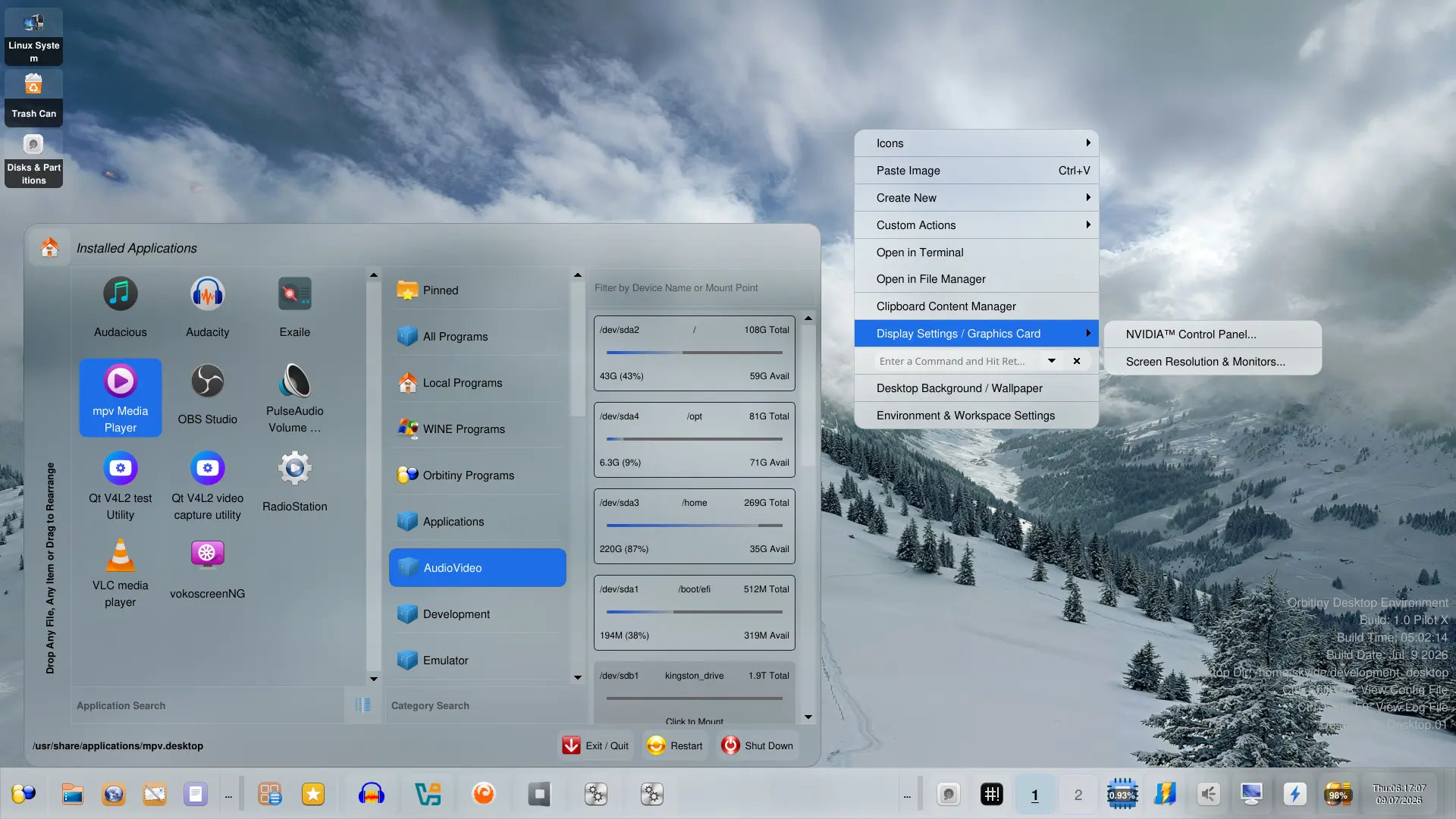
Moreover, the release introduces a redesigned Control Panel featuring an integrated sidebar and a system information tool. Sidebar entries open Orbitiny’s configuration tools, while upper-right buttons can launch external utilities provided by the Linux distribution. These buttons are customizable through the Control Panel configuration file.
The panel has received major updates, as Pilot X adds panel docking, enabling users to drag the panel to any screen edge without entering a separate edit mode. In addition, the panel can now be resized by dragging its border, and panel scrolling is available when content exceeds the visible area.
There are improvements for window handling too. The X11 Window Buttons applet now includes a side button that opens a searchable list of running windows. The applet also supports scrolling, which should help when many windows are open at the same time.
On top of that, the Quick Launch applet now includes a menu behind its “…” button, modeled after the Drawer Menu and supporting drag-and-drop rearrangement. The Applications Menu features a new “Orbitiny Programs” category for accessing Orbitiny’s tools as standalone applications, as well as a “Local Programs” category for desktop files stored in the user’s local applications directory.
Qutiny, the file manager, has received several interface updates. Tabs are now positioned at the top of the window, the icon size slider is located at the bottom left, and the file search section has been reorganized into a single row.
In addition to new features, Pilot X addresses numerous issues across the desktop. Fixes include Qutiny file manager bugs, panel docking crashes, CPU monitor performance, system tray behavior, desktop icon theme handling, drawer menu drag-and-drop, Quick Launch behavior, nested context menus, and file copy, delete, and search problems.
Another improvement ensures that desktop icons automatically move when the panel is docked to a screen edge, preventing the panel from covering them.
Looking ahead, the developer notes that Orbitiny still requires its own compositing window manager. Since developing one from scratch would be time-consuming, the current plan is to explore compatibility with KWin for standalone sessions. In portable mode, Orbitiny will continue to use the system’s existing window manager.
Interesting, Wayland is not being presented as a near-term priority. The developer mentions RiverWM as a possible route if Orbitiny is ever ported to a Wayland compositor, but also makes it clear that the project’s main focus remains X11.
For more information, see the announcement.
Orbitiny Desktop Pilot X is available on the project’s website, as downloads are provided through SourceForge.
Image credits: Orbitiny Project