
System76 continues expanding its COSMIC desktop environment with another native application aimed at one of the most practical aspects of any desktop: monitoring system activity.
The company introduced COSMIC System Monitor, a new app for the COSMIC Desktop that combines process management and hardware resource monitoring in a design that fits well with the rest of the desktop environment.
It is built with System76’s Rust-based libcosmic toolkit, so it follows COSMIC’s interface style, including fonts, navigation, color schemes, and layout.
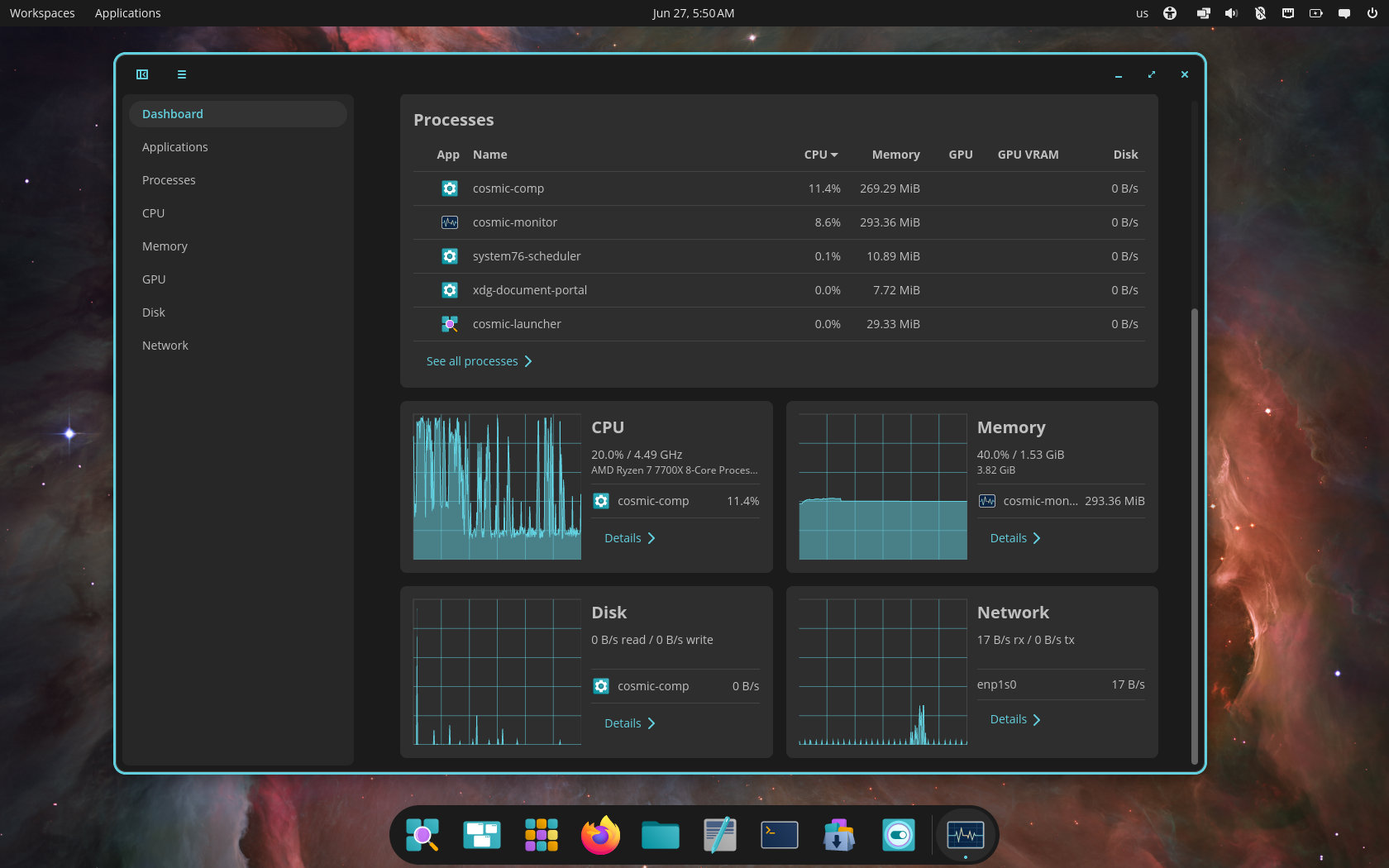
COSMIC System Monitor presents that information in a clean dashboard combining several views in one place. Users can see Applications, Processes, CPU, Memory, GPU, Disk, and Network activity without switching tools or digging through menus.
The dashboard shows a process table at the top, listing running processes with columns for CPU, memory, GPU, GPU VRAM, and disk usage. Below, resource cards provide live graphs for CPU, memory, disk, and network activity, plus quick access to detailed views.
The detail pages include charts and the top processes using each resource, giving users greater context when diagnosing performance issues. Additionally, COSMIC System Monitor includes the ability to inspect running apps and processes, making it easier to quit or kill something that has stopped responding.
The new app is available now via the COSMIC Store by searching for “COSMIC System Monitor.” It is now also available as part of the recently released COSMIC Desktop 1.1.
For additional details, see System76’s announcement.





It looks good, and it works well already.
I suppose they will complete it with time, but it does the basic stuff I was expecting already.
have they added smoother animations to cosmic yet? the only thing keeping me from using cosmic is the snappy, nonexistent animations.