
Linux Lite 8.0 “Hematite” launches as the first release in the Series 8 cycle, featuring a major platform update based on Ubuntu 26.04 LTS “Resolute.”
This release runs on Linux Lite’s custom 7.0 Advanced Performance Kernels, introducing a new installer, GTK4-based applications, expanded translations, new desktop tools, and custom kernels optimized for desktop responsiveness.
A key change is the switch from Ubiquity to the Calamares installer. Calamares now manages language, time zone, keyboard layout, disk setup, and account creation, featuring Linux Lite branding and OEM installation support. It also adds Btrfs and XFS filesystem options, while retaining EXT4 for standard installs.
Linux Lite 8.0 also migrates APT source files to the DEB822 .sources format, replacing .list files. Firefox returns as the default browser, and Thunderbird remains included. The project now hosts Firefox and Thunderbird packages directly, eliminating the previous PPA setup.
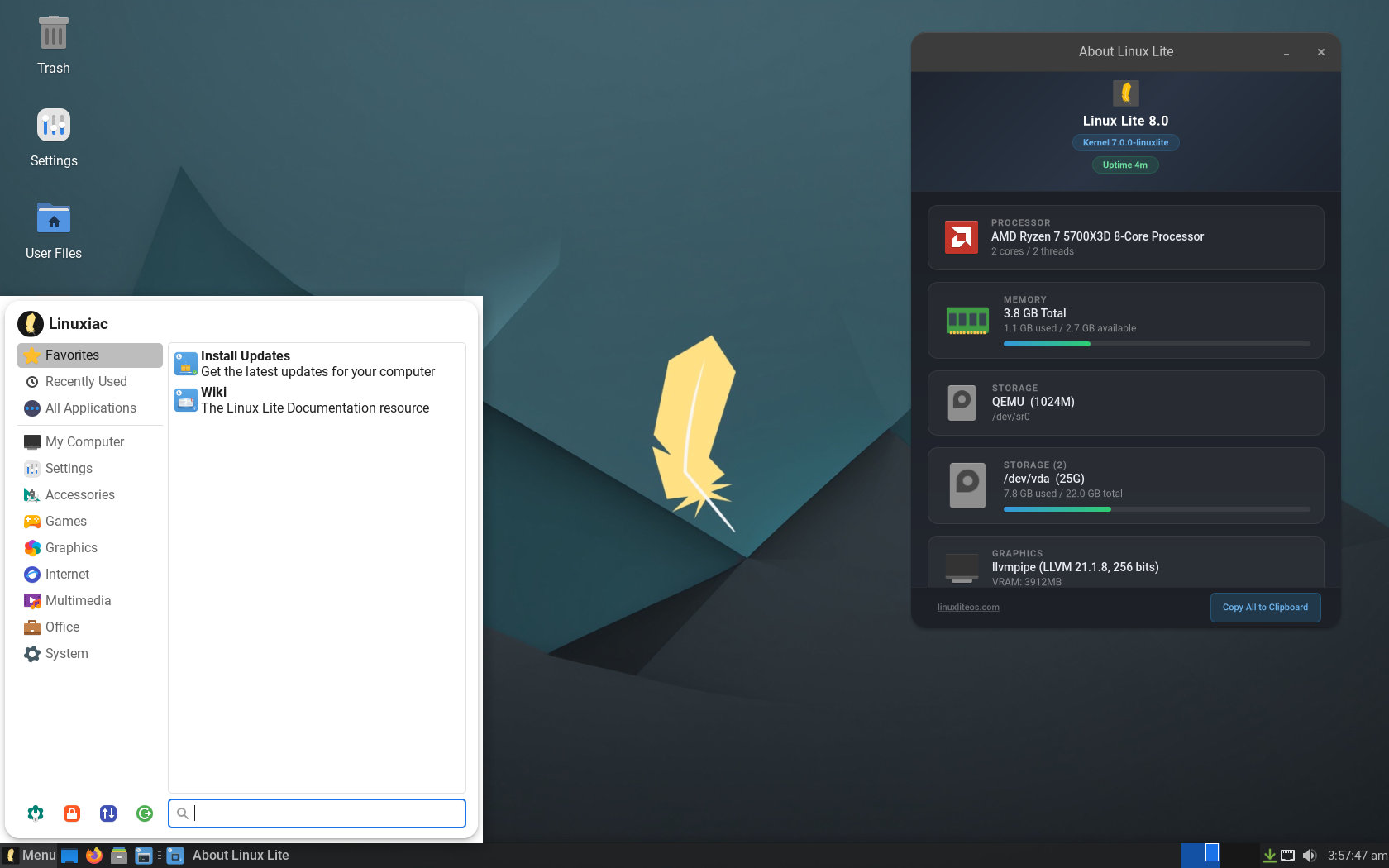
Several default tools have changed, too. Btop replaces Htop as the terminal system monitor, Fastfetch replaces Neofetch, and Starship replaces Powerline as the shell prompt. The Synaptic Package Manager is replaced by an expanded Lite Software app, now serving as the main graphical software manager with a Snap package filter.
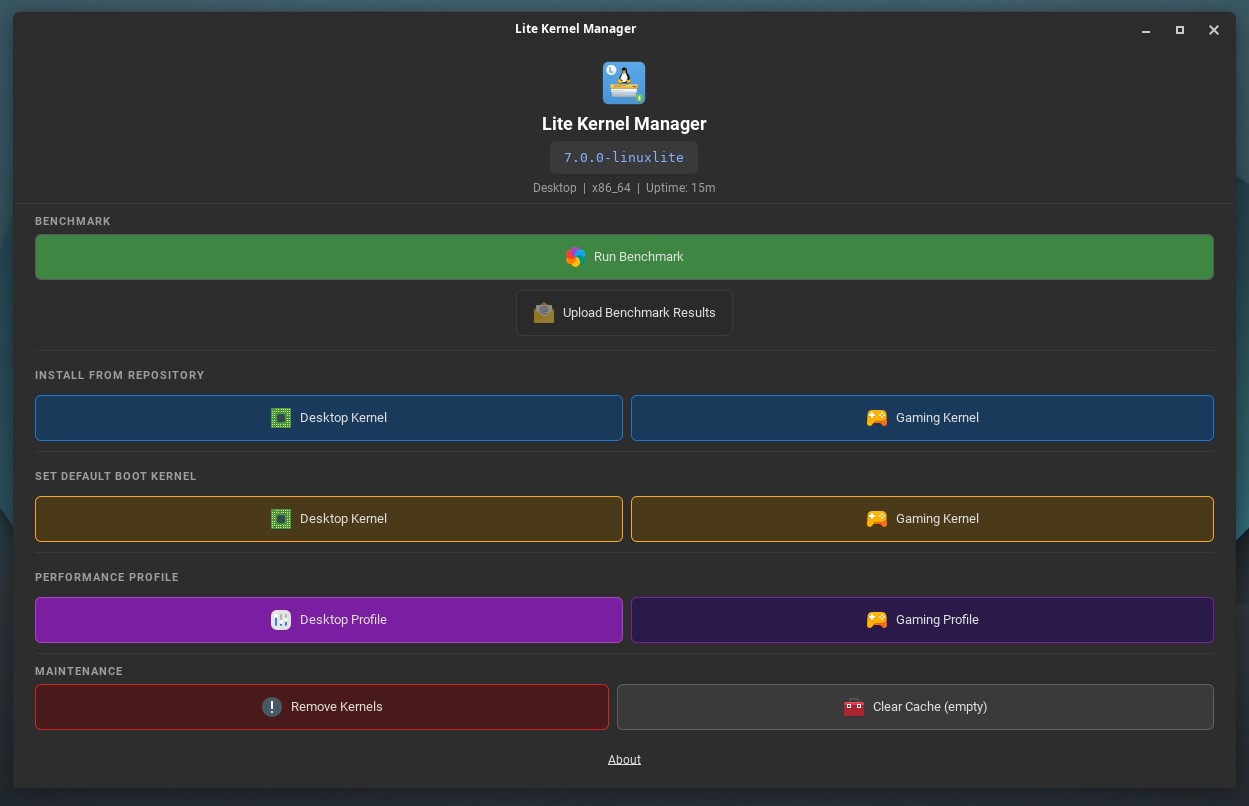
On the kernel side, Linux Lite 8.0 includes a custom desktop kernel, linuxlite, and an optional linuxlite-gaming kernel for users seeking lower latency. Both are based on Ubuntu kernel sources and feature scheduler enhancements such as EEVDF and BORE. The default kernel uses dynamic preemption; the gaming kernel uses full preemption.
Additionally, the distro introduces Lite Kernel Manager, a graphical tool for managing Linux Lite kernels. It also offers benchmarking features, allowing users to upload results and compare system performance.
Linux Lite’s applications have migrated to GTK4, replacing GTK3 and WebKit2 versions. Moreover, the distro introduces several new in-house tools, such as Lite About, Lite Core, Lite Distro Builder, Lite Driver Manager, Lite Game Center, Lite Kernel Manager, Lite Menu Sorter, Lite Series Upgrade, Lite Share Folder, Lite Software Sources, Lite Terminal, Lite Time and Date, Lite Update Tray, and MyAI.
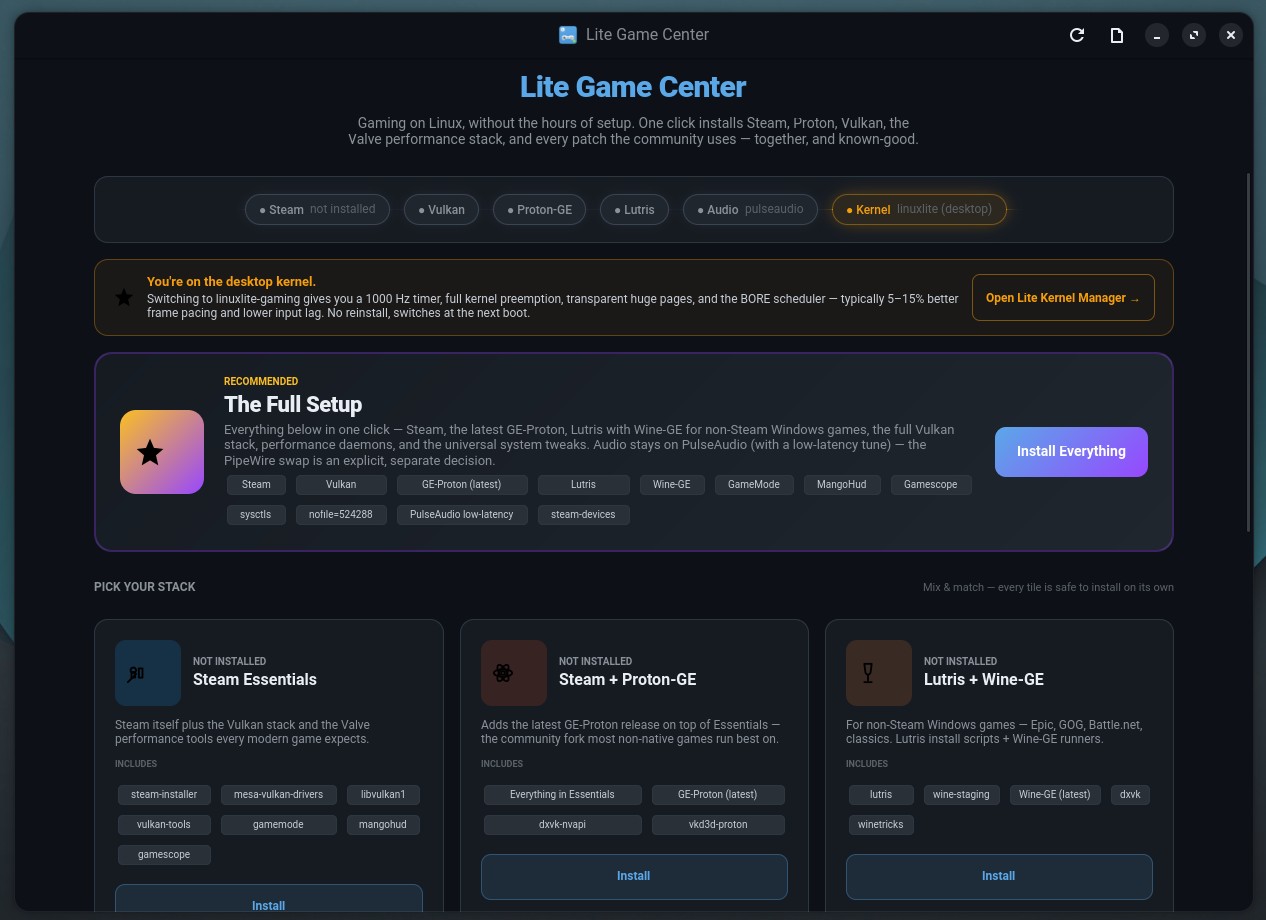
Lite Game Center is a new addition, offering a graphical setup tool for gaming components, including Steam, Lutris, Proton, Wine, controller support, and related helpers. Users can install the full gaming stack or select individual components.
Lite Driver Manager, based on Linux Mint’s driver manager, detects graphics hardware and offers one-click installation of recommended proprietary drivers. Lite Distro Builder enables users to create a customized Linux Lite installer image from an existing system.
Linux Lite 8.0 introduces Lite Terminal, a new terminal application built with Vala, VTE, and GObject. MyAI, a local AI assistant accessible from the Firefox bookmarks bar, runs privately on the user’s computer without requiring a cloud account or telemetry.
It recommends a model based on available hardware and stores conversation history locally. Users can remove it with sudo apt purge myai and by deleting the Firefox toolbar bookmark.
Default software versions include Firefox 151, Thunderbird 140, LibreOffice 26.2.2, VLC 3.0.2.3, GIMP 3.2.2, and the custom Linux Lite 7.0 kernel.
Keep in mind that Secure Boot is not supported. In light of this, users must disable Secure Boot in the firmware before installation. The project also recommends enabling CSM and using a GPT partition layout with a 512 MB FAT32 EFI partition mounted at /boot/efi, assigning the remaining space to the root filesystem.
For additional details, see the release announcement.
Linux Lite 8.0 provides a supported upgrade path from Series 7 to Series 8 using Lite Series Upgrade. The tool offers dry-run mode, live progress, scrolling logs, APT source backups, battery and power checks for laptops, DEB822 source deployment, GRUB and initramfs rebuilds, and installation or upgrade of all Linux Lite applications.
The project recommends creating a full Clonezilla or Timeshift backup before upgrading. Users should install all available updates, resolve any issues, reboot if necessary, then install the lite-series-upgrade package and launch the upgrade tool from the Settings menu.


Firefox is back – Just don’t swap back to Chrome next version.