
The KDE project has released a development update detailing improvements planned for Plasma 6.7, introducing a new method for typing characters not directly available on physical keyboards.
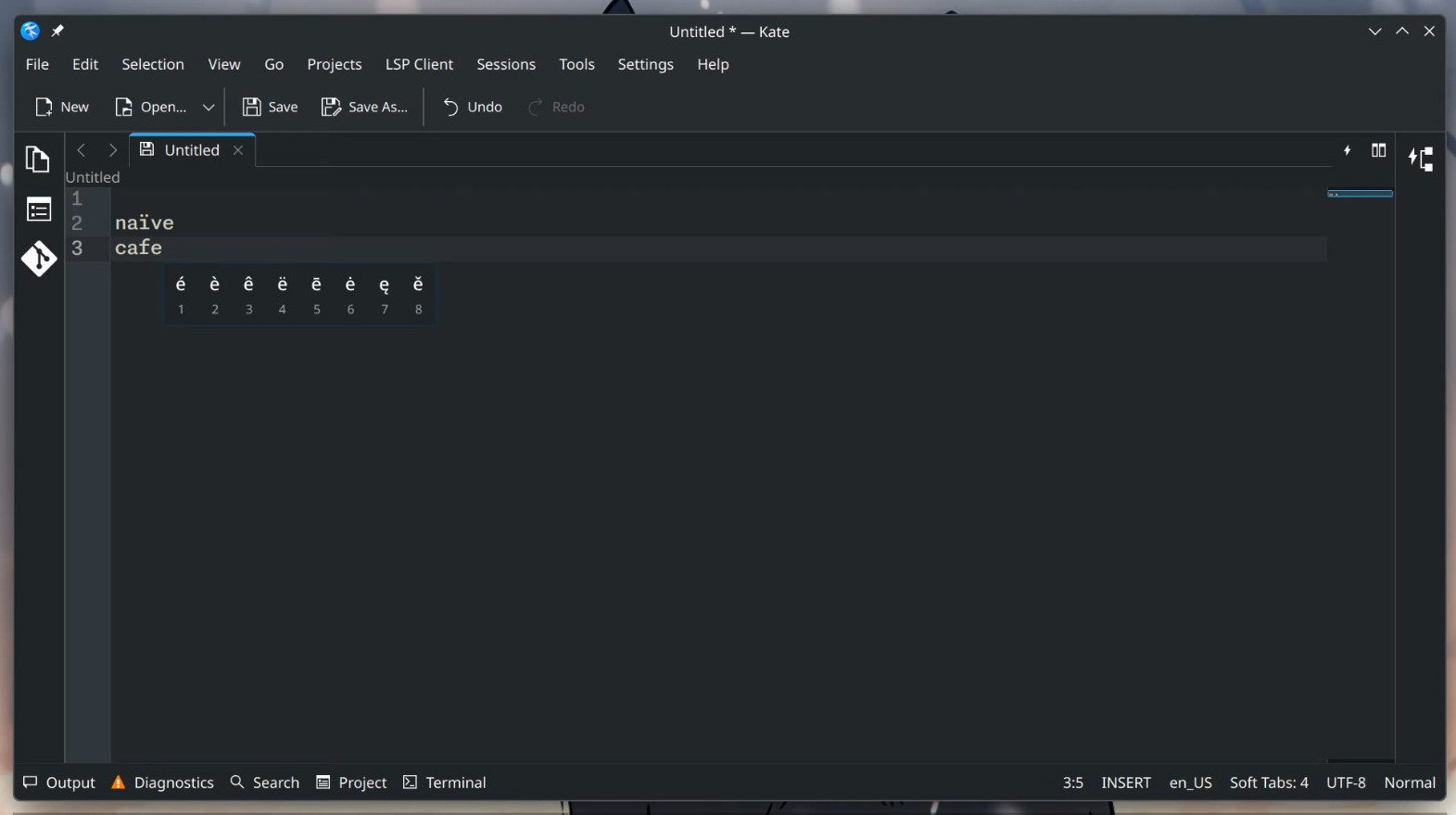
Plasma 6.7 will offer a press-and-hold typing feature, enabling users to access alternative characters by holding supported keys, similar to mobile keyboards. It is part of the plasma-keyboard module and can be enabled in System Settings under Keyboard, then Virtual Keyboard. When activated, holding a key displays its associated alternative characters.
On top of that, Plasma 6.7 will also support installing custom sound themes from downloaded files. The Global Menu widget will now display the menu of the active window, even if the window is on another screen. This behavior is configurable, so users can retain the previous setting if preferred.
Additional interface refinements include improved navigation in the System Tray’s Clipboard and Networks widgets, where the standard back button now returns to the previous page, eliminating duplicate navigation controls. Notifications for newly connected USB printers have also been simplified, with the system now displaying only one notification.
On the window management side, when tiling two adjacent windows, they will now be centered within the available space, excluding desktop panels, instead of compressing the window nearest the panels.
The update includes a workaround for an upstream Electron issue that caused system tray icons from different Electron applications to share the same settings. Although the bug is fixed upstream, many Electron apps have not yet adopted the fix. Plasma now provides its own solution to prevent this issue.
Technical improvements include enhanced handling of screencasting and remote desktop requests from sandboxed applications through xdg-desktop-portal-kde. Systems with multiple GPUs will now operate more reliably if one GPU lacks OpenGL 3D acceleration, ensuring capable GPUs continue to provide acceleration.
For more information, refer to the “This Week in Plasma” post on the KDE Blogs.
Image credits: KDE


This should’ve be avaliable just if scroll lock is active (or some key combination).
I’m not using KDE although I respect what they do, but there is no doubt Android keyboards are a lot more powerful that what we currently have on Linux.
There are 3 keyboard inputs that make it a little frustrating for me to use my computer keyboard after using my Android phone:
1. Acute, circumflex, breve, caron, tilde, grave, etc… For the diacritic marks my keyboard don’t do, I have to open some Characters app or web page and copy, then paste where I need to use them. Just let me long press and pick like in KDE screenshot above.
2. Emojis, same.
3. Word and e-mail suggestions while typing. Android keyboard remembers your frequently inserted e-mails and just 2-3 letters are enough before your e-mail suggestion comes up. Same with proper nouns. Would also help for people to stop spelling it Khameini and actually start using Khamenei if a correct suggestion system was implemented.