WireGuard Easy, a web-based tool for deploying and managing a self-hosted WireGuard VPN server, has just released version 15.3.
The main change is the new client firewall filtering feature. According to the project, WireGuard Easy 15.3 can now enforce Allowed IP rules on the server side, adding a stronger access-control layer for clients managed through the web UI.
This means administrators can now restrict which networks or servers a client is allowed to access and have those rules enforced by the WireGuard Easy server, rather than relying only on the client’s own configuration. The project also links to new documentation explaining how to enable and use the firewall feature.
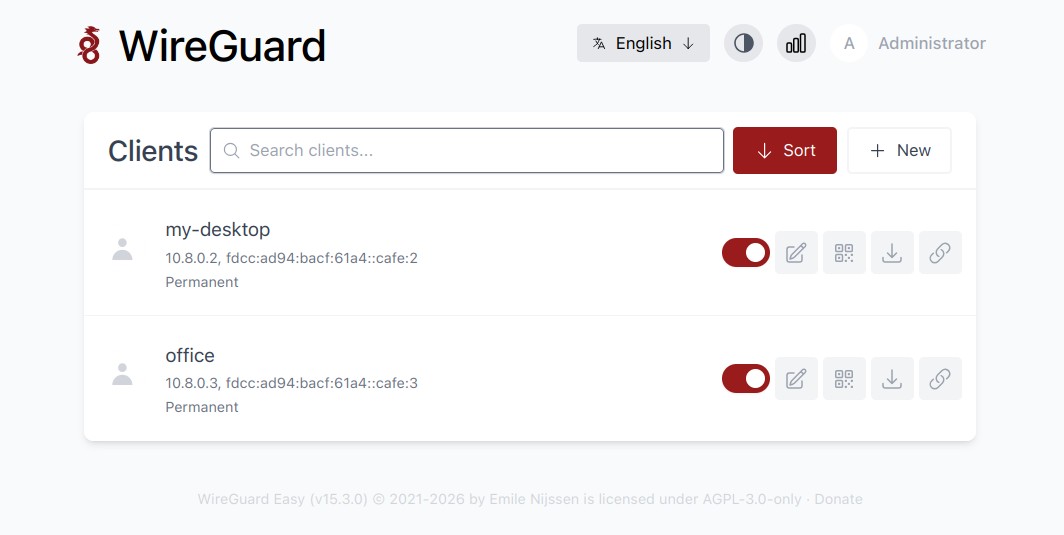
WireGuard Easy 15.3 also improves QR code handling. The CLI now includes a command to show a QR code, while the web interface can copy and download QR codes as PNG files.
Another WireGuard-related change is improved AmneziaWG 2.0 support, with support added for H1-H4 ranges. In addition, hooks have been changed to text areas, making longer or multi-line hook commands easier to manage from the interface.
The release also includes several UI and maintenance fixes. Mobile UI behavior has been improved, an issue where an error popup appeared when enabling a disabled client has been fixed, and Prometheus metrics output now includes a trailing newline.
WireGuard Easy 15.3 adds or updates multiple translations, including Bulgarian, Czech, Galician, Vietnamese, Dutch, Russian, Spanish, French, German, Simplified Chinese, Traditional Chinese, Turkish, Polish, and Ukrainian.
The project now also lists several languages with 100% translation coverage, including English, German, French, Dutch, Polish, Russian, Turkish, Ukrainian, Vietnamese, and Chinese variants.
Finally, the release updates the project’s Node.js base to Node 24 “Krypton” and includes dependency and internal maintenance changes.
For more details, see the changelog.