Managing Nginx directly through configuration files works well when you know what you are doing, but once a server hosts multiple sites, upstreams, certificates, logs, and reverse proxies, it can become cumbersome. Nginx UI simplifies this by putting most day-to-day Nginx administration behind a modern web interface.
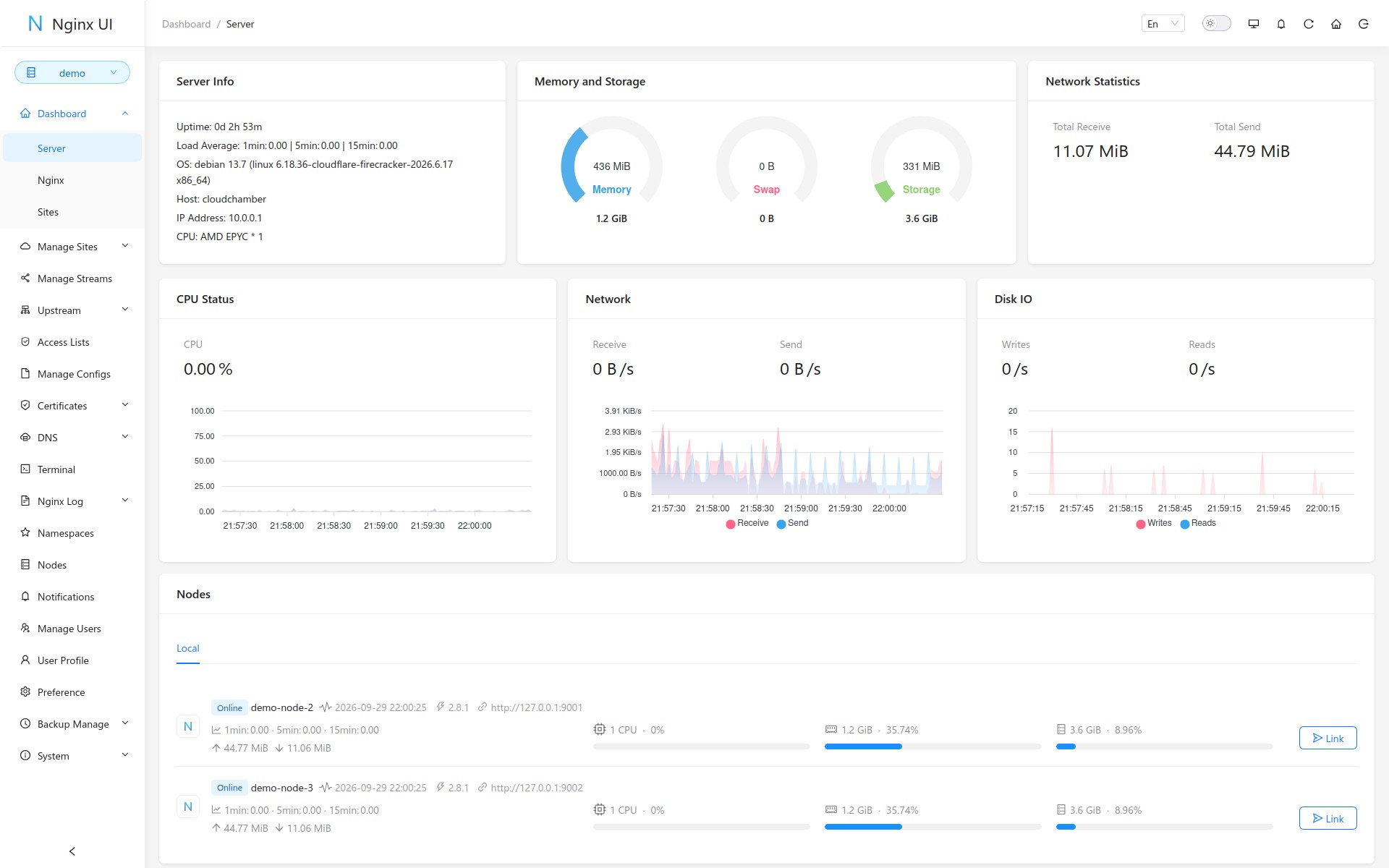
The open-source project goes beyond basic configuration editing. Its dashboard provides an overview of the server, including CPU usage, memory, storage, network activity, disk I/O, uptime, load averages, and other system information. From the same interface, administrators can manage Nginx sites, streams, upstreams, access lists, certificates, configuration files, logs, DNS settings, and users.
One of its strongest areas is site management. Instead of manually creating and enabling individual Nginx configuration files, Nginx UI offers a graphical workflow for adding and editing sites, including reverse-proxy setups and redirects. The project also checks configurations before applying them, reducing the chance of breaking Nginx with a syntax mistake.
HTTPS management is built in. Recent releases have streamlined the process, allowing HTTPS to be enabled directly from the site editor while Nginx UI handles certificate issuance and configuration changes. The software also checks ACME HTTP-01 validation and provides more useful information when certificate issuance fails.
For environments with multiple backends, Nginx UI manages upstream servers through dedicated upstream groups. Version 2.8 introduced reusable standalone upstream groups referenced from different sites, with controls for enabling or disabling individual upstream servers and searching configured groups.
Access control has received similar treatment. Administrators can create reusable IP access lists and apply them across sites and streams instead of repeating the same allow and deny rules in multiple configurations.
Importantly, Nginx UI is not limited to managing the machine on which it is installed either. Multi-node management allows administrators to control additional Nginx instances from one interface, with recent versions adding quicker node switching and the ability to work with two nodes side by side.
Moreover, Nginx UI can manage Nginx running on a Docker host or another machine over SSH, using SFTP for configuration access and providing tools to set up host trust and the remote environment.
There is also a built-in terminal, allowing access to the command line without leaving the interface. Log management provides access to Nginx activity directly from the browser. Monitoring goes beyond showing whether Nginx is running, with dashboard views for system resource usage and node status.
The project also includes user management, two-factor authentication, notifications, configuration backups, and support for clustered deployments. Some recent work has focused on tightening security around session handling, trusted proxies, remote-node communication, passkeys, and sensitive credentials.
For additional details, see the project’s website or its GitHub repo.