
The Manjaro-based Mabox Linux 26.08, built around the Openbox window manager, has been released with updated packages and two new tools that help users create customized Mabox installation images and persistence-enabled USB drives.
The new utilities are called mabox-snapshot and mabox-persistence-usb. Both are now in the distribution’s official repositories.
The first, mabox-snapshot, generates a custom ISO image based on the user’s current Mabox system. This lets users turn an existing setup, including customizations, into a bootable installation image instead of starting from a stock ISO.
The second tool, mabox-persistence-usb, works with such an ISO to create a persistence-enabled USB drive. Unlike a conventional live USB, where changes are lost after rebooting, a persistent installation retains files and system changes between sessions.
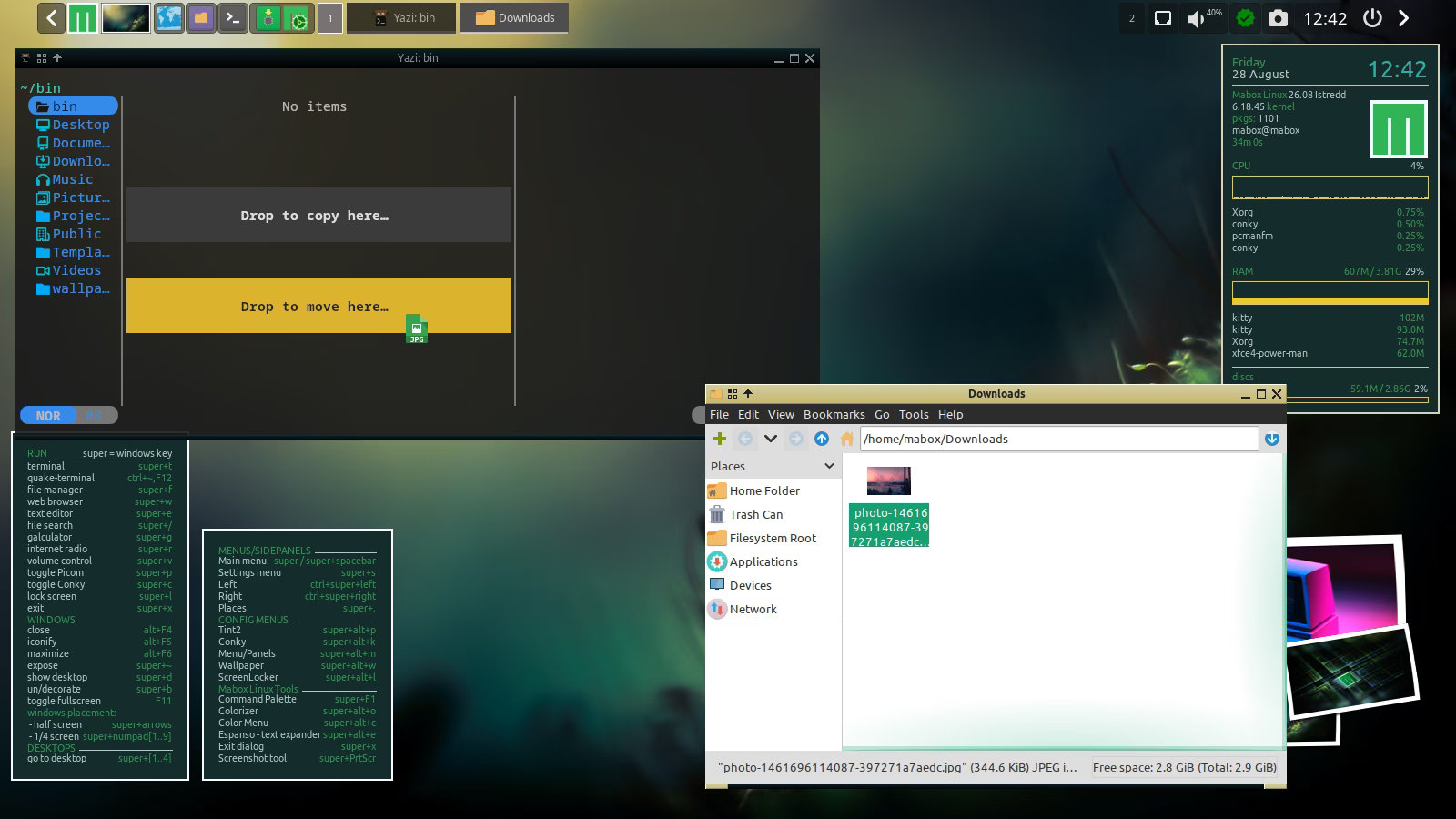
Mabox Linux 26.08 also improves the Quake-style drop-down terminal opened with F12. It now runs on Kitty, which supports drag-and-drop file copying.
Additionally, the fast, terminal-based Yazi file manager is now preinstalled, giving users another convenient way to browse and manage files directly from the F12 terminal.
For new installations, Mabox Linux 26.08 offers a choice of two LTS kernels. Users can download an image with the newer Linux 6.18 LTS kernel or the older Linux 6.6 LTS branch.
During ISO startup, users can choose whether the live environment loads open-source or proprietary drivers based on their hardware.
For additional details, see the announcement.
Mabox Linux 26.08 ISO images are available from the project’s repository and SourceForge mirrors. Existing Mabox users can access the newly introduced remastering utilities directly through the distribution’s official software repositories.
Image credits: Mabox Linux




Beautifull customization on OpenBox wm.
Tested it in Qemu/Kvm , on my Void Enlightenment wm.
Installed Librewolf and watch ‘Airwolf’ video like it was running and using my Nvidia card. My Kvm config was not using OpenGl or 3D acceleration (simply VGA, not Virtio).
Also installed VokoscreenNG and recorded the desktop with sound of Pyradio application.
All was recorded very nice.
Problems I encountered :
takes time to find some settings. Like the Keyboard Layout. And the size of the Menu fonts.
Runs fine in Virtualization. Wonder If I will notice difference if installed on Bare Metal 😉
Oh sure, I will have to install Nvidia drivers, but for videos, I will see no difference. Only If I use Steam.
I give it 9/10.
Sometimes we are lost in menu and sub menus.
But it’s refreshing, not using the classical Windows fork interfaces.
From all Window Managers I used, this could be a nice mix of WindowMaker / Xfce / Noctalia…
Just my 2 cents.
Great Work !
Very far from the usual hype that brings no originality 😉
That many youtubers / influencers wants to “sell” to the mass…
There is a lot of work, here.
Chapeau !