
For users who appreciate Ubuntu’s extensive software repositories but prefer a lighter desktop without Snap packages, FunOS can be an interesting alternative.
Based on Ubuntu, this distro replaces the standard GNOME desktop with the lightweight JWM, keeping resource consumption low while retaining compatibility with Ubuntu’s package ecosystem.
Unlike distros that ship with a complete desktop environment, FunOS takes a minimalist approach. It uses JWM on X11, providing a traditional desktop layout with an application menu, taskbar, system tray, and virtual desktops. The interface is simple, with familiar categories for accessing installed applications and system settings.
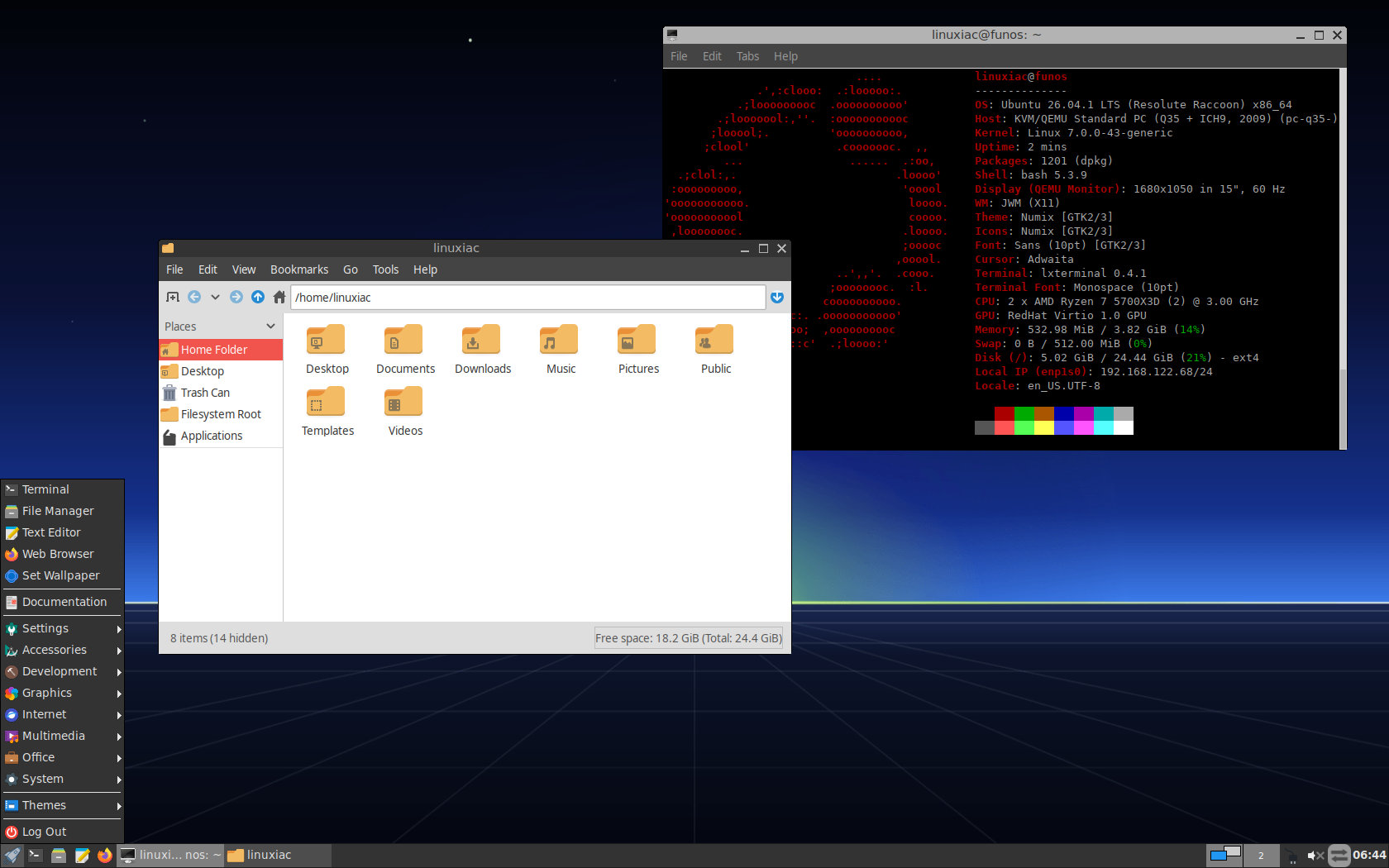
But despite its minimalism, FunOS doesn’t require users to build their desktop experience from scratch. It ships with essential applications such as Firefox ESR, the PCManFM file manager, Mousepad text editor, and LXTerminal, along with graphical utilities for managing the desktop’s appearance and settings.
One of FunOS’s main distinctions from standard Ubuntu is its decision not to include Snap. Instead, software installation relies entirely on traditional DEB packages and APT, giving users access to Ubuntu’s repositories without the Snap packaging system.
Regarding performance, we installed FunOS 26.04.1 LTS in a QEMU/KVM virtual machine to see how lightweight it is. With the JWM desktop running and a terminal open, the system reported approximately 310 MB of RAM in use, and the installation occupied less than 5 GB of disk space.
As for its release options, FunOS currently offers two LTS editions, based on Ubuntu 26.04.1 and 24.04.5, both shipping with Linux kernel 7.0. There’s also FunOS 26.10, based on Ubuntu 26.10 and featuring Linux kernel 7.3, for users who prefer more recent software.
The recommended FunOS 26.04.1 LTS release receives standard support through April 2031, following its Ubuntu base. Installation is handled through the graphical Calamares installer, which replaced the older Ubiquity-based installation process starting with FunOS 26.04.
For more information, installation instructions, and ISO downloads, visit the project’s official website.