
Six months after switching to immutable design with its major 25 release, a Debian-based Deepin 25.0.10 ISO has been officially released as a feature-enhanced, bug-fix release, powered by Linux kernel 6.12.
One of the most notable changes is the updated system installer, which, during full-disk installations, now offers clearer formatting prompts and supports retaining existing user data. Moreover, users can reuse original account information, configurations, and files, reducing the need for repetitive setup steps when reinstalling or refreshing an existing system.
The File Manager receives a comprehensive upgrade. New functionality includes automatic scrolling when dragging files to the edge of a window, grouping files by attributes such as time, size, type, or name, and pinned tabs for frequently used directories.
In addition, opening folders from the desktop or third-party applications now defaults to a new tab within the current window. Visual feedback for selected desktop icons has also been improved for better clarity.
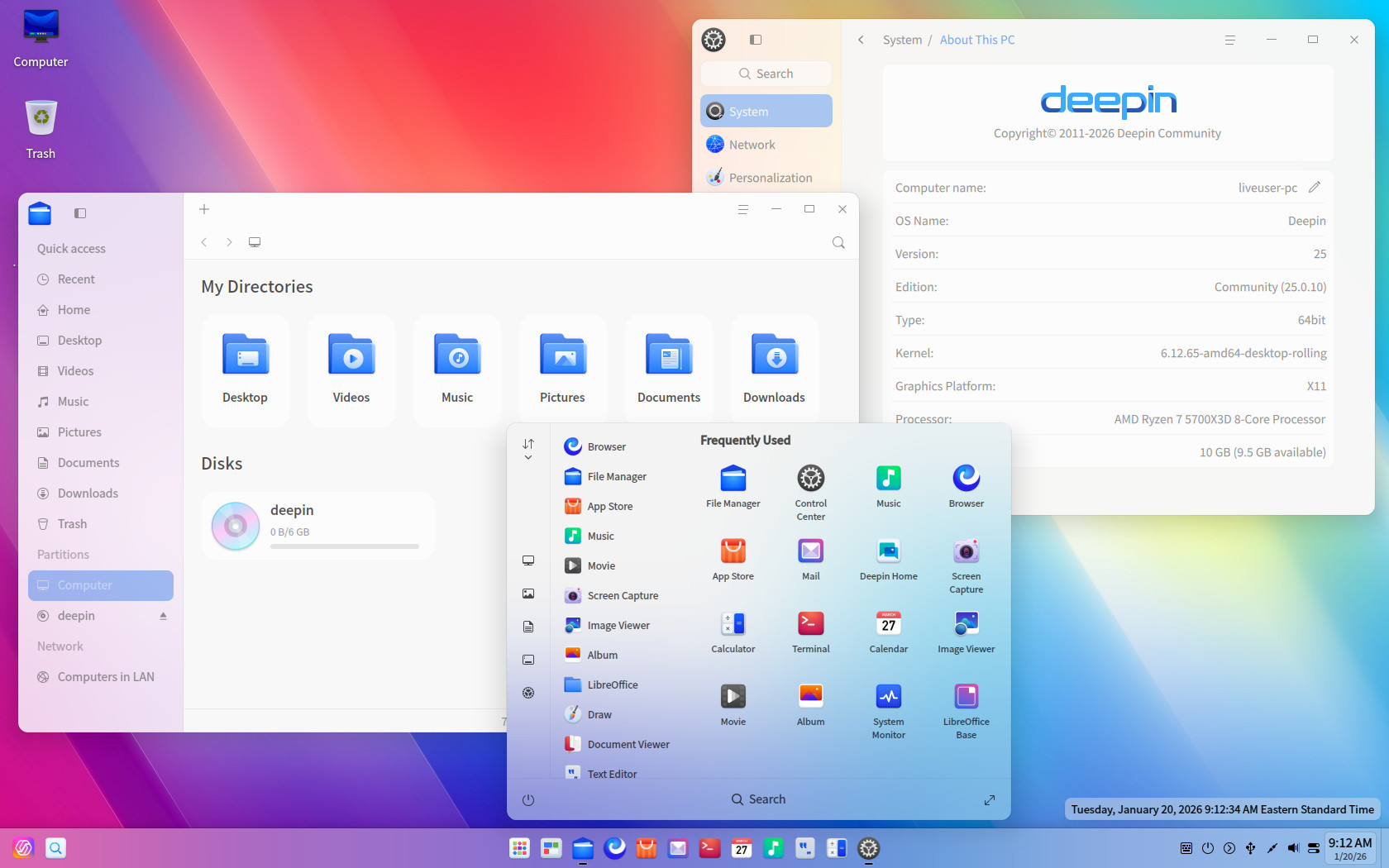
System interaction and interface details have been refined, too. Taskbar icon click areas have been optimized for accuracy, clipboard positioning and lock-screen password verification logic have been adjusted, and multiple UI inconsistencies have been resolved to improve visual coherence and interaction precision.
Deepin 25.0.10 also introduces several feature additions and ecosystem enhancements. These include the new Origin business-style theme, integration of the 98-Wubi input method, expanded Wubi-Pinyin lexicons, and AI-powered screenshot functionality that summarizes, explains, and translates text captured from images.
Regarding stability, numerous issues affecting system startup, file management, DDE components, and application behavior have been fixed. The update also includes refreshed security patches addressing multiple publicly disclosed vulnerabilities, along with updated core packages and an upgraded NVIDIA proprietary graphics driver.
For more information, see the release announcement. If you opt for a fresh install, keep in mind that the installer requires at least 64GB of disk space. Additionally, since the distribution is a bit heavy, ensure that your hardware is fairly recent to take full advantage of its features and aesthetics.
Finally, Deepin recommends a fresh installation of the 25.0.10 image for new installations and for users who have not updated their Deepin 25 systems for an extended period. Systems that are already up to date and functioning normally can be upgraded directly through the Control Center without reinstalling.