Armbian has released Armbian Imager 2.0, a major update to its image-flashing utility for preparing Armbian systems on single-board computers, with a redesigned interface and flashing engine.
The tool now writes configuration details directly into the image during flashing, enabling the board to boot with user settings pre-applied.
Moreover, users can create a setup profile with a username, password, SSH key, Wi-Fi network, country code, timezone, locale, and preferred shell. The imager embeds these details into the image filesystem, so the board applies them on first boot.
The good part is that this eliminates the need for a monitor and keyboard during initial setup, making the tool very convenient for headless deployments. After flashing, users can insert the card, power on the board, and connect to a pre-configured system.
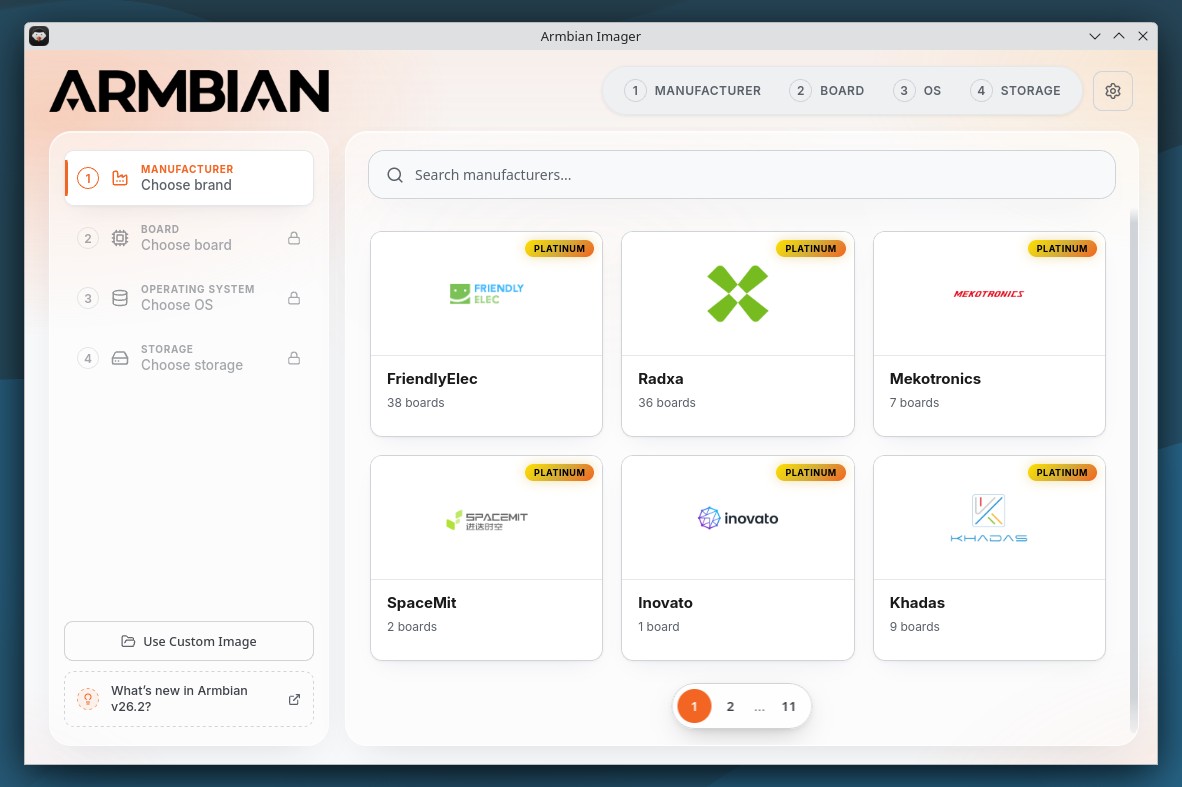
Armbian Imager 2.0 also replaces the previous pop-up interface with a single-page animated workflow. Plus, manufacturer, board, operating system, and target device selection are now integrated into one process. The settings section and cache manager have been redesigned as well; the cache manager now displays stored data by category and allows easier clearing.
Additionally, the new imager hides image types not intended for writing to a card, such as virtual machine disk formats.
For verification, Armbian Imager 2.0 checks downloaded images against their SHA256 checksum. After writing, it reads the target card and compares it byte-for-byte with the source image. A successful result confirms the written data is identical to the original image.
Custom and offline image workflows have been enhanced, and users can now provide their own images in img, iso, xz, gz, bz2, and zst formats. Compressed images are decompressed before writing. The updated offline mode retains cached images and local files when no internet connection is available.
For additional details, see the announcement. Armbian Imager 2.0 is now available for download from the project’s website, available for Linux, macOS, and Windows.