BlueFerry is a new open-source project that brings something that users have been waiting for a long time – namely, iMessage and SMS from an iPhone to the Linux desktop over a direct Bluetooth connection, without relying on a Mac relay, cloud service, proxy, Apple login, or subscription.
Once an iPhone is paired with a Linux machine, incoming messages appear on the desktop, and users can reply directly from a conversation. New messages can be sent to a phone number, an Apple ID email registered with iMessage, or a synchronized contact. The project also supports contact synchronization and can optionally mirror other iPhone notifications.
The app includes native clients for GNOME, KDE, and Quickshell, all of which use the same local backend, so pairing information, contacts, preferences, and message history remain shared across interfaces. A command-line interface is also available for listing messages, sending messages, synchronizing contacts, clearing history, and running diagnostics.
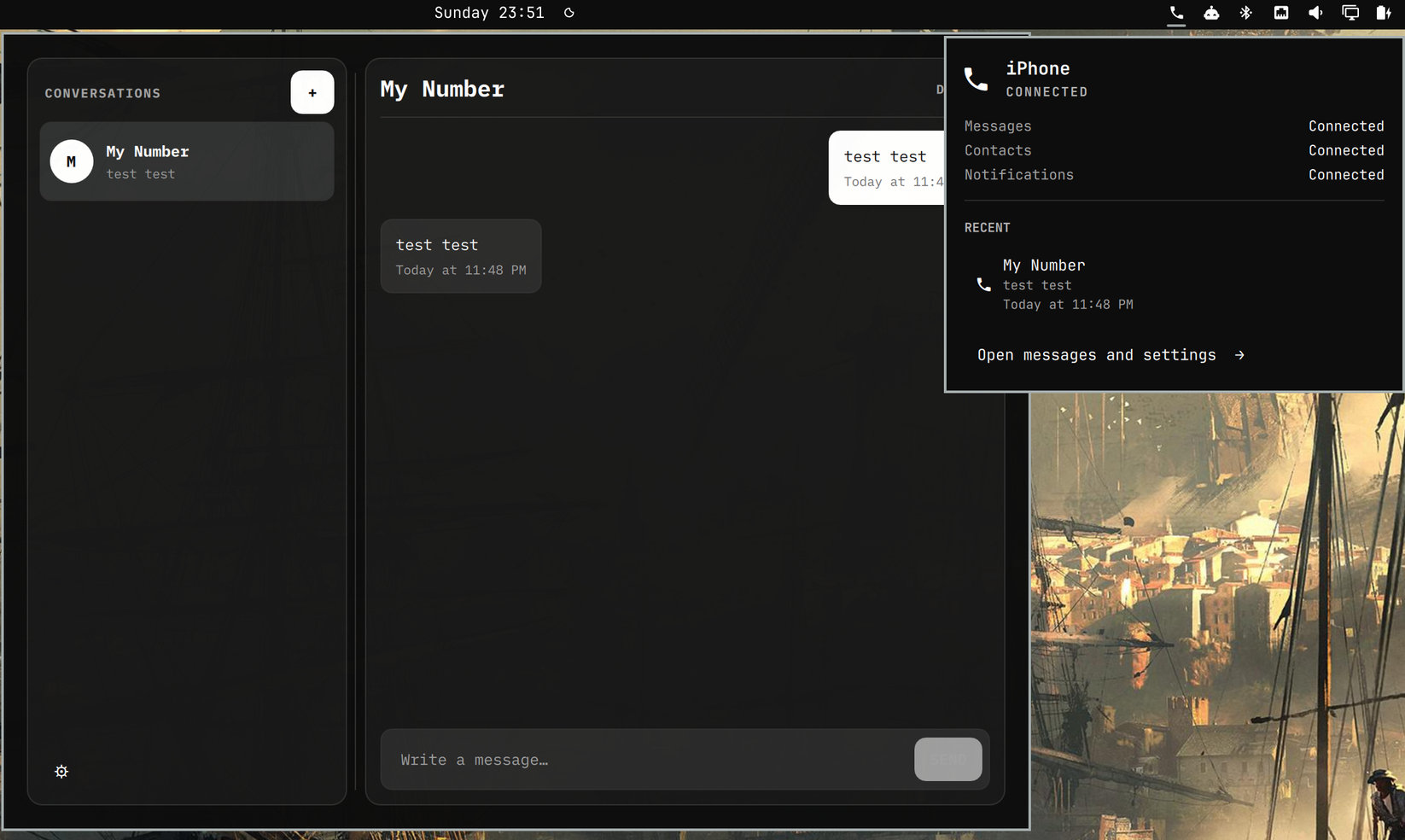
Under the hood, BlueFerry uses three Bluetooth technologies. MAP over OBEX handles messages, inbox queries, read state, and sending; PBAP over OBEX provides contacts in vCard format; and Apple Notification Center Service over Bluetooth LE can supply additional iPhone notifications and, in some cases, enough information to identify participants in otherwise ambiguous group conversations.
However, the app has a few limitations. BlueFerry only knows messages seen since pairing, so it cannot act as an iCloud Messages history browser or download an existing archive. Additionally, attachments, reactions, typing indicators, FaceTime, calls, and the complete sent message history are unsupported.
Regarding privacy, by default, locally retained message history and synchronized contacts are encrypted with a randomly generated key stored in GNOME Keyring or KDE Wallet. Users can choose unencrypted local storage or disable retained local data entirely, making new events ephemeral.
For now, installation targets Arch Linux. The repository includes a build script that creates four standard Pacman packages: BlueFerry backend, GTK client, Qt client, and Quickshell client. The build uses dependencies from official Arch repositories rather than AUR or PyPI.
Pairing works like connecting another Bluetooth accessory. After launching a graphical client, users pair the iPhone through Linux Bluetooth settings, approve the confirmation code, then enable “Show Message Notifications” and “Sync Contacts” for the Linux computer in the iPhone’s Bluetooth settings. BlueFerry can then reconnect automatically after Bluetooth interruptions.
And finally, a few things you should keep in mind. First, the developer stresses that because the project depends on Bluetooth behavior exposed by iOS, future Apple changes could potentially affect compatibility. In addition, given that the project is brand new, the recommendation for now is not to rely on BlueFerry as the only way to receive important messages.
Still, the approach makes BlueFerry particularly interesting for Linux users who also have iPhones. The project is released under the GPL-2.0-only license, with source code, architecture documentation, protocol notes, and testing information available through its GitHub repository.
Image credits: BlueFerry