
KDE has released the Plasma 6.7 beta, providing testers with an early preview of the desktop changes planned for the final release on June 16.
A key update is the return of Plasma Bigscreen as a new module in Plasma 6.7, which targets TV and living-room setups, bringing KDE’s desktop technologies to large-screen environments controlled remotely.
Plasma 6.7 also introduces the Union style engine as a new module in its first public tech preview. In the beta, Union styles QML and Kirigami applications when the union package is installed. Additionally, version 6.7 adds new controls for Plasma’s virtual keyboard. Users can now configure what triggers the keyboard to appear.
Privacy-related screen capture controls have been refined with the per-window option that previously hid a window from screencasts now also hides it from static screenshots, and KDE has renamed the option to reflect this broader functionality.
Another update affects applications that request control over input devices. Plasma 6.7 introduces an option to always allow such applications, eliminating the need for repeated authorization.
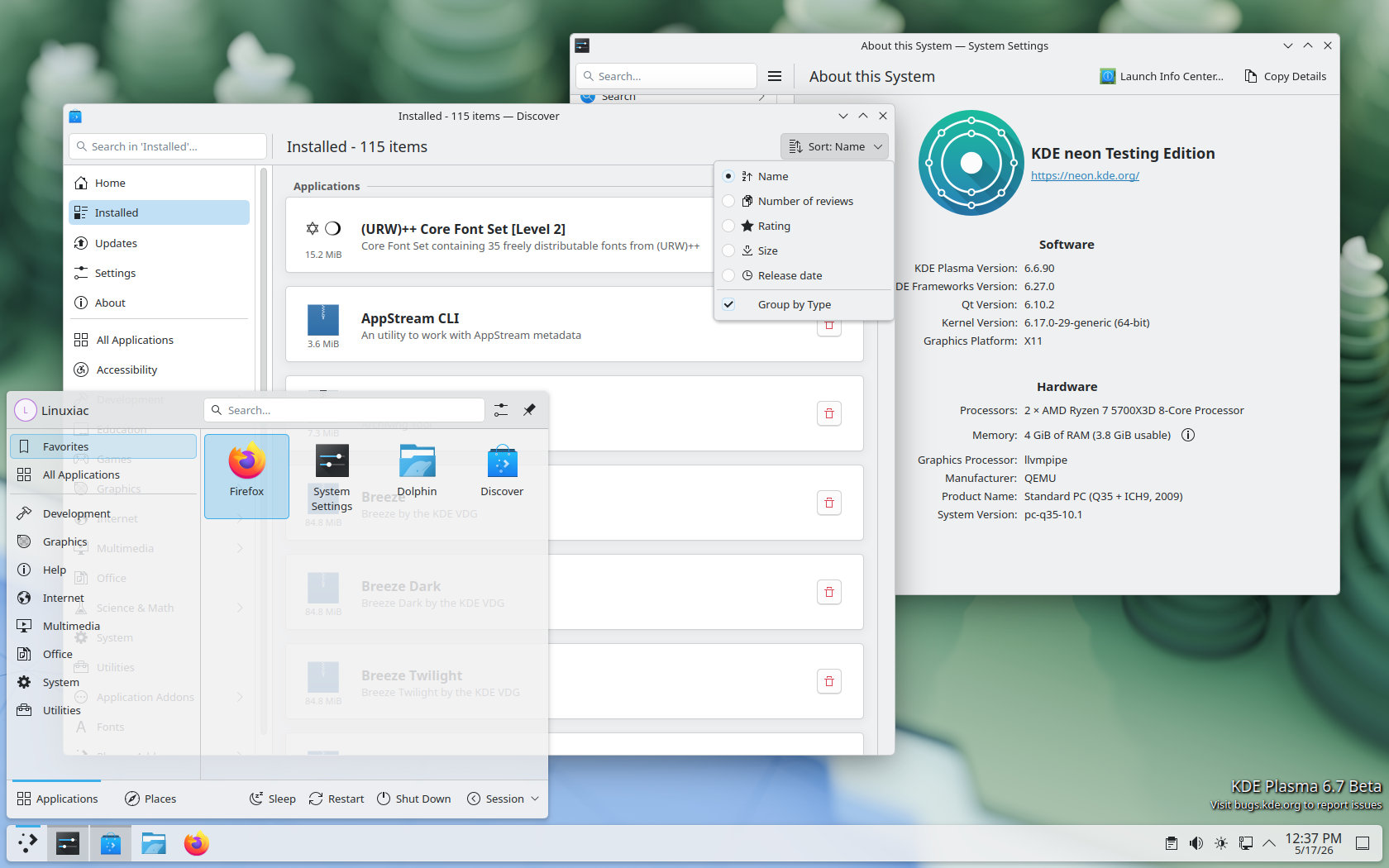
The Discover software center receives a usability improvement in Plasma 6.7: the “Installed” page now groups items into categories by default, making it easier to browse installed packages, especially on systems with many applications and components.
Notifications have also been visually updated. Instead of fading in, Plasma notifications now slide in from off-screen, altering how new alerts appear on the desktop.
Apart from the changes listed above, KDE is also improving several smaller desktop interactions. Kickoff now better handles launching a searched item when users type quickly and press Enter, Gwenview becomes the default SVG viewer, smart card unlock workflows are improved, and the “Keep Above Others” window action is moved to the top level of the titlebar context menu.
For widgets, Plasma 6.7 adds a light and dark mode toggle to the Brightness & Color widget, a global push-to-talk shortcut, a shortcut for clearing notification history, easier mixed skin tone emoji selection, and customizable sorting and grouping in the Window List widget.
System-level changes include simplified setup for printers shared from Windows networks and support for the ext-background-effect-v1 Wayland protocol. Plasma 6.7 also lists the new plasma-bigscreen and union modules as part of the beta.
Finally, remote desktop support has been enhanced as Plasma’s built-in remote desktop server now supports progressive encoding when H.264 is unavailable or less efficient, along with performance and latency improvements. Plasma 6.7 also implements version 3.2 of the Wayland Text Input protocol.
As with any beta release, keep in mind that Plasma 6.7 is intended only for testing, not for production use. Users who want to try Plasma 6.7 Beta can do so through KDE Neon Testing Edition, which provides pre-release KDE software for testing purposes.



Pure Aura KDE 6.7😂😂😂😂
6. What?
I really love KDE Plasma desktop. Inmho it’s the most powerfull & configurable desktop.
When I was tired of ‘the Windows Way’ worflow I customized it like Wmaker (X11) & it was like a revival 😉
Lately I tested Niri, love it, too.
But my daily Wm for Wayland is Mangowm (running with xfce4-panel & rofi).
A really fresh & customizable desktop that made me forget all previous wm.
67!!!
I’m more excited that the Air and Oxygen themes are officially returning. Too bad that because I’m on Tuxedo OS, I’m still on KDE 6.5, which means by the time Tuxedo even gets KDE 6.6, it will probably be a long time and I can’t even imagine how long will it take for 6.7 to release.
I wish there will be an easier way to manually install those themes after KDE 6.7 officially releases and they work fine. Right now the Oxygen theme is more or less OK, except that the window buttons (minimize, maximize, close) look pixelized due to me using 150% scaling on my laptop so things don’t look tiny.
Anyways, I’m new to KDE and this sounds exciting, as the DE seems to be getting better and better (so far.