Deepin 25.1 is the first major update to the Deepin 25 series. It’s available as a new ISO for AMD64, ARM64, Loong64, and a RISC-V technology preview build.
The biggest change is the kernel jump from Linux 6.12 to 6.18 LTS, which brings updated memory management, file-system optimizations for Ext4 and XFS, the BORE scheduler from CachyOS for smoother desktop responsiveness, and expanded hardware support, including newer features like Intel APX.
Next, a large part of this release is tied to UOS AI. Deepin says the AI stack now includes a system-level “Claw Mode” that interacts with mainstream messaging apps, a rebuilt writing agent with outline-first generation and source traceability, a built-in editor with export to PDF, Word, and Markdown, and a new Skills Center for importing or creating AI skills.
In addition, screen capture and recording tools also gain AI-assisted text processing for tasks like explanation and translation.
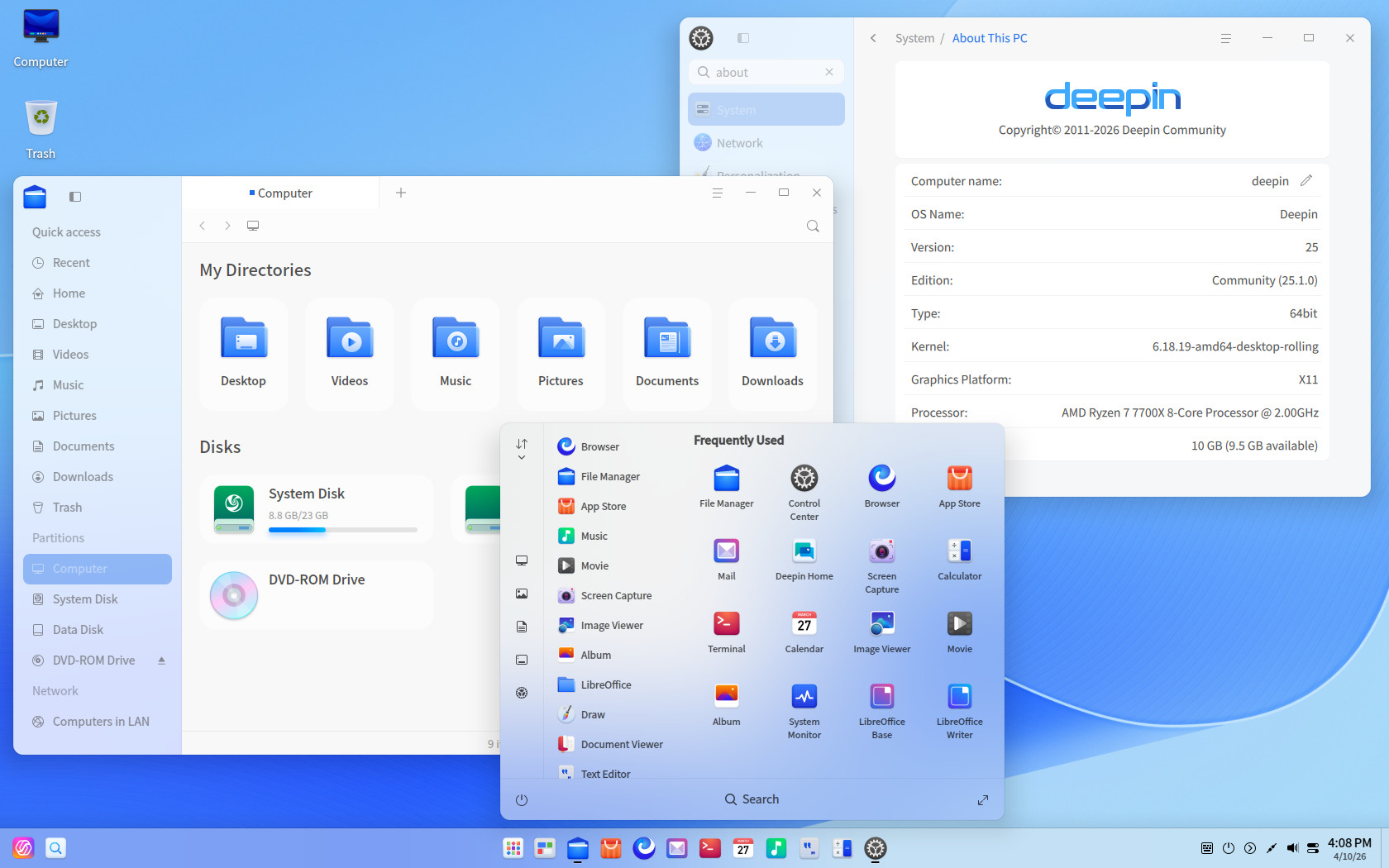
On the desktop side, Deepin 25.1 adds several smaller changes. File Manager supports pinned tabs, cross-window drag and drop, drag-to-zoom image previews, and clearer grouped-file presentation. The taskbar can split icons for applications with multiple windows.
The Control Center adds mouse pointer size settings, and Mail gains printing support. Deepin also updated the Linyaps NVIDIA closed-source graphics driver to version 580.119.02 to fix transparency issues in some applications.
On the bug fixes side, Deepin lists security updates, kernel vulnerability fixes, better update reliability, and improved power-loss update prompts in the “Solid Immutable System.” The desktop environment also receives fixes for multi-display behavior, lock screen issues, taskbar auto-hide problems, Alt+Tab glitches, and window-manager crashes.
Application fixes cover File Manager, Terminal, App Store, multimedia over Bluetooth, and several UOS AI issues.
That “Solid” part matters because Deepin 25.1 builds on the immutable-style foundation introduced with Deepin 25. Deepin describes Solid as an immutable system design with read-only protection for core directories, automatic snapshots before updates, and rollback support if something goes wrong.
At the same time, however, it is not a completely locked-down model. Deepin’s own documentation says users can disable read-only protection when needed, and the system remains compatible with apt and dpkg for package management.
For more details, see the official announcement. If you opt for a fresh install, keep in mind that the installer requires at least 64GB of disk space. Additionally, since the distribution is a bit heavy, ensure that your hardware is fairly recent to take full advantage of its features and aesthetics.