

A month after releasing version 147, Mozilla has launched Firefox 148, the latest update to its popular open-source web browser, now available for download.
The main new feature is the AI Controls section in Settings, which gives users a clear and central way to manage or completely block AI features in the browser.
A visible “Block AI enhancements” switch lets users turn off both new and existing AI functions. By default, AI enhancements are blocked, but users can enable specific features if they want. Mozilla says more AI controls will be added in future updates.
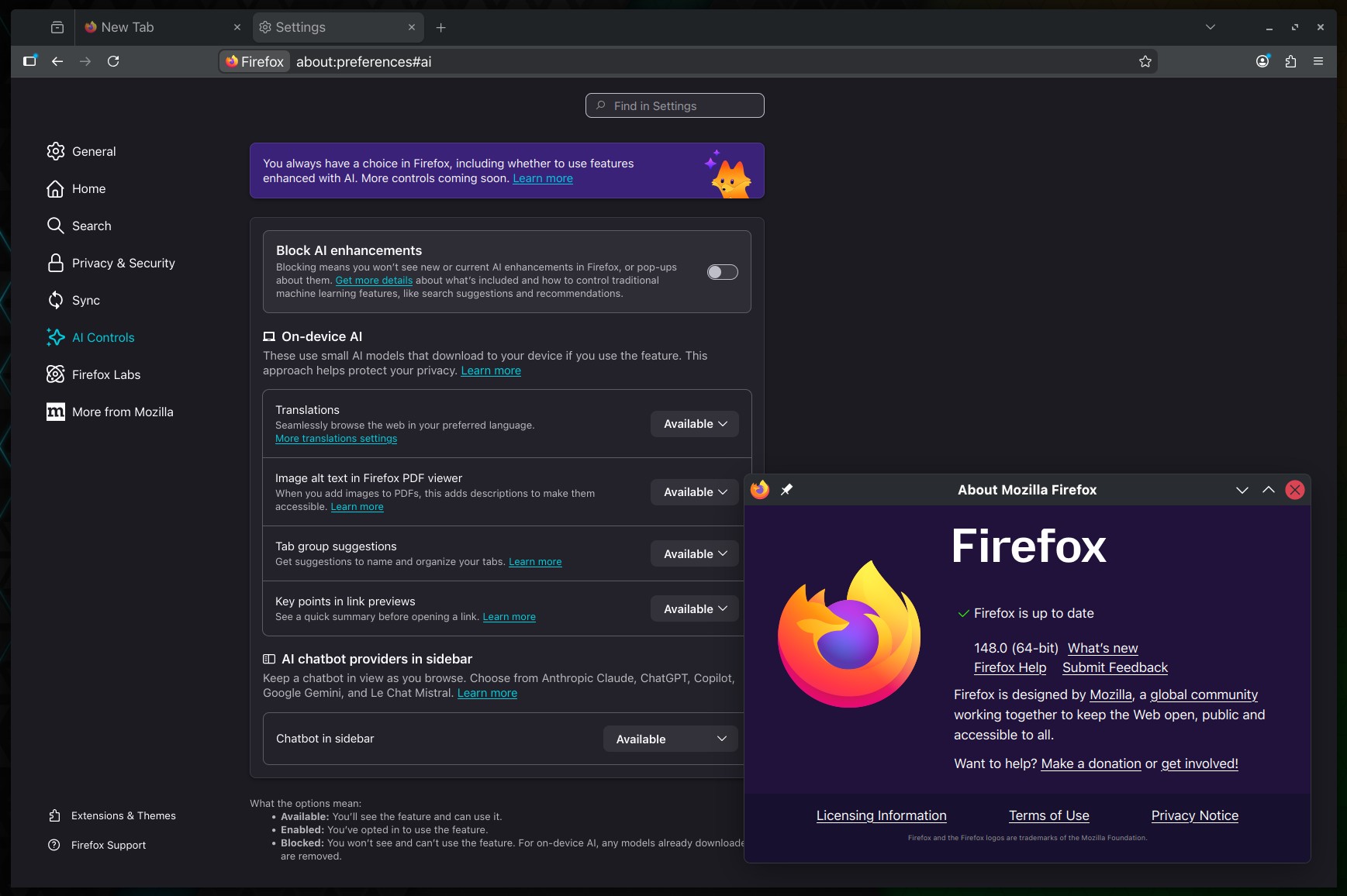
The AI Controls section consolidates all related features into a single menu. It covers on-device AI tools and sidebar integrations with external chatbot providers. Users can choose which features to turn on or off:
- On-device AI features that download small models locally to preserve privacy.
- AI-generated image alt text in the built-in PDF viewer.
- Tab group naming suggestions.
- Key points in link previews.
- Sidebar chatbot integrations, including providers such as Anthropic Claude, ChatGPT, Copilot, Google Gemini, and Le Chat Mistral.
Firefox 148 also improves screen reader support for math formulas in PDFs, making it easier for users who depend on assistive technology.
On Android, the browser now has a redesigned toolbar with a modern look and better customization. There is also a new “Copy link text” option in the context menu.
For developers, Firefox 148 adds support for the Trusted Types API and the Sanitizer API, helping developers protect against cross-site scripting (XSS) attacks.
Those eager to download this update immediately can do so directly from Mozilla’s servers.
Windows and macOS users will get an over-the-air update in the next few days. Linux users should see Firefox 148 in their distro repositories soon, too.





So far I have patched out all the AI code from my copy of Firefox up to version 147.0.3. Let’s see what the new version brings.
The same goes for all telemetry, safe-browsing etc. I know, there are projects like Brave, LibreWolf etc. But, because I can, I am using Gentoo Linux (source-based distribution) and its build environment to patch applications like Firefox for my needs.
If anyone needs some motivation for studying other peoples’ source code, this case would be one example.