WordPress, the most popular content management system worldwide, powering over 40% of all websites, has just released v7.0, codenamed “Armstrong,” delivering a major update focused on AI foundations, site-building controls, visual revisions, and a refreshed admin experience.
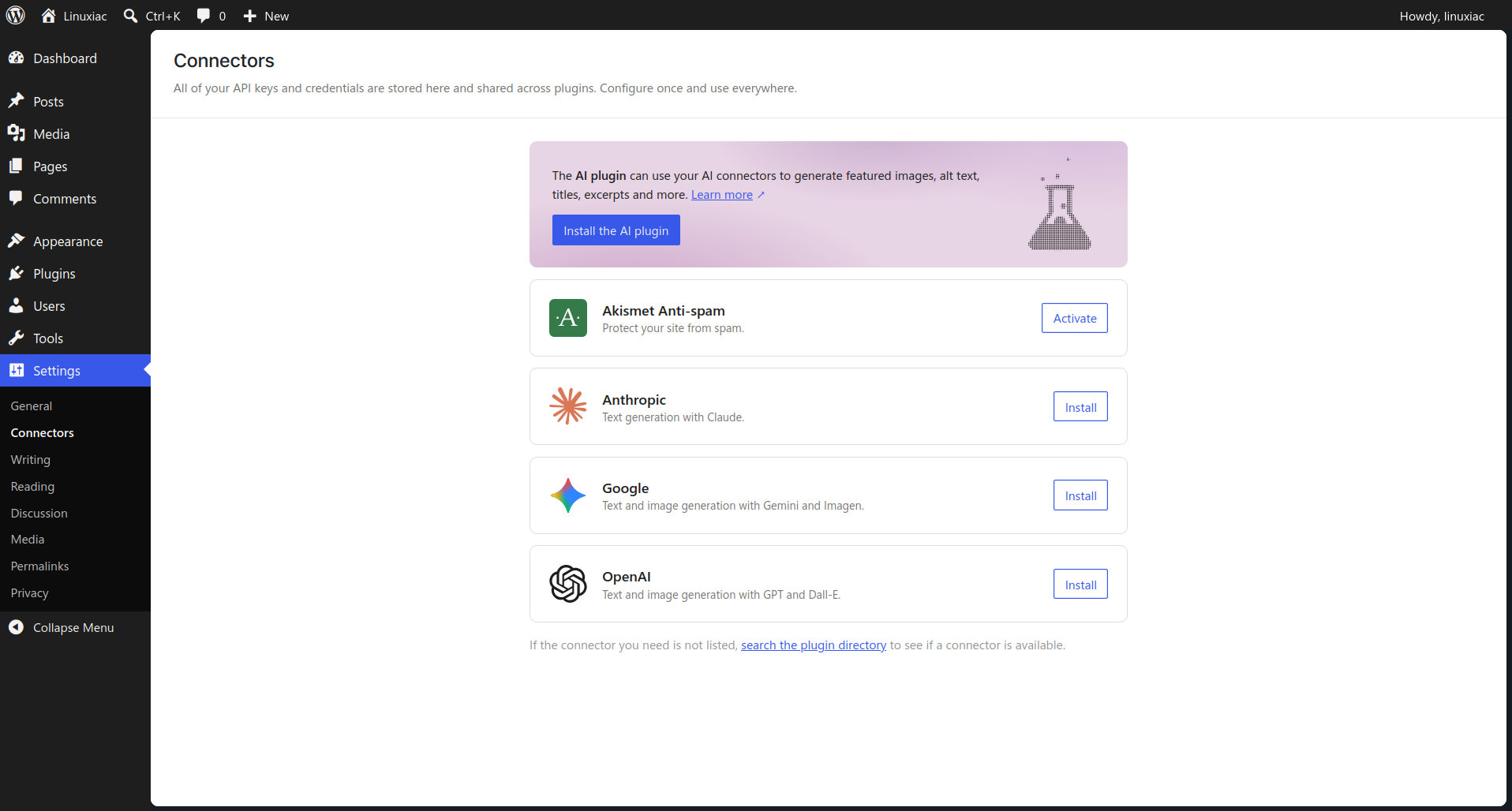
One main addition is the new Connectors screen, a centralized hub for managing external service integrations, including AI providers. Users can connect their preferred AI provider and use those integrations across their site. An optional AI plugin adds editor tools for generating titles and excerpts, creating and editing images, and suggesting alt text.
In addition, for plugin developers, this system provides a standardized way to connect WordPress to external services rather than building separate connection flows for each plugin.
WordPress 7.0 also brings a dedicated canvas for designing navigation overlays. Instead of being limited to a basic list of links, site owners can build richer menus with columns, larger typography, alignment options, pre-built templates, or custom layouts created from scratch.
On top of that, in WordPress 7.0, patterns behave like a single block after being added to a page, making it easier to swap text and images or adjust styles without digging through nested blocks. More advanced changes remain available through a separate edit pattern option.
Another major editor change is on the visual side. WordPress 7.0 adds a timeline slider to review previous versions of a page, with visual markers showing what changed block by block. Users can inspect earlier versions and restore the one they want with one click.
Responsive design controls have been expanded as well, with the release adding the ability to choose which blocks appear on mobile, tablet, and desktop screens. Plus, the Font Library, previously limited to block themes, now works across all WordPress themes. Users can browse, install, and manage fonts directly from the editor regardless of the active theme.
WordPress 7.0 also updates the admin interface with a quieter, more modern appearance. The release includes a new default color scheme, refreshed buttons and inputs, and smoother transitions between admin pages.
Performance improvements focus on more accurate image loading prioritization, especially when hidden images inside navigation overlays or interactive blocks affect critical resource loading. WordPress 7.0 also improves on-demand block stylesheet loading in classic themes and adds support for scripts depending on script modules, helping reduce render-blocking behavior.
Regarding accessibility, the release includes fixes for media management, voice control usability, color contrast in the new admin color scheme, and editor navigation and interaction. Finally, there are also new blocks and editor enhancements, including an Icon block for adding and styling icons directly inside page content.
For additional details, see the release announcement or visit this link. As always, remember to back up your website before running any WordPress updates.
If you’re eager to dive into the new features, check out our “How to Install WordPress with Docker” guide. It’ll help you set up your WordPress instance in no time so that you can get started quickly. Happy blogging!