
Linux users looking for system-wide voice typing functionality now have an open-source option in the face of Vocalinux, a new, privacy-focused dictation app that inserts spoken text directly into the desktop application in focus.
Instead of operating as a standalone transcription tool, Vocalinux runs in the background and activates via a configurable keyboard shortcut. Users can toggle recording or use push-to-talk, speak into their microphone, and have the text entered into a browser, text editor, office app, terminal, messaging client, or other active text field.
The workflow resembles built-in voice typing on Windows and macOS, but Vocalinux is developed specifically for Linux and processes speech locally by default. No account, subscription, or cloud service is needed, and microphone recordings stay on the computer.
The app supports both X11 and Wayland sessions. Text injection under Linux can differ considerably between the two display systems, particularly because, by design, Wayland intentionally limits applications’ ability to simulate keyboard input.
Vocalinux supports three local speech recognition backends: whisper.cpp, OpenAI Whisper, and VOSK. Whisper.cpp is used as the default engine and provides an optimized native implementation of the Whisper speech recognition model, while users can choose another backend depending on their hardware, preferred language, or performance requirements.
Speech recognition models run directly on the user’s system, letting Vocalinux work without an internet connection once components and models are downloaded.
The application can also use Vulkan acceleration when supported by the system’s GPU. This allows speech recognition to run on AMD, Intel, and NVIDIA graphics hardware instead of depending solely on the processor. Users with less powerful hardware can choose smaller recognition models, trading some accuracy for lower resource use and faster transcription.
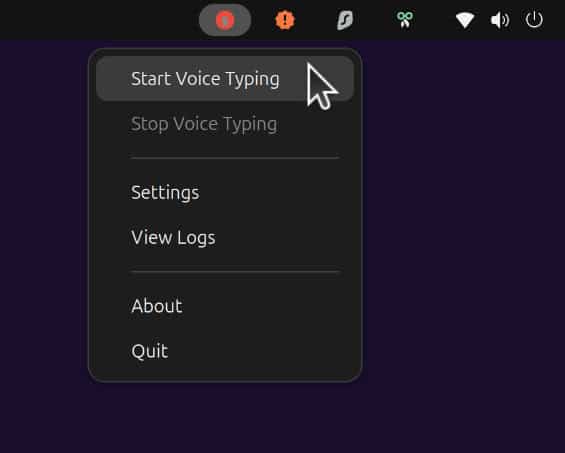
Along with core dictation, Vocalinux includes a system tray icon, configurable audio cues, autostart support, a graphical settings interface, and customizable keyboard shortcuts. Shortcut handling supports non-US keyboard layouts, and the two activation modes let users choose between double-tapping a key combination and holding a key while speaking.
Although Vocalinux is offline-first, it also includes an optional remote mode. Instead of sending audio to a commercial provider, users can point the application at a transcription server they operate themselves. Supported options include OpenAI-compatible HTTP endpoints and the server implementation supplied with whisper.cpp, with additional engines such as FunASR and SenseVoice usable through compatible server configurations.
Installation is available via the project’s interactive shell installer, supporting popular Linux distros, including Ubuntu, Debian, Fedora, Arch, and openSUSE. In addition, Vocalinux is also distributed through Flatpak and the Arch AUR.
The latest version at the time of writing is Vocalinux 0.14.2. For additional details, see the project’s website or its GitHub repo.