
Void Linux users looking for a GUI alternative to command-line package management now have yet another option. Called Caerus, the application is a GTK4 front end for the distribution’s XBPS package system, inspired by the well-known Synaptic Package Manager.
Written mainly in Rust, Caerus exposes both routine and advanced XBPS operations through a desktop interface. Users can search the package collection, sort and filter results, and mark multiple packages for installation, upgrading, removal, or other actions.
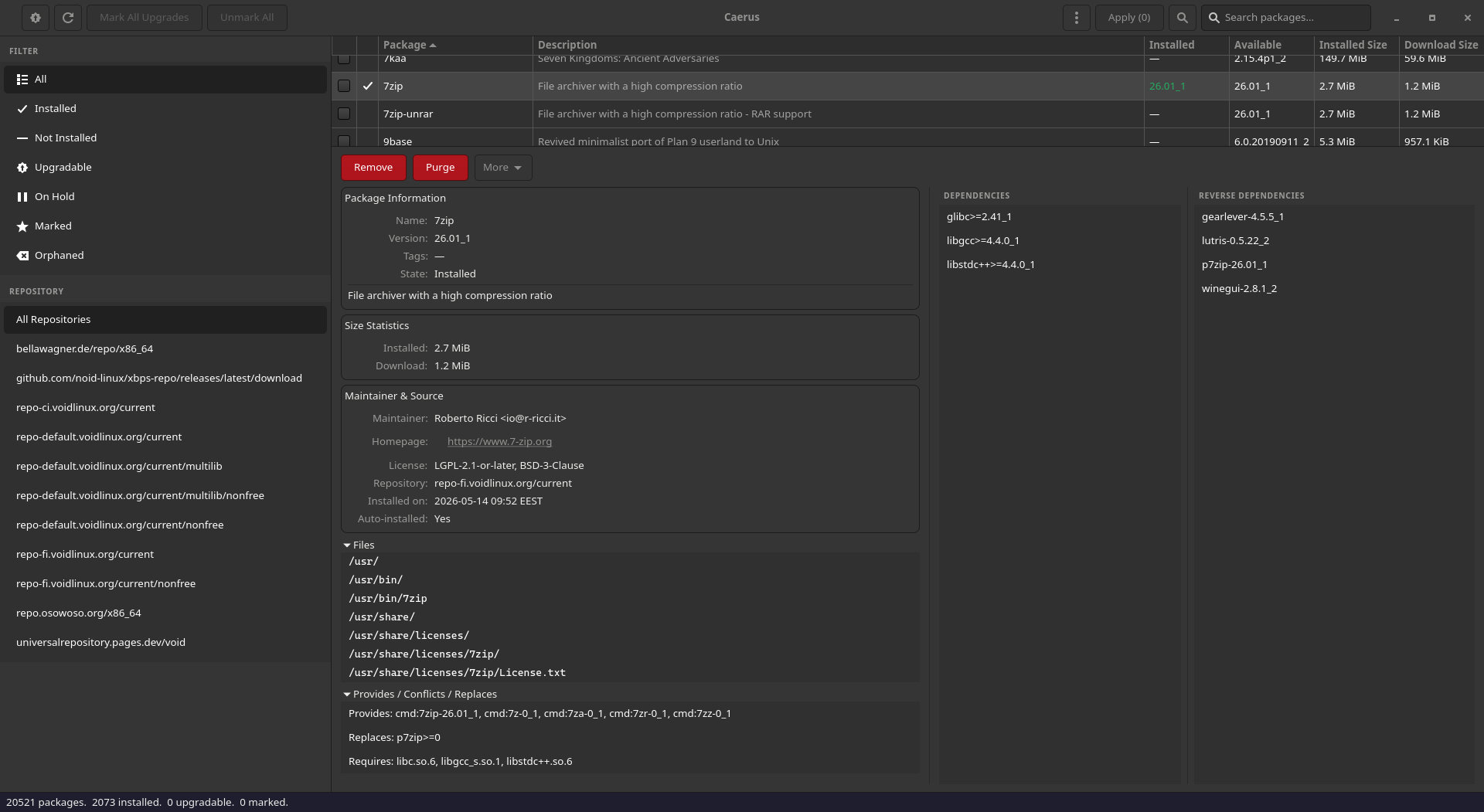
The available filters include installed, not installed, upgradable, held, marked, and orphaned packages. Selecting a package opens a detailed information pane containing its description, size, maintainer, tags, dependencies, reverse dependencies, conflicts, replacements, shared-library requirements, and an optional list of installed files.
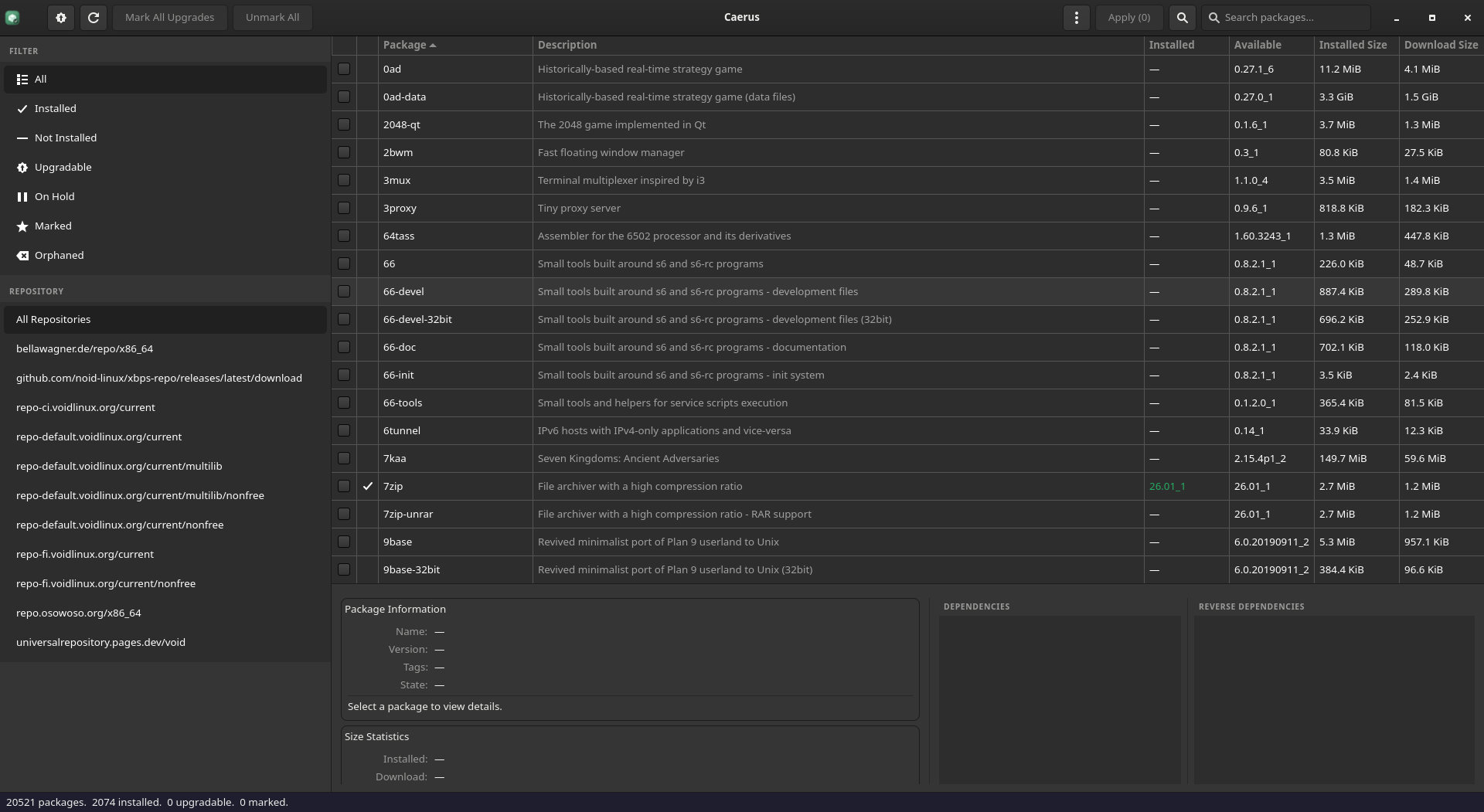
Beyond basic installation and removal, Caerus supports package purging, holding and unholding packages, reinstalling, reconfiguring, downloading without installing, locking a package to its current repository, and marking packages as manually or automatically installed.
One of the application’s more valuable features remains its transaction preview. Before applying changes, Caerus asks libxbps to prepare the actual transaction, allowing users to inspect the packages involved, their order, download sizes, dependencies, and possible conflicts. This provides a graphical equivalent of reviewing an XBPS dry run before committing to an operation.
Caerus also warns users when removing a package would affect additional dependencies. Instead of showing only the directly selected packages, it can display the complete removal chain, including packages that would be indirectly affected.
System-wide maintenance is also covered. From the application menu, users can initiate a complete Void Linux upgrade, remove orphaned packages, clear the package cache, verify the package database, reconfigure all installed packages, and remove obsolete kernel files and modules using Void’s vkpurge utility.
Repository management is built into the interface, allowing custom repositories to be added or removed. Caerus writes these settings to its own configuration file under /etc/xbps.d/ and then refreshes the repository metadata.
Moreover, it provides tools to locate the package that contains a particular file and to switch between packages that provide the same alternatives. Plus, every completed package transaction and maintenance action is recorded in a history log.
Under the hood, Caerus uses libxbps directly for package metadata, dependency information, file lists, and transaction preparation. Privileged operations are handled by a separate helper authenticated through Polkit, so the graphical application does not need to run entirely as root.
Of course, Caerus is not the first recent attempt to give XBPS a modern graphical interface. In November 2025, we covered Nebula, another Rust-based GTK front end designed for browsing and managing packages on Void Linux.
Nebula delivered a more app-store-like experience, along with package browsing, updates, repository management, and optional Btrfs snapshots through Waypoint. Unfortunately, the project has not received any updates since November 2025.
The latest release, Caerus 0.4.1, arrived just a few days ago, bringing several correctness fixes and a significant rework of responsiveness. Most notably, XBPS queries for package details, dependency checks, file listings, and transaction previews now run asynchronously instead of blocking GTK’s main interface thread.
Caerus also discards outdated query results when the user has already selected a different package, preventing information from a previous selection from unexpectedly appearing in the details panel. Additionally, package versions are now sorted using XBPS’s native version-comparison logic rather than alphabetical order.
Another fix improves full system upgrades when XBPS needs updating. In that case, xbps-install -Su first upgrades XBPS and expects the command to be run again. Caerus now performs the second run automatically instead of showing the incomplete process as a failure.
For now, installing Caerus requires compiling it from source. The project provides a script that clones the repository, offers to install missing build dependencies, compiles the application with Cargo, and then lets it be run locally or installed system-wide. No precompiled packages or binaries are currently distributed.
Required build dependencies include the Rust toolchain, GTK4 development files, libxbps development files, GLib development files, Clang, and pkg-config. At runtime, the application needs GTK4, libxbps, GLib, Polkit, and an active Polkit authentication agent.
According to the developer, only Void Linux’s glibc edition is currently built, tested, and covered by the project’s continuous integration. The musl edition may work but remains officially untested.
Finally, it is worth noting that Caerus is an independent community project rather than an official Void Linux app. The repository also states that the software was developed with substantial assistance from Anthropic’s Claude and directs users to a separate disclaimer covering its development process, security assumptions, and known risks.
More information, installation instructions, and the source code are available from the project’s GitHub repository.
Image credits: Caerus

Why didn’t you mention this was AI? It’s built off of STOLEN CODE.