Mabox Linux, a lightweight, rolling-release Linux distribution based on Manjaro and designed around the Openbox window manager, has released version 25.12.
One of the most visible changes is the improved panel and its dynamic menus. The volume icon by the system tray now works more consistently: left-click mutes or unmutes, the mouse wheel changes the volume, and right-click opens pavucontrol.
To recall, the right-click action was previously tied to the Music & Sound menu, which remains available via the W-m shortcut or by clicking the top-right corner of the desktop.
The panel configuration menu has also been expanded to allow faster adjustments to taskbar behavior. It can be accessed either by right-clicking the Mabox icon in the panel or via the W-A-p keyboard shortcut.
Another practical improvement appears in the update notifier. The status icon now displays the number of available updates split between official Arch repositories and the Arch User Repository, offering clearer insight into pending system changes at a glance.
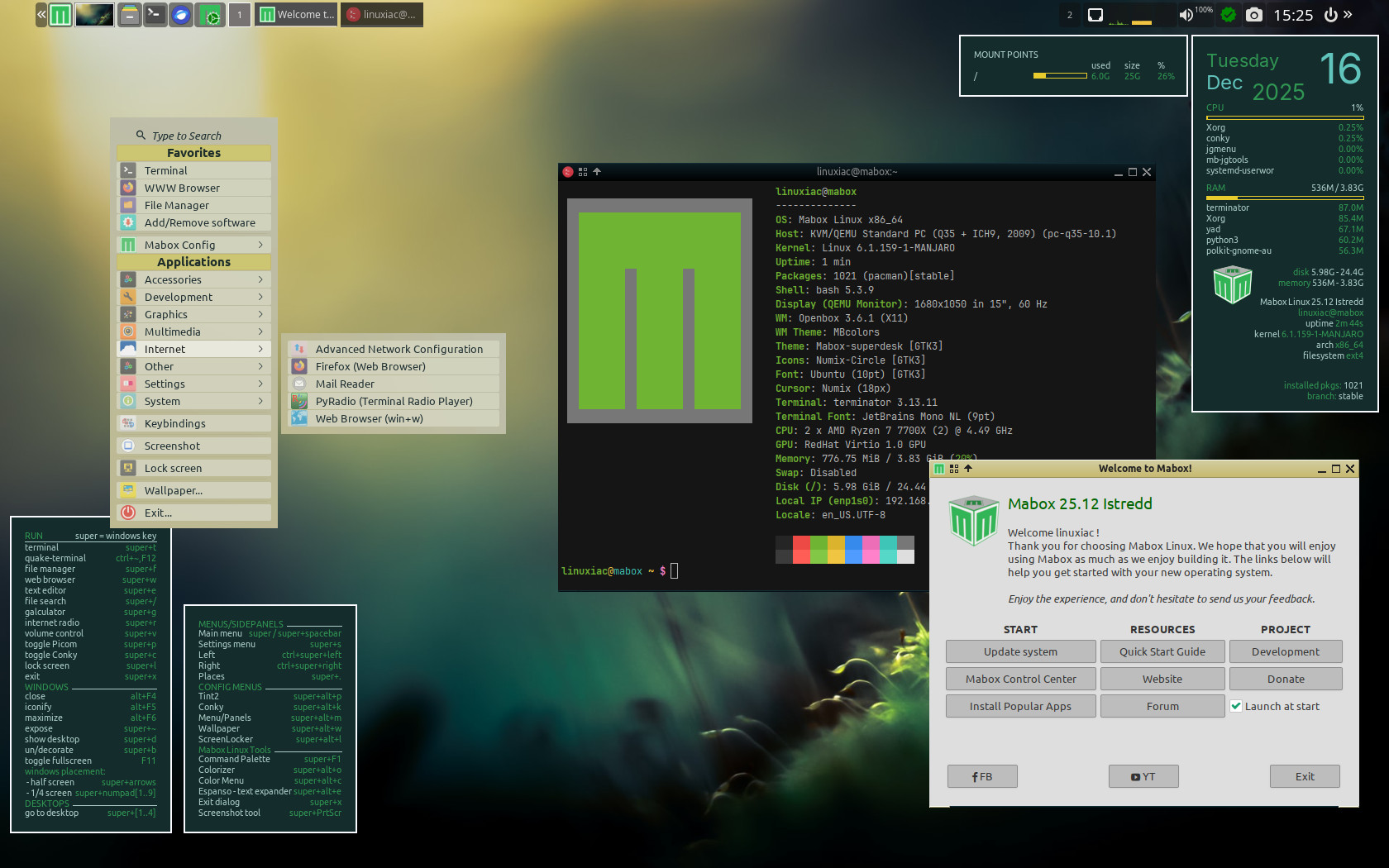
Mabox 25.12 also makes navigation easier by showing file manager bookmarks in the dynamic Places menu, which you can open with W-. This includes bookmarks for both local and network locations, such as SSH, Samba, and FTP.
Additionally, the live session now has autotheming turned on by default. You can left-click the wallpaper icon in the panel to set a random wallpaper and watch the theme change automatically. More options are available via right-clicking. After you install Mabox, autotheming is disabled by default to maintain consistent system behavior.
Under the hood, the most significant change is the complete removal of GTK2. The aging toolkit has been retired in favor of GTK3 across the default toolset, marking a cleanup that aligns Mabox with the current Linux desktop ecosystem.
Finally, several core utilities now ship as GTK3 applications, including PCManFM, LXTask, LXAppearance, lxappearance-obconf, LXRrandR, LXInput, and the Viewnior image viewer. As part of this cleanup, the GKrellm system monitor has been removed from the ISO profile and moved to the AUR.
For more information, see the announcement.
Installation images for Mabox 25.12 are available from SourceForge and the project’s official repository. Two ISO variants are provided: one built with Linux kernel 6.12 LTS and another with Linux kernel 6.1 LTS, giving users flexibility based on hardware compatibility and stability preferences.