
Over three weeks after its beta and four months since the 22.2 “Zara” release, Linux Mint 22.3 “Zena” is now available for download, as the status has been changed from “Being tested” to “Approved for stable release,” and the installation ISOs are now being synchronized across the mirrors.
Powered by Linux kernel 6.14, the distribution is based on Ubuntu 24.04.3 LTS and promises support and updates scheduled through April 2029 as part of the long-term support cycle.
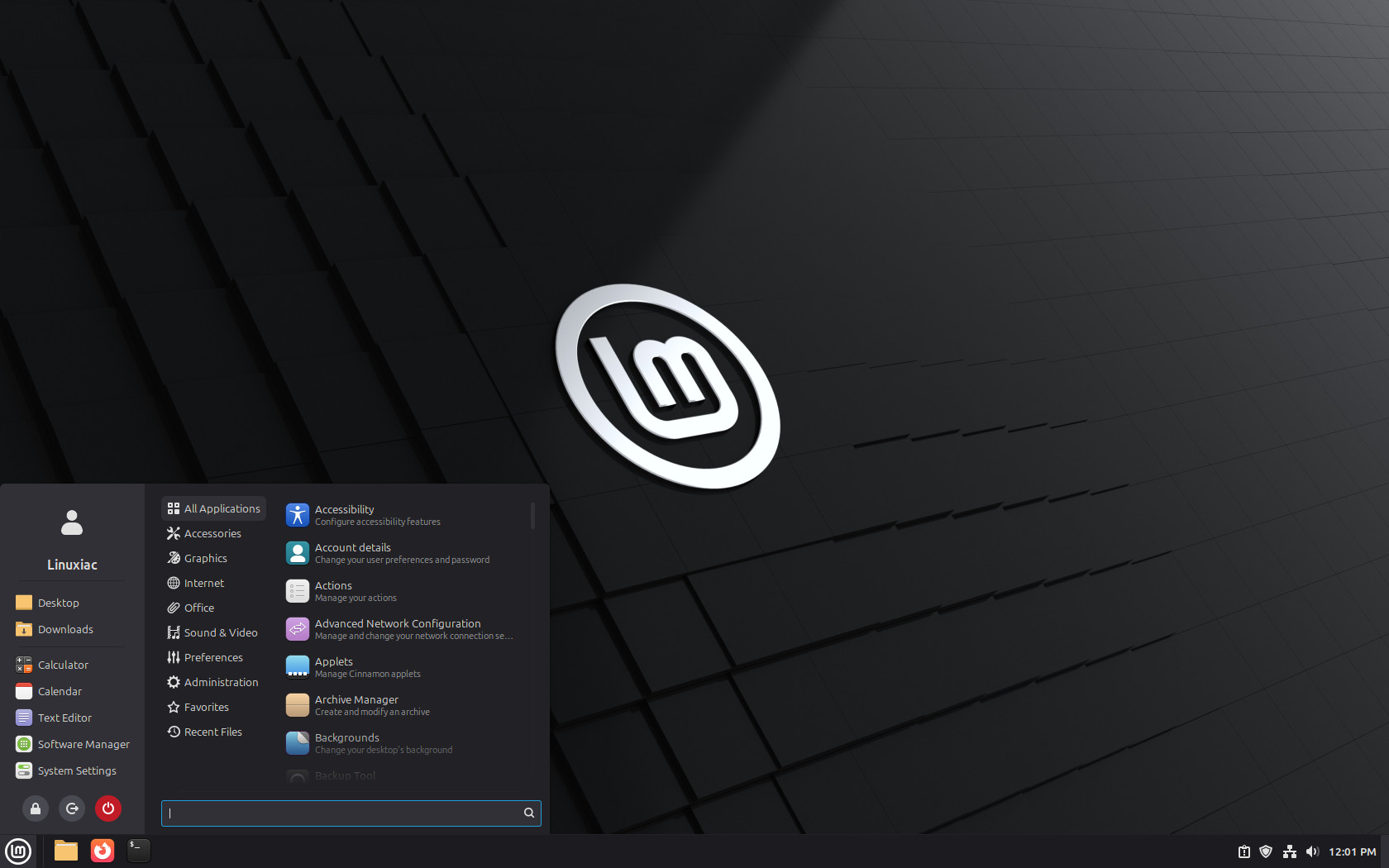
The most prominent user-facing upgrade is the integration of Cinnamon 6.6, the latest iteration of Mint’s flagship desktop environment, which delivers a redesigned application menu with a customizable sidebar for avatar, places, bookmarks, and favorites.
In addition, the new menu provides flexible layout options, including a search bar and the placement of system buttons, and adopts XApp Symbolic Icons for consistent, monochrome category icons throughout the desktop.
Keyboard and input handling have been modernized in Cinnamon 6.6 with a fully Wayland-compatible layout and input method support. Traditional XKB layouts and IBus methods are now displayed and switched seamlessly, and the on-screen keyboard has been rewritten natively in Cinnamon with improved visuals and input method switching.
At the same time, the Nemo file manager brings some workflow improvements, including the ability to pause and resume file operations and enhanced search capabilities with regex support. Plus, a template manager is now also incorporated directly into Nemo’s context menus.
Other desktop refinements in Linux Mint 22.3 include per-application notification indicators on the panel and a basic Night Light toggle for blue-light filtering. Window manager refinements improve Wayland compatibility in Cinnamon, including support for hot corners in full-screen mode and configurable Alt+Tab behavior.
System tooling outside the desktop has also been improved: the Timeshift snapshot utility now supports pausing and resuming backups, and the Warpinator file-sharing app adds IPv6 support and the ability to send text messages during transfers.
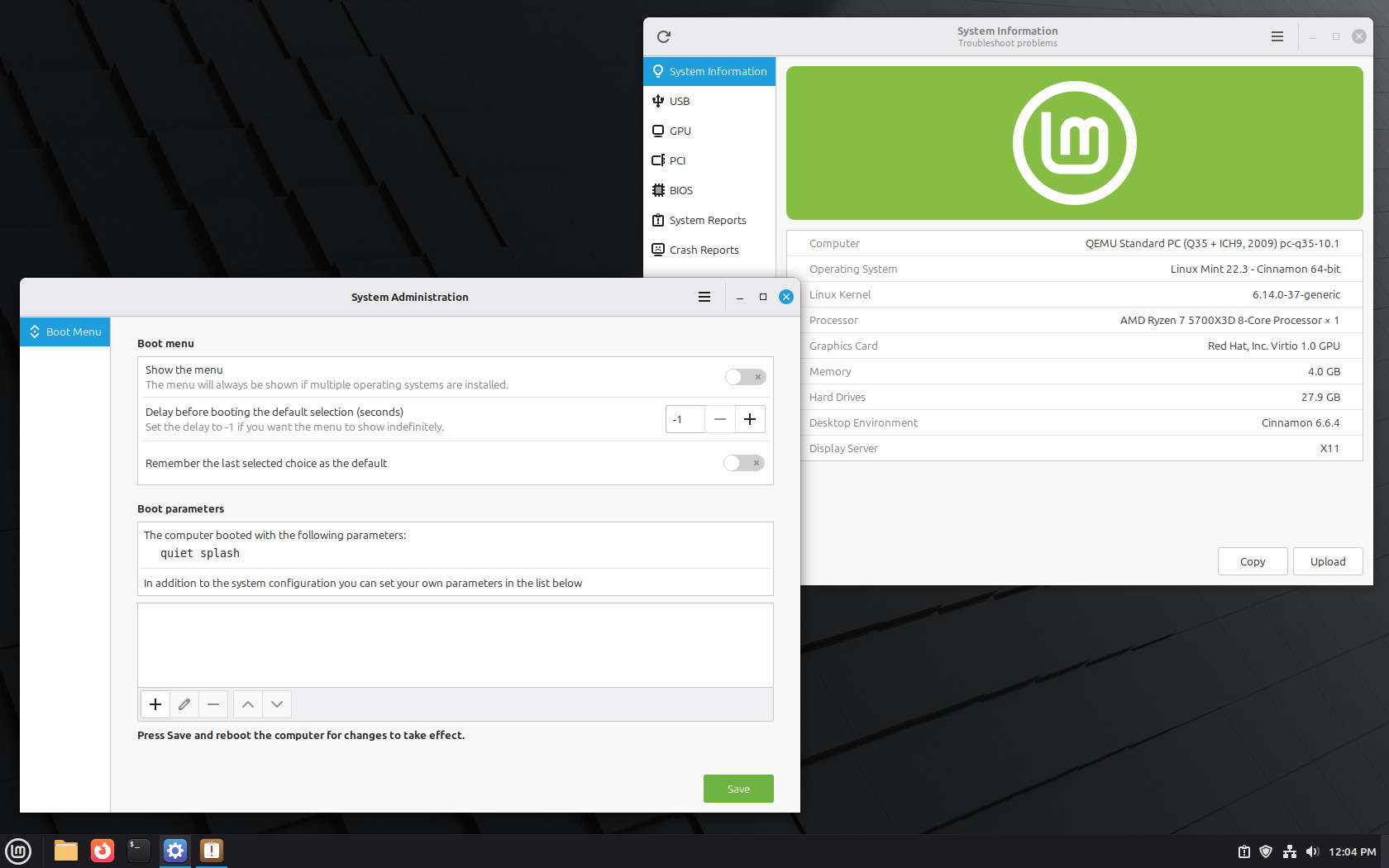
On top of that, system utilities have been expanded to include a newly overhauled System Information tool that consolidates hardware reporting and driver information, as well as a System Administration app for configuring system-level options, such as the boot loader.
The new on-screen keyboard implementation in Cinnamon is rewritten natively for better visuals and usability, and the desktop now uses the XApp Symbolic Icon set to enhance consistency and support across UI elements.
The Linux Mint 22.3 installation ISOs can be downloaded from the distribution’s mirror servers, as many of them are already synchronized with the new images. Just navigate to the “stable/22.3/” directory where you’ll find Mint 22.3’s Cinnamon, MATE, and Xfce editions.
The official announcement is expected in the coming days. For details on all new features, see here.
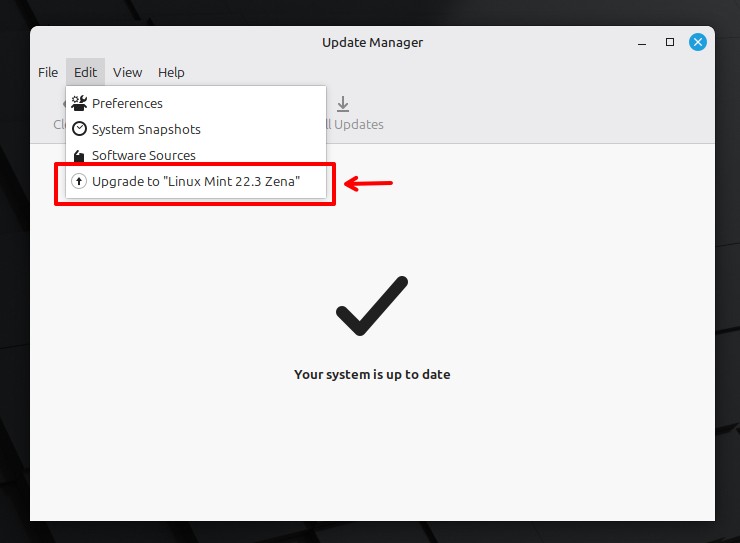
Current 22.2 “Zara” users can upgrade to the new release by first updating the Update Manager app, then selecting “Upgrade to Linux Mint 22.3 Zena” from the Edit menu, and following the steps. In my tests, the update went smoothly without any issues.
And finally, a bonus tip from me for those for whom the new Cinnamon menu isn’t quite their cup of tea. You can always switch back to the classic one, which is available to install from Cinnamon’s Spices collection.




I can’t get Blitz3D programming language working on Linux Mint. Some of my other favorite Windows App work while others don’t. Windows 10 is still worth using while Linux is not user friendly at all. I am trying out all Android and Linux on virtual machine to see which operating system is worth using.
Thanks, downloading it now 🙂
I upgraded to Mint 22.3. It was seamless and easy. The only thing is it did not upgrade the kernel to 6.14 as claimed in the article, it stuck with 6.8. I’m wondering why.
Thank you! I’m loving it!
Gooooood