Powered by Linux kernel 7.2, Garuda has released its new version, “Temeraire,” the first major update in over a year for the Arch Linux-based distribution. The release introduces a new default kernel, Plasma Login Manager, a fully reworked Hyprland edition, better NVIDIA support for Sway, and more unified administration tools.
This release also brings a small change to Garuda’s identity. Previously, versions were named after eagles and other birds of prey. With Temeraire, the project will now use well-known dragon names. For those who are most curious, the name for this release comes from the dragon in Naomi Novik’s Temeraire novels. Now, back to the topic.
One of the biggest changes is the move to a new default kernel. Garuda used linux-zen for years, but Temeraire now bets on the new linux-garuda kernel, which is based on the kernel from CachyOS.
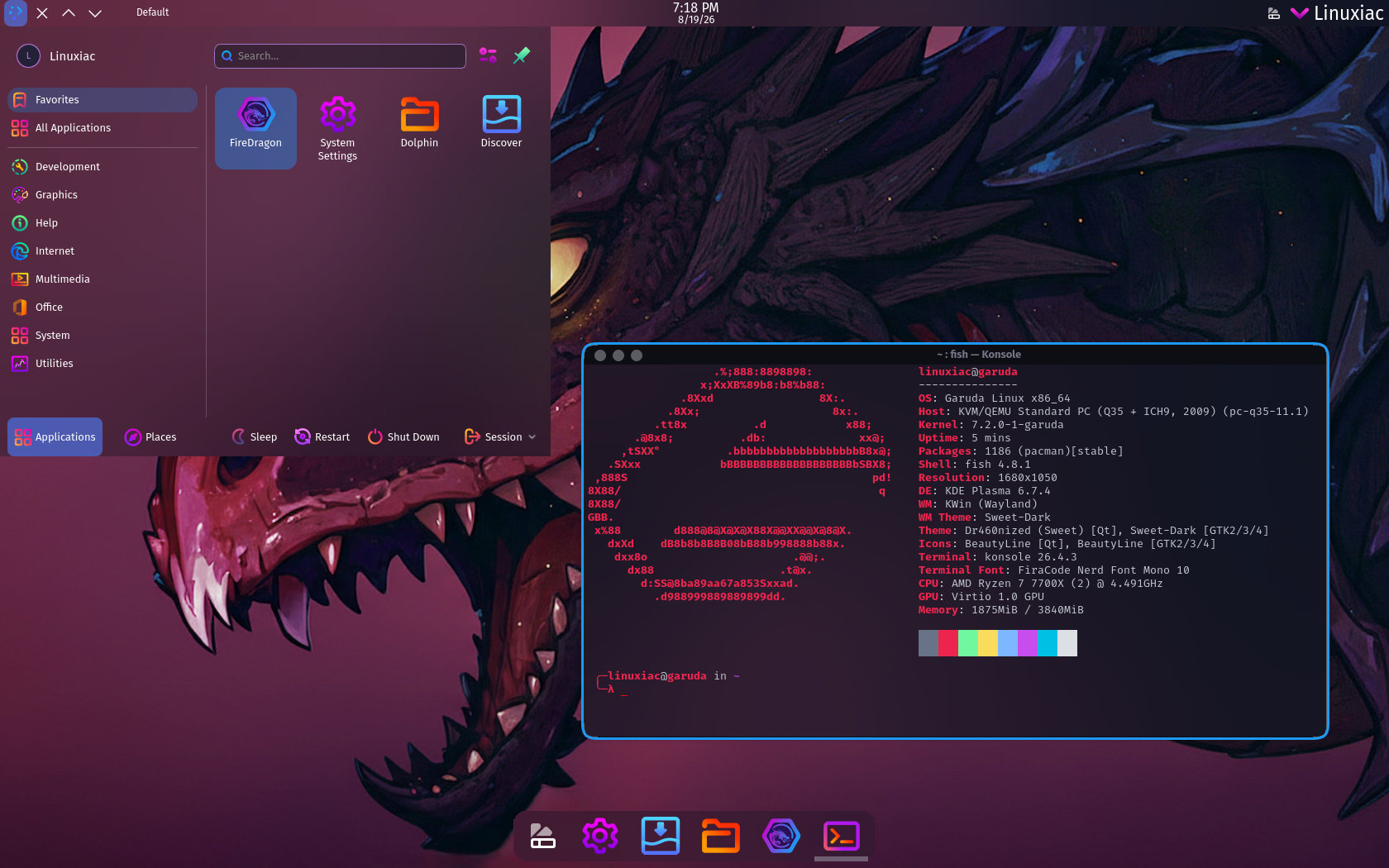
The KDE Plasma editions have also been updated. Both Plasma versions now use Plasma Login Manager instead of SDDM, even in live environments. Existing systems were already updated in earlier releases. Additionally, Garuda has refreshed its themes and removed the Better Blur plugin because it sometimes hurt performance.
The Hyprland edition has seen even bigger changes. Its configuration is now fully rewritten in Lua. G-Hyprland settings are available as Lua-based presets, along with several ready-made profiles for customizing the desktop. Existing users should already have the new setup after running garuda-update.
Several parts of Hyprland have changed as well. Garuda now uses hyprlock for screen locking, Kitty as the default terminal, and awww instead of swww for wallpapers. This edition also adds a new Waybar theme, an emoji selector, shortcuts for brightness control, low-battery alerts, and better automatic keyboard layout detection.
Moreover, Sway edition now works with NVIDIA hardware out of the box, even in the live environment and installer. SwayFX has been updated with new transparency, shadow settings, and window animations. The distro now uses nwg-displays instead of its old output and HiDPI scripts, giving users a graphical way to manage displays.
Installation defaults have changed too. When setting up new disk layouts, the installer now picks the largest sector size the drive supports, instead of always using 512-byte sectors. For encrypted installs, Garuda now uses LUKS2 with Argon2 and matches the encryption sector size to the disk, which matters for drives that support 4096-byte sectors.
Another big change is that Garuda has combined its management tools. Garuda Toolbox now fully replaces the old administration tools and is the main place for system maintenance and settings.
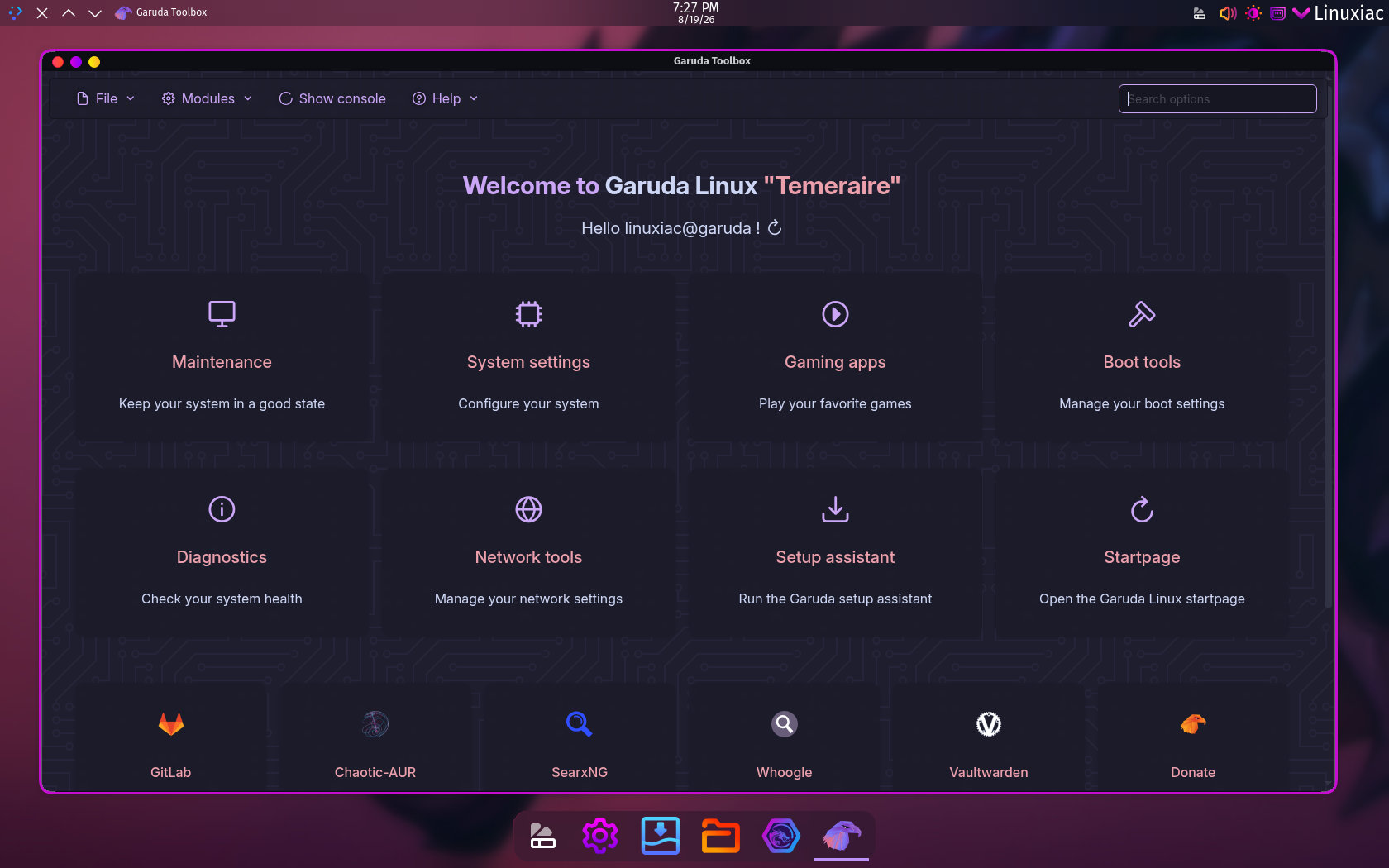
With Garuda Toolbox, users can manage kernels, systemd services, locales, users and groups, networking, boot settings, gaming tools, diagnostics, and key configuration files. It also helps users find software using curated lists from the Arch Wiki.
The FireDragon browser has also had major updates in version 13. Developers say it is now much faster, and features like workspaces and notes are now built in, instead of relying on outside solutions.
Finally, Garuda now runs a new global Arch Linux mirror using Cloudflare R2. Users can add this mirror to their pacman.conf if they want. The Chaotic-AUR website has also been updated with more stats, package filtering, estimated build times, and live logs for packages and pipelines.
For additional details, see the announcement.
The Temeraire release is now available in many editions, such as Cinnamon, Dr460nized, Dr460nized Gaming, COSMIC, GNOME, KDE Lite, Hyprland, i3, Mokka, Sway, and Xfce. Since Garuda is an Arch-based rolling-release distro, most of these updates are already on existing systems. The new ISO is intended primarily for fresh installs, giving new users an up-to-date starting point.