The Garuda Linux team has officially released FireDragon v13, featuring a complete reimplementation of its privacy-focused, Firefox-based browser with a new codebase.
Previously, it was based on Floorp and included Garuda’s interface customizations, privacy settings, and performance enhancements. With version 13, the browser has been rebuilt on a new foundation.
One of the most visible additions is a new Welcome dialog that provides expanded search-engine selection and several quick configuration options. Users can hide Firefox’s built-in password manager when relying on an external solution, enable Resist Fingerprinting for stronger privacy protection, or turn on prefetching to improve page-loading speed.
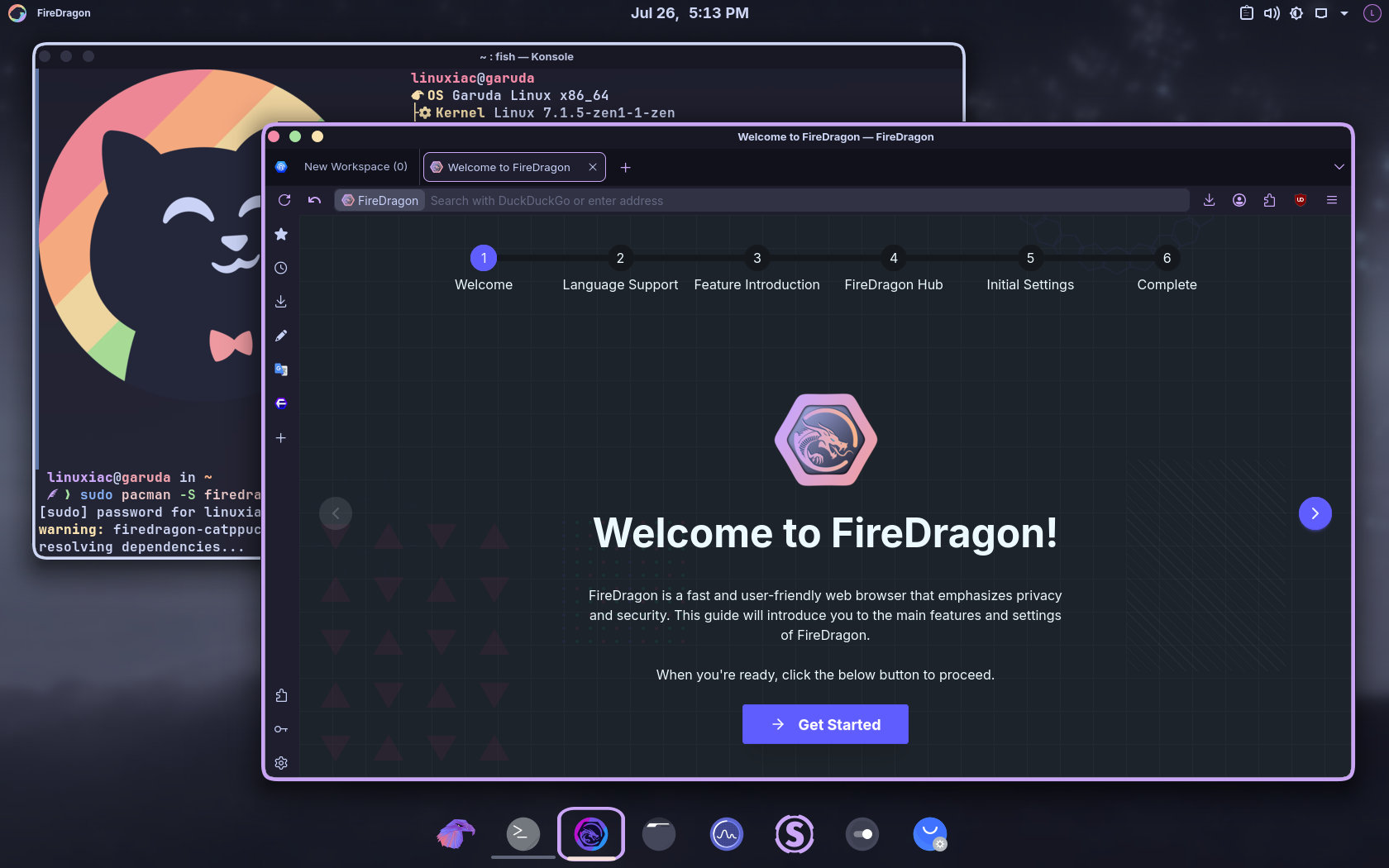
However, the developers warn that Resist Fingerprinting can break some websites, while prefetching may increase bandwidth consumption because pages can be downloaded before the user actually opens them.
FireDragon v13 also switches its default search engine to DuckDuckGo and expands the list of search providers available during setup. This replaces the previous default based on Garuda Linux’s own SearxNG instance.
On top of that, the browser now supports the XDG Base Directory specification, so its configuration and data files follow the standard directory structure for modern Linux desktops. Plus, Dark Reader is no longer installed by default, but users can manually add the extension if they need automatic dark mode support for websites.
This release also introduces several performance improvements. Specifically, TLS 0-RTT is enabled by default to speed up reconnections to previously visited sites, and an optional speculative connection setting can start connecting when a user hovers over a link, reducing delay after clicking.
Full page prefetching is available as an optional setting. When supported, it downloads likely next pages in the background. The developers note these optimizations preserve speed, privacy, security, and bandwidth, so more aggressive options are disabled by default.
Existing FireDragon users should note migration limitations. Floorp Workspaces cannot be transferred to FireDragon’s new Workspaces due to incompatible formats. The same applies to Floorp Notes, which cannot be migrated to the new Notes system.
In light of this, the developers strongly recommend creating a separate browser profile before starting FireDragon v13. To do this, run firedragon -P.
FireDragon v13 is available from the Garuda Linux repositories and Chaotic-AUR as firedragon, firedragon-bin, and Catppuccin-branded packages (firedragon-catppuccin and firedragon-catppuccin-bin). A Flatpak version is on Flathub. AppImages, Linux tarballs, Flatpak bundles, Windows installers, and macOS packages are available from the project’s GitLab releases page.
For more information about FireDragon v13, see the official release announcement and the browser’s GitLab repository.