
Open-source developers never cease to surprise us. Who would have thought a nearly 30-year-old version of GIMP would be brought back to life as a Flatpak, giving modern Linux users a rare chance to run one of the most historically important builds of the image editor?
The package revives GIMP 0.54.1, a 1996 release from before the project switched to GTK. It was created by GNOME developer balooii as a small retro packaging effort, allowing the ancient Motif-based version of GIMP to run on current 64-bit Linux systems.
That alone makes it an interesting software archaeology project, but there is much more to this particular version than meets the eye. GIMP 0.54 was also the version Larry Ewing used to create the original Tux penguin mascot, one of the operating system’s most recognizable symbols.
“I used nothing but a mouse and a lot of patience. I started by drawing a rough outline of the penguin, and carefully closed all the holes in the shape.”
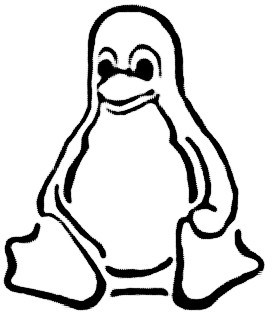
Ewing’s archived notes on the famous Linux penguin state that the images were created entirely in GIMP 0.54. Most of the work was done on a 486 DX2/50 running Linux, using only a mouse, with final smoothing later performed on an SGI Crimson, also using GIMP.
GIMP 0.54.1 also marks an important point in the project’s development. It was the last GIMP version based on Motif, the commercial Unix widget toolkit used before GTK. At the time, that dependency made GIMP difficult to distribute freely on Linux and limited participation from developers without access to Motif.
That problem pushed GIMP’s developers to write their own toolkit. The result was GTK, originally the GIMP Toolkit, which later became a core technology behind GNOME and many Linux desktop applications.
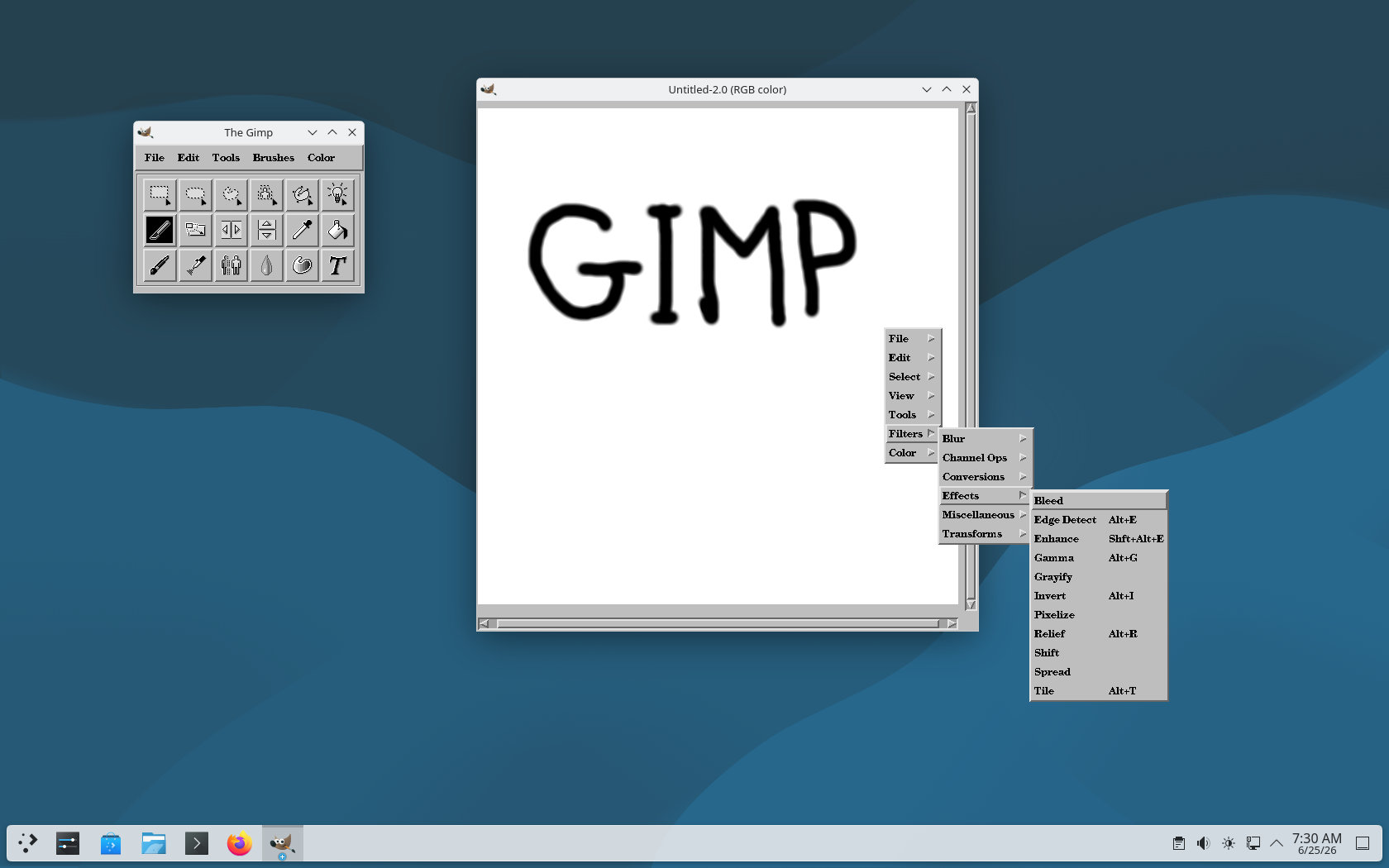
Of course, nobody should expect GIMP 0.54.1 to be useful as a modern image editor. This is an ancient build from a different Linux desktop era, when GIMP was a slightly odd, multi-window application, long before today’s GIMP features, interface, plug-ins, color management, and file format support.
Its value is purely historical with zero practical use. But even so, it shows what GIMP looked like before GTK existed, before GNOME became a popular desktop environment, and before Tux became the recognized face of Linux.
But perhaps the real value of projects like this is that they let us revisit long-forgotten pieces of computing history, with a touch of nostalgia and plenty of smiles, while giving younger users a chance to experience something they would otherwise know only from screenshots of a bygone era.
For those ready to take a walk down memory lane, download the ready-made gimp-0.54.1-8.flatpak package from the project’s GitLab page, then open a terminal in the download directory and run flatpak install --user gimp-0.54.1-8.flatpak. Once installed, GIMP 0.54.1 should appear in the application menu like any other Flatpak app.

Beyond historical curiosity (people might like to spend a few minutes trying out how many things GIMP *couldn’t* do 30 years ago), this is interesting as a demonstration of how far Flatpak can go in running software with a huge dependency stack that isn’t available on the host system.
Interesting and funny, the last app that I really used with this Motif based interface (very specific experience) was DDD (don’t even remember how exactly long ago) but it actually looks like it is still the same and probably can be used as well, maybe will try one day again 😉
(Just in case if you try to find it, that may be not simple, it is – https://www.gnu.org/software/ddd/)
people will actually install this? I would not want to draw with a mouse. I guess maybe with a touchscreen of some sort but I would still not use it. I guess some might want to revisit it but at that point I think you would be better off just installing a old version of a os onto a old pc that would not connect to internet for security reasons kinda like people do with windows 95 I guess which I would also not do. People do however like using emulators to play old games.
hooray for progress ^_^
seriously, WTF?