Omarchy, the Arch Linux-based distribution built around the Hyprland Wayland compositor, has released version 4.5 with the ability to switch between tiling, scrolling, and floating workspace layouts. Using the Super + L keyboard shortcut, users can change the layout of individual workspaces without affecting others.
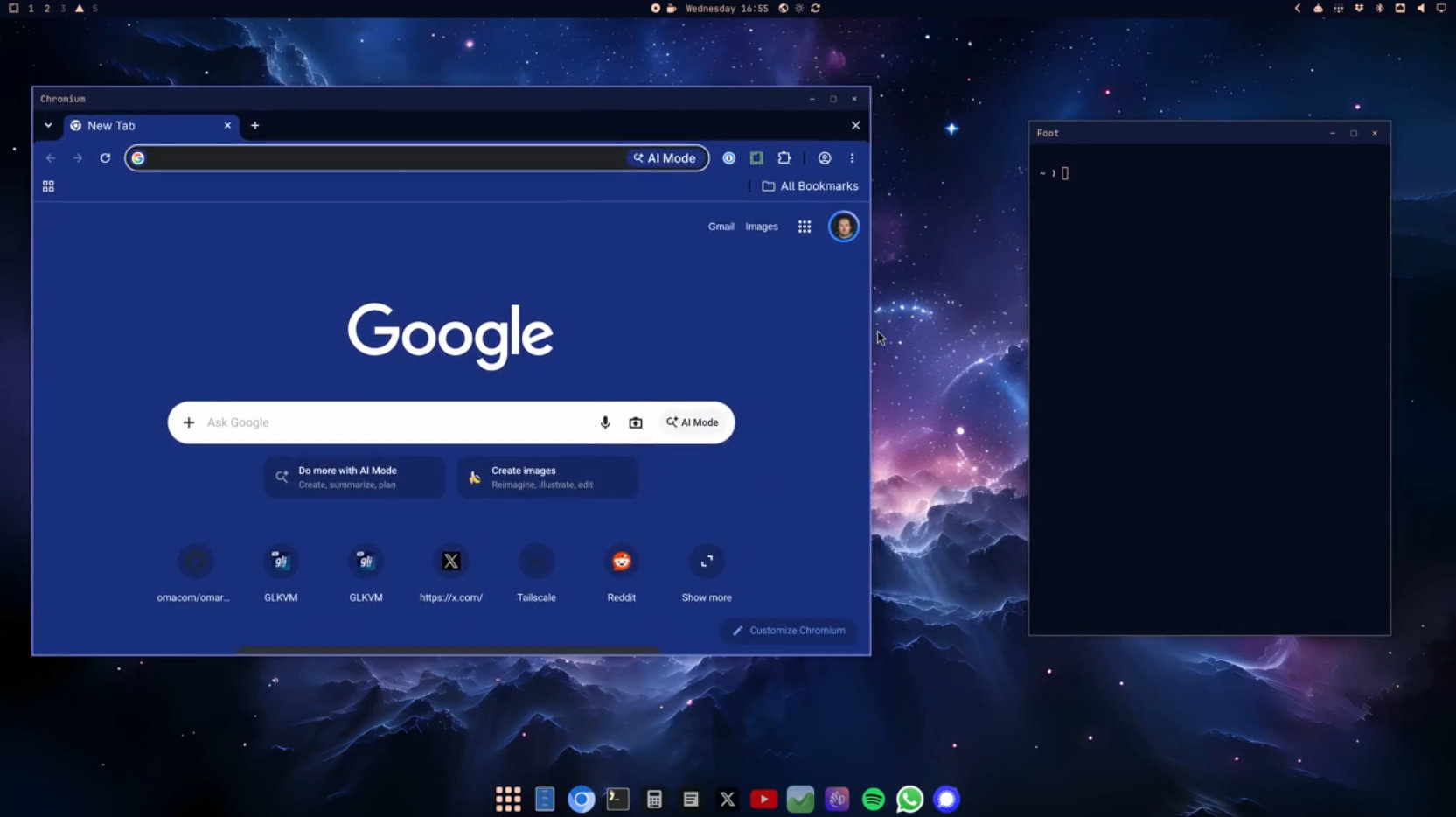
In floating mode, application windows have themed title bars, and a dock shows pinned and running applications plus access to installed software. Windows can be minimized to the dock using Super + M, offering users familiar with traditional desktops a more comfortable way to work without losing Hyprland’s tiling features.
Another major development is native support for Apple Silicon Macs through the Omarchy M project. Users with M1, M2, M3, and Neo MacBooks can install Omarchy alongside macOS using a dedicated installer without a USB drive. Support for newer M4, M5, and M6 models is under development.
The release also introduces Omarchy’s first ARM ISO, offering preliminary support for NVIDIA DGX Spark desktops and N1X-based laptops. The developers caution that ARM support is experimental, with Snapdragon compatibility planned for a future update.
Localization has expanded significantly, with the desktop now supporting 50 languages. Users can change the interface language through the setup menu, and menus, desktop components, and notifications update immediately.
Moreover, Omarchy 4.5 includes five new default applications. Hype provides Markdown-based presentation creation with PDF and PowerPoint export, while Signed replaces Xournal++ for signing PDF documents. Disktree offers graphical disk usage visualization, Monologue handles camera recording, and Gliff enables remote desktop connections between Omarchy systems over SSH.
Additionally, Elsewhen introduces a world clock accessible from the desktop bar. New installations no longer include OBS Studio, Kdenlive, or Lazydocker by default, though existing installations keep these applications.
On the productivity side, Microsoft 365 integration allows users to install Outlook, Word, Excel, PowerPoint, Teams, and OneDrive as individual web applications. Superwhisper is now the default dictation engine, offering cloud-based transcription and an optional fully local model.
Installation performance has improved as well. Instead of installing about 940 packages individually, the redesigned installer extracts a prebuilt root filesystem image and installs only machine-specific packages afterward. According to the developers, this cuts installation times by roughly half.
Desktop responsiveness has received several optimizations. Menus and panels now launch directly through Hyprland shortcuts, unnecessary background polling is reduced, and terminal startup times have improved. The Limine bootloader waits only one second before booting automatically, cutting the delay caused by its six-second boot menu.
AI integration has expanded, too. The agents panel now supports 23 agents and providers, up from six, including Claude, Codex, Grok, GitHub Copilot, Cursor, OpenCode, and Ollama. Users can monitor usage limits, manage multiple accounts, and access their default AI agent through a new drop-down terminal activated with Super + ~.
Other desktop improvements include redesigned notifications with grouping and interactive actions, video wallpapers, optional animated theme introductions, and new Jade Horse and Starship themes. A reorganized Appearance menu consolidates customization options, including transparency, window corners, animations, and workspace layouts.
Finally, the update includes fixes for Hyprland crashes when displays are disconnected, multi-monitor scaling problems, HDR behavior, installation and dual-boot issues, and several security-related problems.
For more information, see the official announcement. Existing users can upgrade through the Update > Omarchy menu.
Image credits: Omarchy