
LibreDB Studio is a new open-source, self-hosted SQL IDE that offers a different way to manage databases. Instead of installing a desktop client on each computer, you set up the application next to your data and use it through your browser.
This MIT-licensed project supports 16 database engines with one interface. These include PostgreSQL, MySQL, Oracle, SQL Server, SQLite, libSQL, DuckDB, MongoDB, Redis, Couchbase, ClickHouse, Apache Druid, Elasticsearch, OpenSearch, Apache Trino, and Cassandra. It also supports SSL/TLS and SSH tunneling.
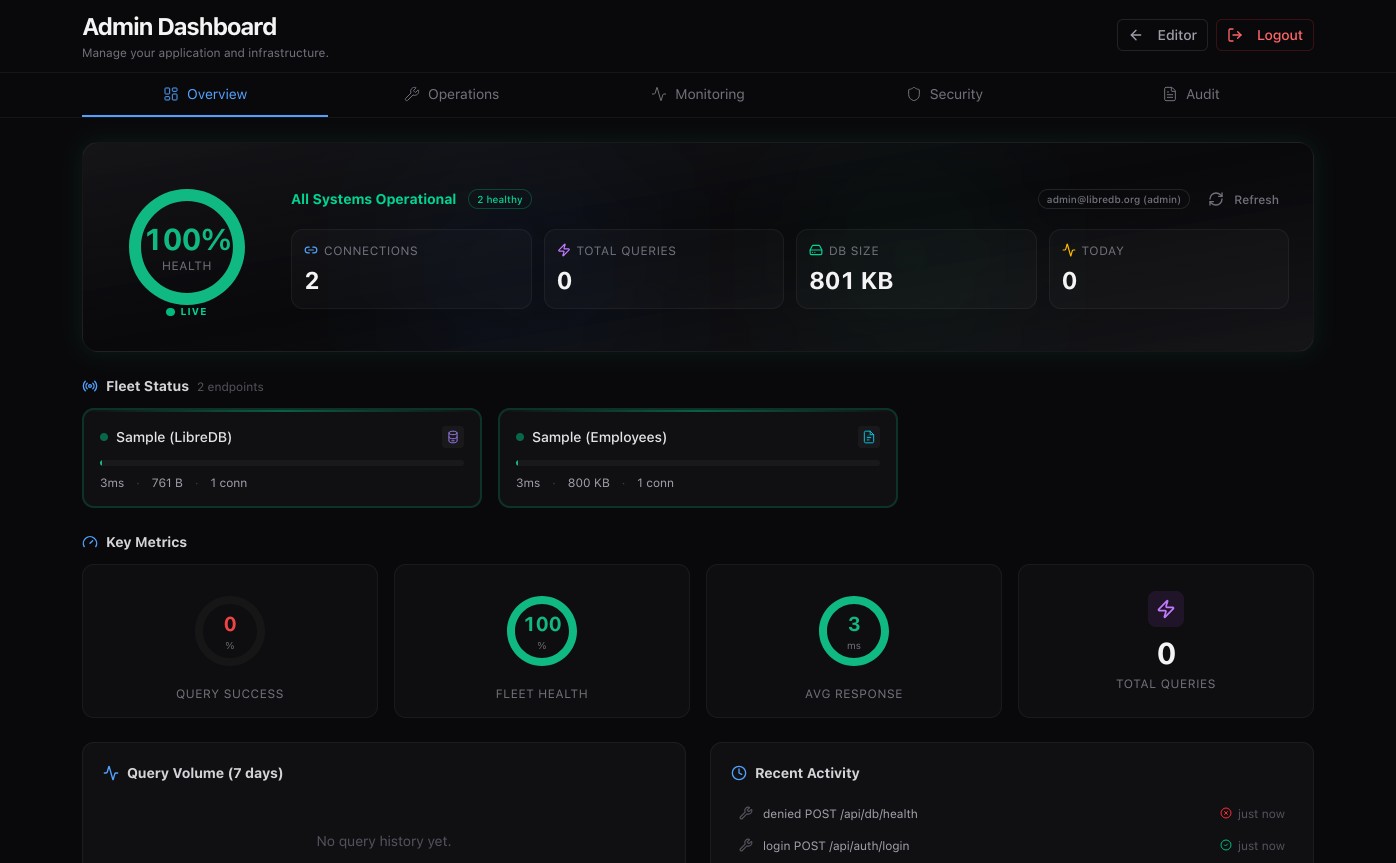
LibreDB Studio features a Monaco-based SQL editor, which uses the same core as VS Code. It offers schema-aware autocompletion, multiple query tabs, visual EXPLAIN plans, interactive ER diagrams, schema comparison, migration SQL generation, and schema snapshot tracking.
The software is designed for self-hosted and cloud-native environments. The easiest way to get started is with Docker, but you can also deploy it using Helm, an OpenShift operator, npm, or other platform-specific packages. The developers provide deb/rpm, Snap, Homebrew, and other installation options as well.
Moreover, the project offers role-based access control, OIDC single sign-on, and query auditing; ER diagrams are all included in the standard MIT-licensed version, not just in an enterprise edition.
On the AI side, LibreDB Studio has optional AI-assisted database tools. Its database agent can answer questions, help optimize queries, and review tables, all in read-only mode.
Currently, full Agent mode works with PostgreSQL, SQLite, and DuckDB, while schema grounding is available for the other supported engines. You can connect Gemini, OpenAI, Ollama, or any OpenAI-compatible endpoint. If you do not set up a model, the AI interface stays disabled.
If you just want to try it out, getting started is easy:
docker run -p 3000:3000 ghcr.io/libredb/libredb-studio:latestCode language: Bash (bash)The interface is then available at localhost:3000, with an initial administrator password generated on first launch.
For additional details, visit the project’s GitHub repo.




That’s a fair question. Rather than asking anyone to judge the project from our README alone, there are quite a few independent signals you can verify.
LibreDB Studio is already listed through several upstream and curated ecosystems, including:
Rancher Partner Charts / SUSE Solutions Catalog
OpenShift Community Operator Catalog and OperatorHub
Google Cloud Marketplace
Microsoft Azure Marketplace
AWS Marketplace
DigitalOcean Marketplace
Railway, Dokploy, CapRover, Helm kubernetes and other deployment platforms
We’ve been keeping the complete distribution/channel inventory, including upstream PRs, catalog links, and the status of each integration, publicly in the repository:
https://github.com/libredb/libredb-studio/blob/main/distribution/channels.yaml
And yes, it’s still a young project. The best way to judge the code is probably to run it, inspect the repository, and try it against a database rather than taking our word for it.
Maintainer of LibreDB Studio
Is it reliable and functional? The site and readme honestly look like AI slop that haven’t seen human hands, so I wonder about the quality of the code in the app itself.
This project’s own README says it supports 10 database engines. This article say 16 database engines. I’d trust the README.md.
Use the link in the article .
3rd paragraph of the README
Sixteen engines share one interface — PostgreSQL, MySQL, Oracle, SQL Server, SQLite, libSQL, DuckDB, MongoDB, Redis, Couchbase, ClickHouse, Druid, Elasticsearch, OpenSearch, Apache Trino and Apache Cassandra — with the same explorer everywhere, and ER diagrams, schema diff and monitoring wherever the engine has something to report. Three of the sixteen are read-only because their own SQL.
…
Agreed, trust the README
Hi Steve,
The project’s current README actually says “Sixteen engines, one interface” and lists all 16 mentioned in the article. You may just have been looking at an earlier version of the README.