GIMP developers have shared a fresh look at what they have been working on for the upcoming GIMP 3.4 release, and the list points to a substantial upgrade. Highlights include a new project file format, broader non-destructive editing, major PSD compatibility improvements, native file chooser dialogs, and numerous UI and performance refinements.
Many of these changes are expected to become available first with GIMP 3.3.2, the initial development release toward GIMP 3.4. However, 3.3.2 has not been released yet because several roadmap items are still being completed.
Probably the most consequential change is the work on a new native project file format. GIMP has relied on XCF as its primary project format since 1997, but developers say its binary structure has become a limitation, especially as the application moves toward handling larger and more complex projects.
That is especially relevant to features planned further ahead, such as multi-page documents and animation capabilities targeted for GIMP 3.6. So, instead of extending XCF indefinitely, developers are working on a new format based on a more conventional zipped XML structure.
Besides providing more flexibility for future features, the new format should improve saving performance. Instead of rewriting an entire project each time it is saved, GIMP will update only the portions that have changed. The new design also lays the groundwork for something users have long wanted: autosaving.
That does not mean, of course, XCF is being abandoned. GIMP says existing XCF files will remain loadable in future versions, maintaining backward compatibility. However, once the new project format is finalized, support for new features will be added only to it.
Another area receiving significant attention is non-destructive editing, a major direction GIMP has pursued throughout the 3.x series. Filters can now be applied non-destructively to layer masks, and the filter popover has been redesigned so effects on both the layer and its mask can be managed from the same interface.
The Gradient Tool is also becoming non-destructive. Enabling the new “Editable Gradient” option adds a gradient to the filter stack instead of permanently applying it to the underlying pixels. Users can then toggle it, reorder it among other effects, remove it, or return to the Gradient Tool to modify it later.
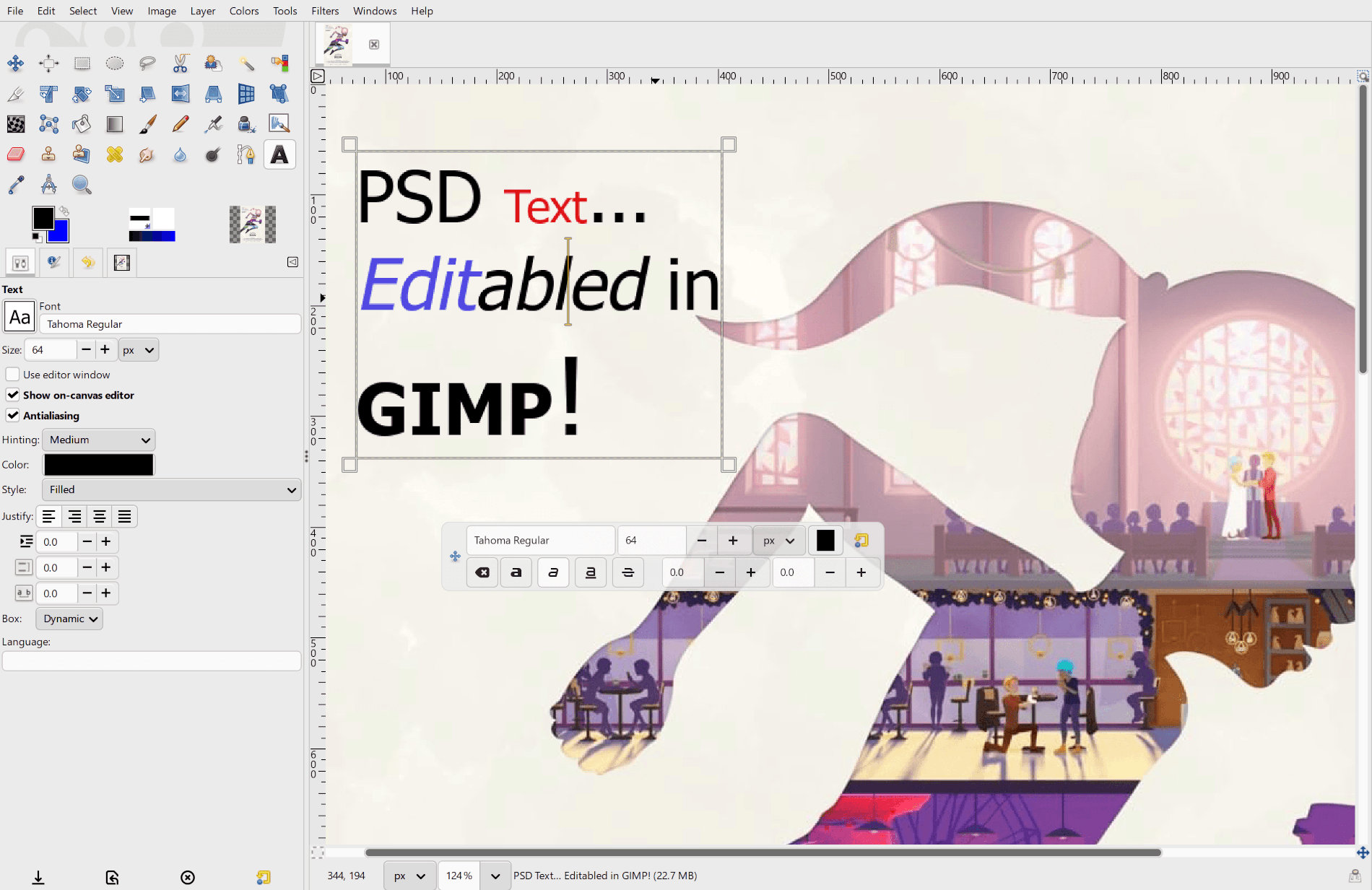
Moreover, GIMP now supports importing PSD Descriptors, a format used by modern Photoshop documents to store information for numerous features not fully covered by Adobe’s older publicly available PSD specification.
The practical result is considerably better handling of modern PSD files. Imported text layers can now remain editable instead of being reduced to raster content, while a number of Photoshop adjustment layers and newer layer styles can be translated into their corresponding GEGL effects. Solid-color shapes can also be imported as vector layers.
Digital painters are getting another useful addition through the MyPaint Brush Tool. GIMP now supports Spectral Blending, which attempts to reproduce the way physical pigments mix rather than simply blending their RGB values. For example, combining yellow and blue can produce green, while red and yellow can produce orange.
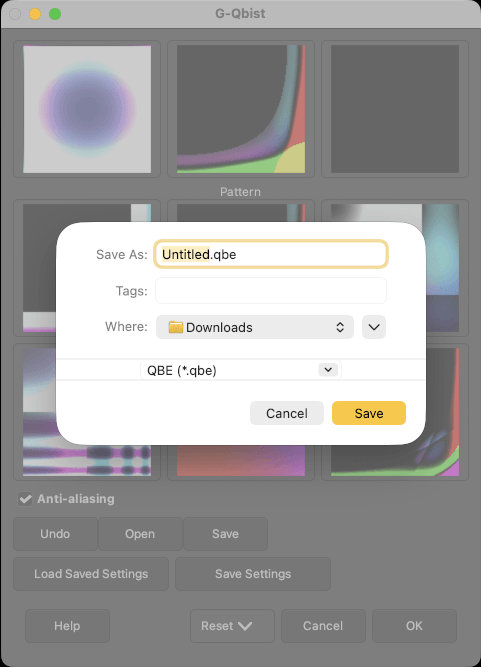
On top of that, GIMP is moving toward using native file chooser dialogs. Historically, the application relied on GTK’s own file chooser everywhere, which can feel out of place on platforms like Windows, macOS, or the KDE Plasma desktop environment.
The ongoing work switches GIMP to GTK’s native file chooser interface, allowing it to use the standard dialog provided by the operating system or desktop environment. Many simpler dialogs have been converted, but more complicated ones with GIMP-specific controls will require additional redesign.
Several visual and usability improvements accompany those larger changes. All 78 GIMP cursor icons have been converted from raster graphics to SVG, allowing them to scale cleanly on high-resolution displays. The layer lock icons have also been redesigned for a more consistent appearance.
On the performance side, GIMP previously slowed down while drawing or zooming when the canvas was rotated. The transparency checkerboard no longer rotates with the canvas, which developers say significantly improves performance. A related issue causing the checkerboard to disappear at high zoom levels has also been fixed.
Elsewhere, the Search Action interface has been redesigned to make keyboard shortcuts more visible, macOS receives fixes for popup dialog behavior, and the Patterns dock now tiles smaller patterns across the available preview area instead of surrounding them with inconsistent amounts of empty space.
Text editing directly on the canvas has been refined, with Shift+Click selection now behaving more like in traditional word processors. Metadata importing and exporting controls have been simplified. Various Spin Entry controls across the interface have been replaced by Spin Scale widgets to improve usability in tighter layouts.
For additional details, see the announcement. Meanwhile, GIMP 3.2.6 is expected in the coming weeks as the next stable maintenance update.
Image credits: GIMP