MOS is a new open-source project for homelabs and small servers. Instead of being a traditional, storage-focused NAS, it aims to be more like a general-purpose server platform managed through a web-based UI.
The project is built on Devuan and is still in early stages. It uses a service-oriented design, where the web interface acts only as a client to the MOS API. The backend services handle all the main operations.
MOS combines features that are usually spread across different tools in a typical homelab. With its web interface, admins can manage system monitoring, user accounts, storage pools, shared storage, and both container and virtual machine workloads.
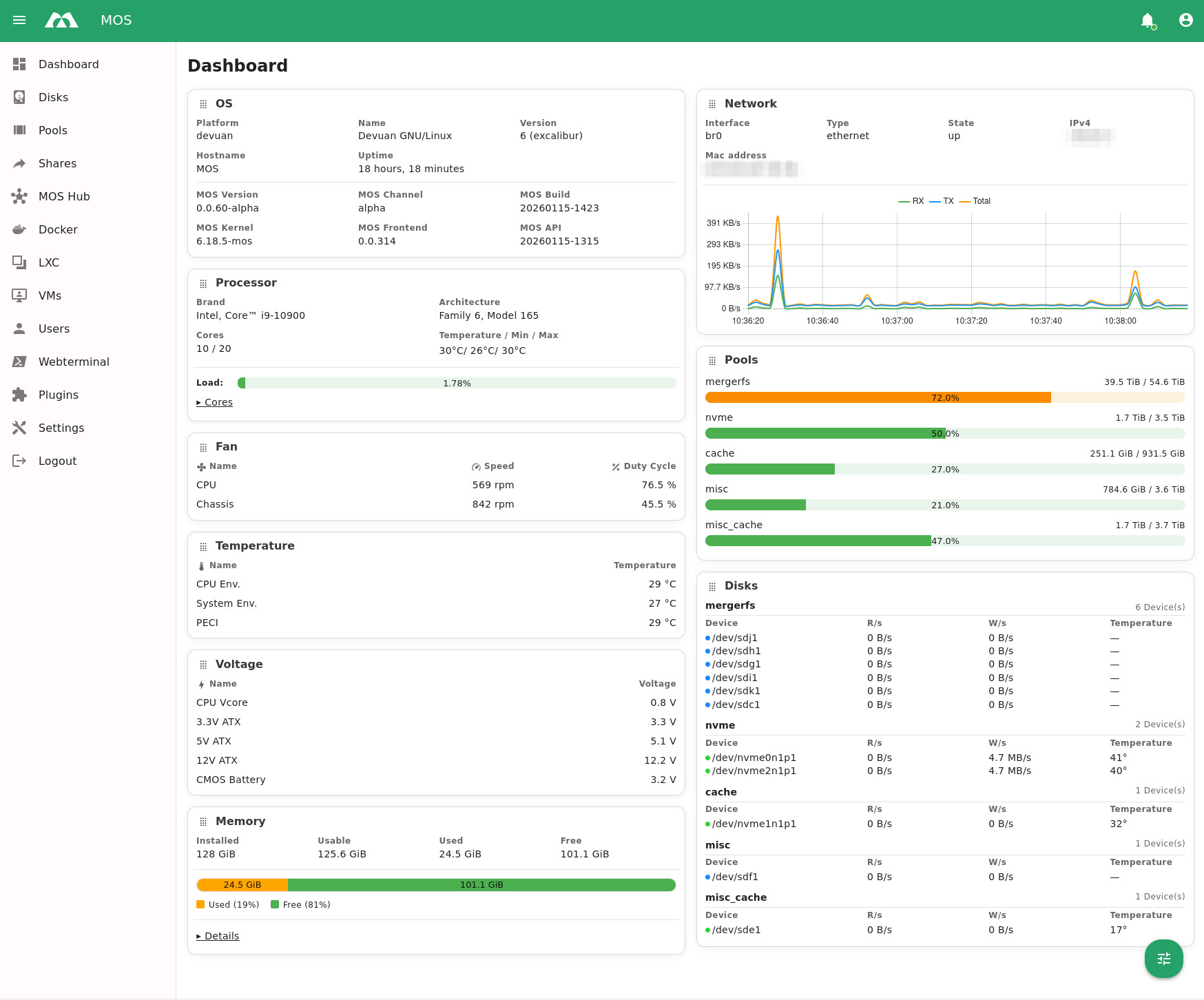
While MOS includes storage and file-sharing features and can work as a NAS, its main goal is to be a general-purpose server OS. It currently supports Docker and LXC containers, and virtual machines (features similar to those in TrueNAS).
All of these are managed through a single interface rather than separate dashboards. The project’s main focus is on two areas:
- Server and workload management, which includes users, services, containers, virtual machines, and host administration
- Storage management, with pools and shared storage that let MOS work as a NAS when needed
According to the project, this balance sets it apart from NAS-first operating systems, in which storage comes first, and services are added later. In MOS, storage is important but not the main focus.
Core services in MOS are system monitoring, storage and pool management, user administration, container services, virtual machine support, and a web-based terminal. You can also enable optional modules, such as MOS Hub and MOS Notify, to add features without increasing the base system size.
The system uses token-based authentication for access and security. For setups outside isolated labs, the project recommends using TLS and a reverse proxy, following least-privilege rules, keeping everything up to date, and regularly checking logs and notifications.
What’s interesting is that MOS can be extended with plugins. These plugins can add features to the web interface and, when possible, to the API. Only registered and enabled plugins show up in the interface.
For more details, visit the project’s website or GitHub page. Also, check out the documentation. For those who opt to try it, keep in mind that MOS isn’t available as an ISO. Instead, you can download the .xz archive, extract it, and mount the resulting raw image file as a USB device in your VM.
Image credits: MOS Project