
Recently, a new Linux distribution caught my attention, and I’ll admit the main reason was its bold choice of desktop environment. It’s one of the first distros built entirely around the new COSMIC desktop. I’m talking about Origami Linux.
Before going any further, though, an important clarification is needed: this is a young project and still very much experimental. As a result, not everything is guaranteed to work perfectly just yet. With that in mind, let’s take a look at what you can expect from this new kid on the block.
The distro is yet another attempt at immutability, built on Fedora Atomic, using rpm-ostree for system management. The project adopts an image-based design in which the base system is read-only and updated atomically. In other words, instead of modifying system files in place, updates create new system deployments that are applied on reboot, while previous deployments are preserved and can be selected for rollback.
As for the desktop environment, you get the COSMIC desktop, which is nicely integrated overall. I especially liked that after updating, you’re automatically on the latest available version at the moment, COSMIC 1.0.4.
Still, I have to admit I was a bit disappointed with the software selection. I don’t quite understand why Zen was chosen as the default browser, given that it’s still under development and currently in beta.
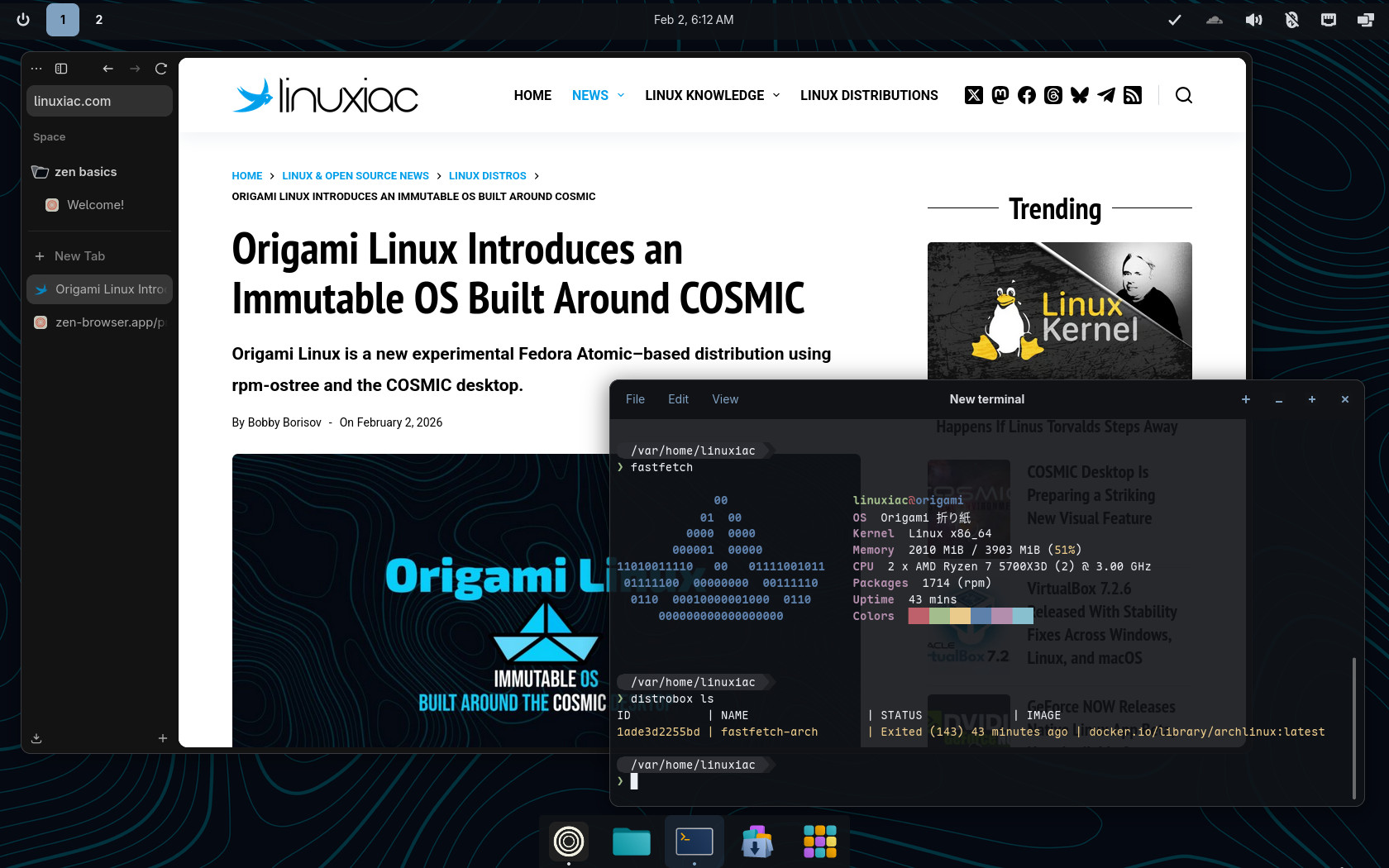
At the same time, Origami ships with almost no additional preinstalled software, the only exception being the Cloudflare Zero Trust application. Why this particular app was included is honestly beyond me.
As you’d expect in an immutable system, client applications are provided as Flatpaks. For system-level tools, Origami Linux ships with Distrobox preinstalled, allowing you to run them inside containers.
The distro also includes automatic background updates driven by a systemd user timer, alongside manual update options for the system image, Flatpak applications, and Distrobox containers, all managed via a convenience update command based on Topgrade, a unified system update tool that ties these update paths together.
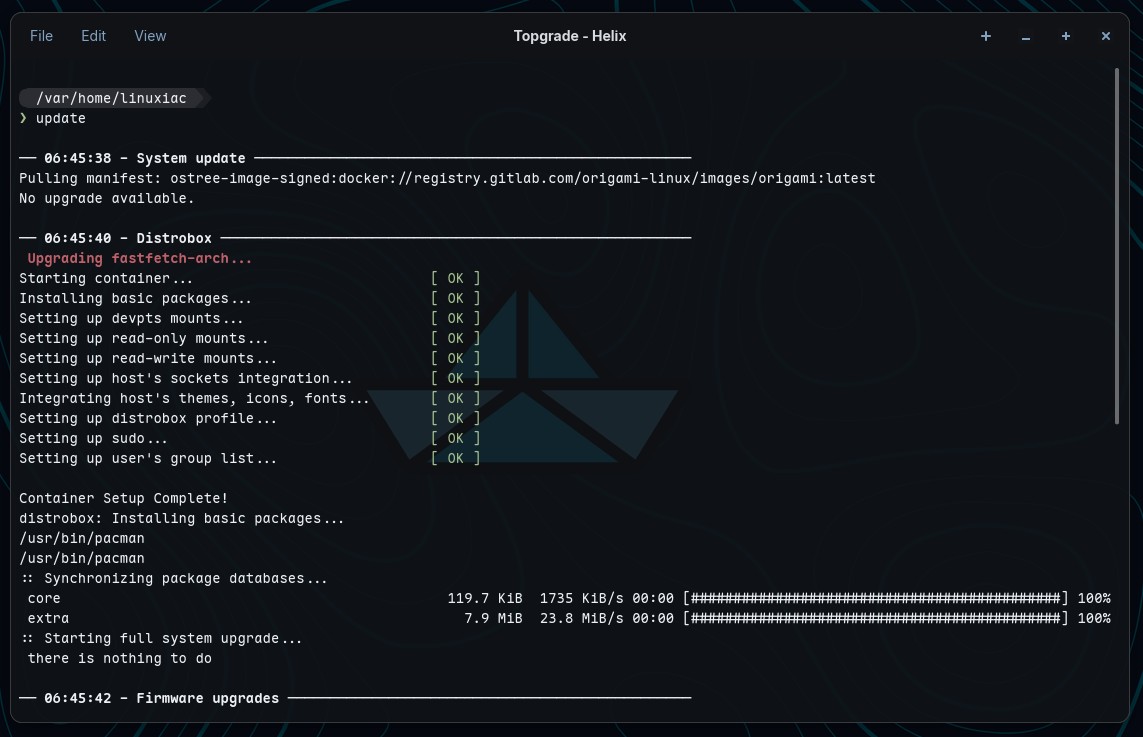
Updating the entire system in Origami Linux can be done with a single command.
From what I’ve said so far, it should be pretty clear that Origami is aimed primarily at developers liking container-centric workflows rather than at everyday desktop Linux users. I won’t hide the fact that immutability in general (and rpm-ostree in particular) isn’t really my favorite thing, but that’s just my personal take.
That said, if you like the idea of an immutable desktop and enjoy tinkering with container tools like Distrobox, you’ll probably feel right at home with Origami Linux. However, the only reason I can see for using it over Fedora Silverblue is that Origami ships with a well-configured, ready-to-use COSMIC Desktop out of the box, rather than GNOME.
Finally, the distro offers multiple variants that can be switched using rpm-ostree rebase, including standard and NVIDIA images, a performance-oriented Cachy kernel variant, and separate test images for early access to new features. Rollback, deployment pinning, and cleanup tooling are documented as core maintenance workflows.
To learn more about Origami Linux, see the distro’s Wiki.



Absolutely love Silverblue, has been an amazing trouble-free, just-works platform for me. Have also tried out their Cosmic edition, just wasn’t yet as polished back when I tried it imo
That said, always have my eye on Cosmic, I like where its going & the pace they are evolving, and will no doubt be trialing this Origami out. Very interesting,
I also use Fedora Silverblue, though I did spend several months using Kinoite. I briefly considered rebasing to COSMIC Atomic. However, I won’t because of the review, “Cosmic Desktop First Look,” on the Linux Cast (YouTube). The reviewer asserted that, in his opinion, COSMIC amounts to GNOME with tiling capability. He claimed that he could recreate COSMIC by “adding 3 or 4 extensions to GNOME.” He said that there are tiling extensions for GNOME that can achieve what COSMIC’s tiling does.
What a load of bollocks. I had over 15 extensions when using Gnome and this wouldn’t begin to cover all the features Cosmic added. He probably just used it 5 minutes with a negative bias from the start or was paid by Red Hat to say such nonsense.
Even if that was remotely close to the truth, it’s not just about adding 3 or 4 extensions (that will break every 6 months anyways), it’s the whole mindset that is different.
Gnome is made by developers for developers workflow, and it enforces its philosophy on you, with you having to adapt to it or be left to struggle.
Cosmic has taken the exact opposite approach. It is made for users, and it empowers them to make the workflow their own. They don’t develop Cosmic to tell you how to use your computer, contrary to Gnome.
They may have started with a base that could be perceived similar to Gnome by Gnome fanboys, although anyone using it for more than a few hours will tell you it’s completely different. I’ve been using it for 9 months after 8 years of using Gnome and it feels like a liberation from an oppressor.
But I believe they will grow apart with time, as Cosmic devs actually try and cater to their users to some reasonable extent. It won’t develop into KDE do-it-all philosophy, but it definitely is heading toward actually listening to users needs, something Gnome devs have absolutely never done, not once.
By load of bollocks, I meant from the random unknown Youtube channel, not from you. I went a little hard in my reply, but definitely not from your comment itself.