ONLYOFFICE Docs 9.2, an open-source and self-hosted office suite for documents, spreadsheets, presentations, fillable forms, PDFs, and diagrams, has officially landed. The update centers on AI-powered writing assistance, new personalization tools, more robust PDF editing, and clearer form creation features.
The headline addition is AI-powered spell and grammar checking, now integrated directly through the AI plugin. With this feature enabled, users can run a full-document or selection-based check from the AI tab or by right-clicking in the editor. The system reviews the text, highlights issues, and offers correction suggestions with contextual explanations.
Customization also expands in this release. Users can now define their own keyboard shortcuts to match personal workflows. This option is available under the File tab’s Advanced Settings, allowing editors to fine-tune key combinations for frequently used actions.
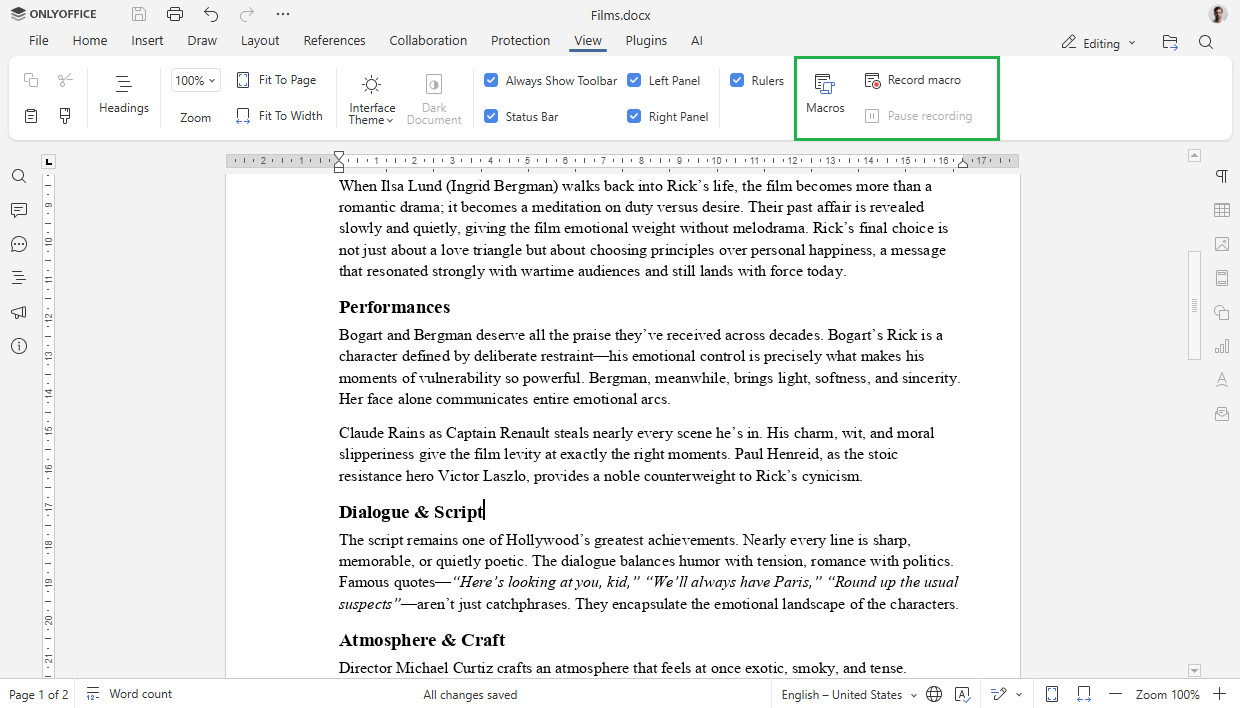
On the automation side, macro recording is now available. Instead of manually repeating the same steps, users can record an action sequence and save it as a macro. Running the macro later automatically reproduces the workflow. This feature is available from the Record macro option under the View tab.
PDF handling sees improvements as well. Version 9.2 introduces customizable redaction colors, giving users better control when preparing documents that require sensitive information to be hidden. The option is located in the Redact tab of the PDF editor.
Lastly, form creation gains clarity with checkboxes and radio buttons that can now include descriptive text labels, making forms easier to interpret. Additionally, newly inserted fields can be assigned roles, ensuring that each form element is tied to a specific user or purpose.
For more information, refer to the announcement or see all changes on the project’s GitHub changelog.
ONLYOFFICE Desktop suite is available for download in multiple installation formats for Windows, macOS, and Linux (DEB, RPM, Flatpak, Snap, AppImage), as well as for Android and iOS via the Google Play Store and the Apple App Store.
Image credits: ONLYOFFICE