Nitrux has introduced what it calls the Workspace Environment, a new modular desktop stack built with Hyprland, QML, and MauiKit, intended to sit between a minimal Wayland compositor configuration and a conventional Linux desktop environment such as KDE Plasma or GNOME.
According to devs, it combines a number of features that Nitrux has been developing in recent releases, such as Valenz, Marina, Workspace Settings, QMLGreet, and NudgeOSD, and also sets out the architectural path the distribution plans to pursue in the future. Here’s a little more about each of them.
Nitrux’s new top workspace bar, Valenz, has been developed using QML, MauiKit, and LayerShell-Qt; it offers functionality for navigating workspaces, controlling media, providing a system tray, displaying notifications, and including indicators for networking, Bluetooth, audio, battery status, power profiles, and night light. It also features widgets for the weather, the calendar, and system resources.
Instead of aiming to be a comprehensive shell, Valenz is intentionally limited to its role as the workspace bar, with other functions delegated to separate components.
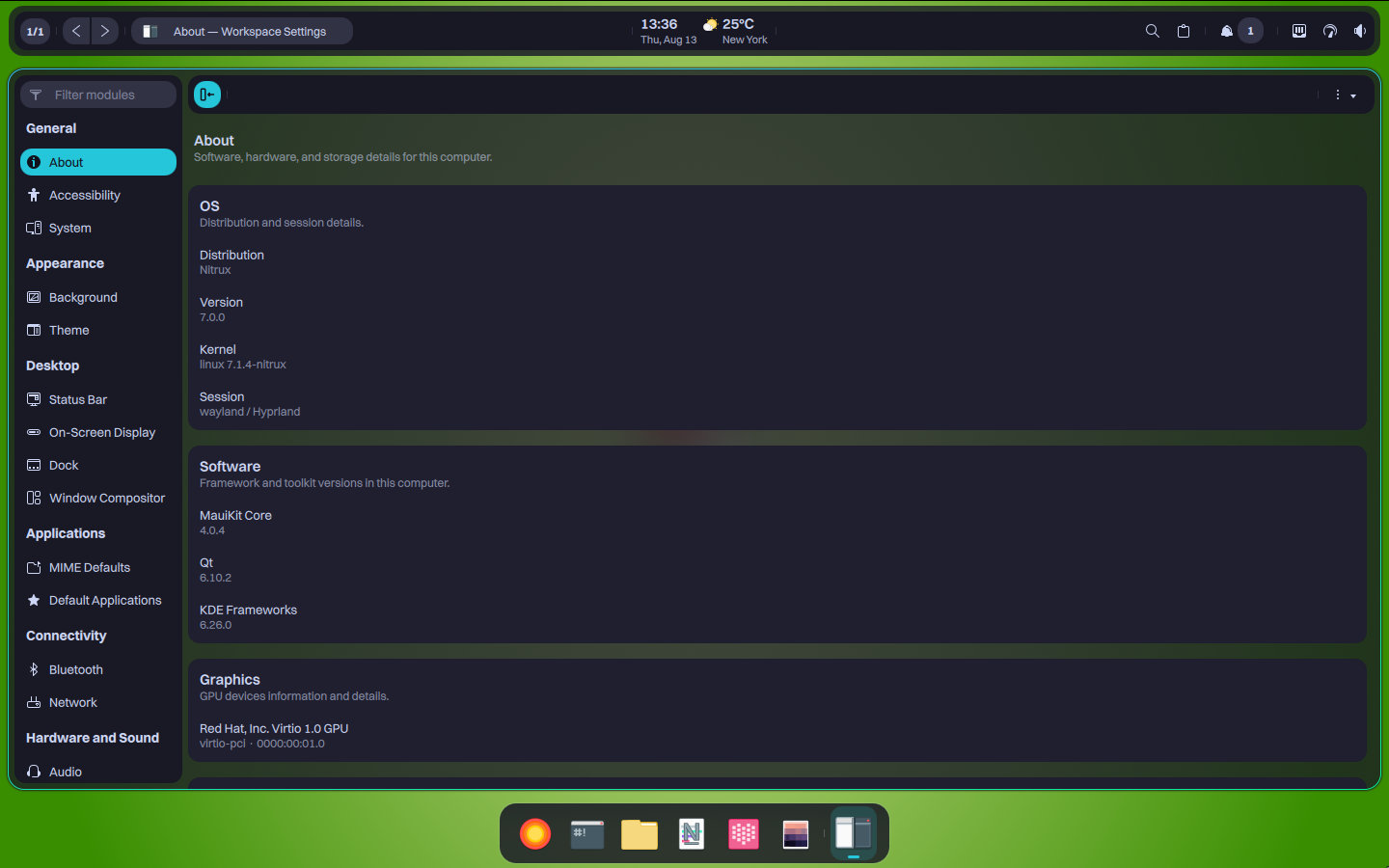
Marina is Nitrux’s new workspace dock and has replaced Crystal Dock, which the developers considered unsuitable because it is based on traditional Qt Widgets and offers a wider range of features than Nitrux desires for its narrowly focused desktop components.
Marina is also developed using QML, MauiKit, and LayerShell-Qt; it integrates directly with Hyprland so that open windows are followed across workspaces, supports window grouping and cycling through windows, allows for multiple displays, enables automatic discovery of XDG launchers, permits the drag-and-drop reordering of pinned applications, includes horizontal scrolling, offers an optional auto-hide feature, and displays unread-message badges for applications that provide launcher count information.
A major change is the introduction of Workspace Settings, which will replace KDE System Settings as the main graphical configuration application in Nitrux.
Even after moving away from the Plasma Desktop, Nitrux continued to ship KDE System Settings for a while, mainly because it offered a convenient graphical interface for system configuration. The project, however, maintains that the application is still very closely associated with KDE technologies and with the assumptions related to Plasma, KWin, SDDM, and systemd.
Workspace Settings is therefore designed to act as a native alternative based on Nitrux’s own architecture, looking after areas such as user accounts, locale settings, networking, Bluetooth, audio, appearance, MauiKit configuration, and system information, as well as providing access to the settings of various components like Valenz and Marina.
The fourth component to have been highlighted is Desklock, a session locker based on QML that is native to Wayland and which replaces Hyprlock. Devs say that Hyprlock failed to visually integrate with its MauiKit interface and also had a persistent state problem after it had been suspended or hibernated.
The new Desklock is based on the project’s QMLGreet codebase and includes PAM authentication, separate lock screens for the displays that are connected, monitoring of the CPU, memory, and network, MPRIS media information and controls, as well as configurable animations and clock formats.
Put together, these tools make up what Nitrux now officially refers to as its Workspace Environment instead of calling the new stack a desktop environment.
In the model suggested by Nitrux, Hyprland is still responsible for the compositing, while Valenz and Marina offer the desktop shell. The Workspace Environment layer then combines this shell with a specific set of essential utilities, such as the file manager, the terminal emulator, the configuration tools, and the authentication components.
Importantly, Nitrux also makes it clear that Valenz and Marina are deliberately kept within a limited scope; its aim is not to replicate the extensive customization options offered by Plasma or by frameworks such as Quickshell, but instead to offer a curated interface in which each individual tool carries out specific tasks and all of them share the same MauiKit-based visual language.
The introduction of the Workspace Environment also signifies the official conclusion of Maui Shell. Nitrux states that the new architecture brings the ongoing Maui Shell project to an end, and that its repository has now been archived.
So, to wrap things up, I’ll just add that Nitrux has taken quite a few sharp turns over the past year, including a complete change to its desktop environment and some components, dropping support for installation in VMs, and more. For some users, constantly having to readjust to these changes may simply be a bit too much. But I suppose that is just part of the distribution’s nature. As the developers themselves put it, “Nitrux is not for everyone.”
For additional details, see the official announcement.
Image credits: Nitrux