Linux Mint 22.3 “Zena” is expected to arrive any moment now. Its beta landed in mid-December, and the final ISO is currently marked as “Being tested.” The headline change is the updated Cinnamon 6.6 desktop environment, which LMDE 7 users already have access to.
A few hours ago, it was rolled out as an update for all Linux Mint Debian Edition 7 “Gigi” users, giving them early access to all the new changes ahead of the Mint 22.3 release.
Of course, some rolling-release distributions like Arch already ship it in their repositories. Still, it’s worth noting that its integration in Linux Mint and LMDE is arguably the most polished, letting you experience everything it offers right out of the box, with no extra effort or configuration required.
If you’re eager to try it out and you’re running LMDE 7, open Update Manager and click the “Refresh” button. You’ll see Update Manager prompt you to upgrade itself to version 7.1.4. After confirming the update, the application will restart, and you’ll be offered a long list of available updates, including the new Cinnamon 6.6 desktop environment.
Apply the changes, log out, then log back in, and you’ll get this:
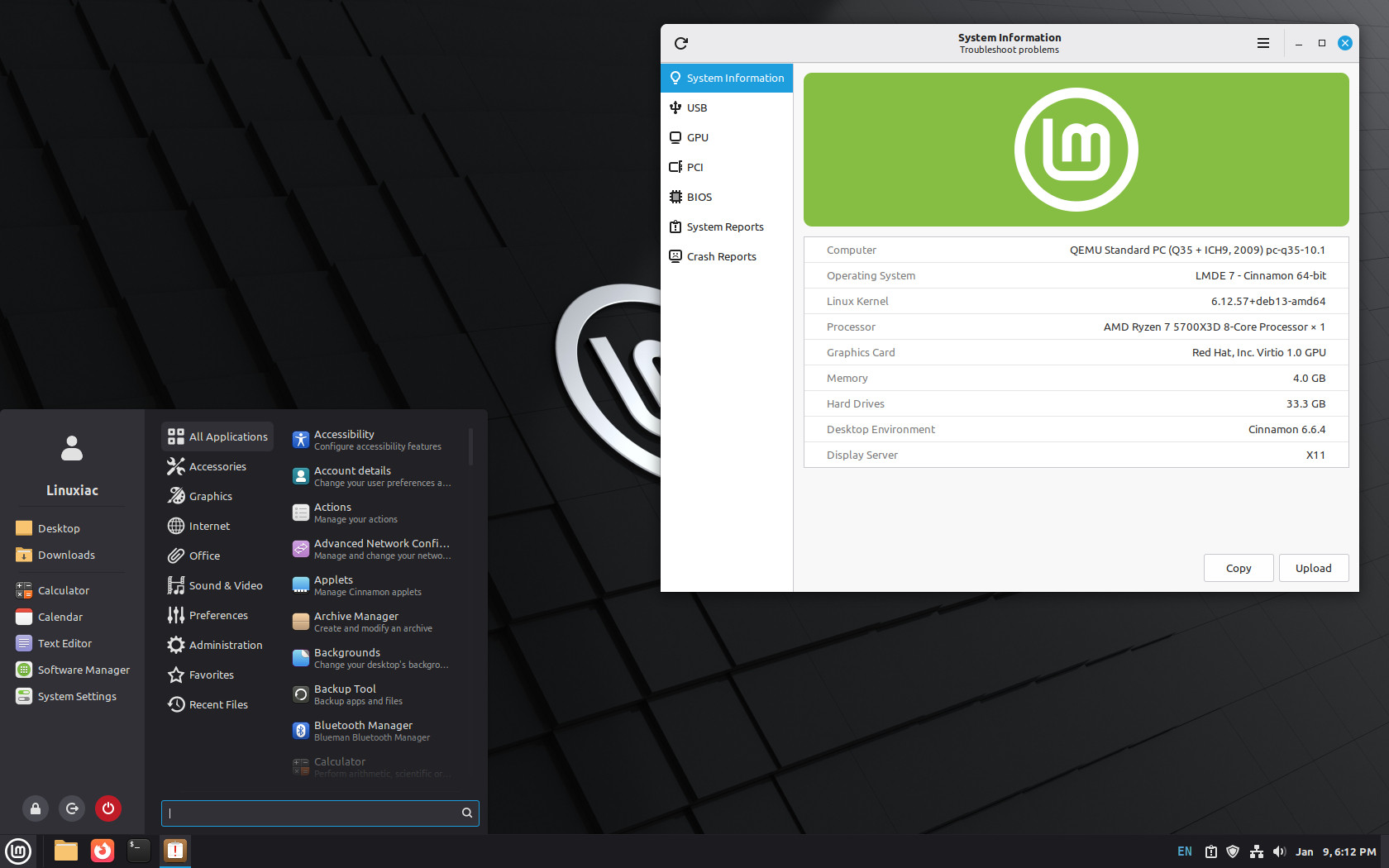
There are many changes, but the most visible one is the entirely redesigned application menu applet. Now it offers a cleaner layout, improved spacing, configurable symbolic category icons, enhanced support for Places and Bookmarks, and several visual refinements that improve navigation and clarity.
Beyond the new menu, Cinnamon 6.6 brings improved performance and animation, as Wayland support moves another step forward, and Nemo file manager receives practical fixes and refinements. Plus, Cinnamon 6.6 also introduces two new desktop tools: System Information and System Administration.
The System Information tool consolidates essential hardware and system details into a single graphical utility, making it easier to view your machine’s specifications, kernel version, drivers, connected devices, and other system data without resorting to multiple terminal commands.
The System Administration tool has a similar interface but targets administrative tasks. It runs with elevated privileges and initially offers control over key system settings such as the boot menu timing and visibility, and boot parameters.
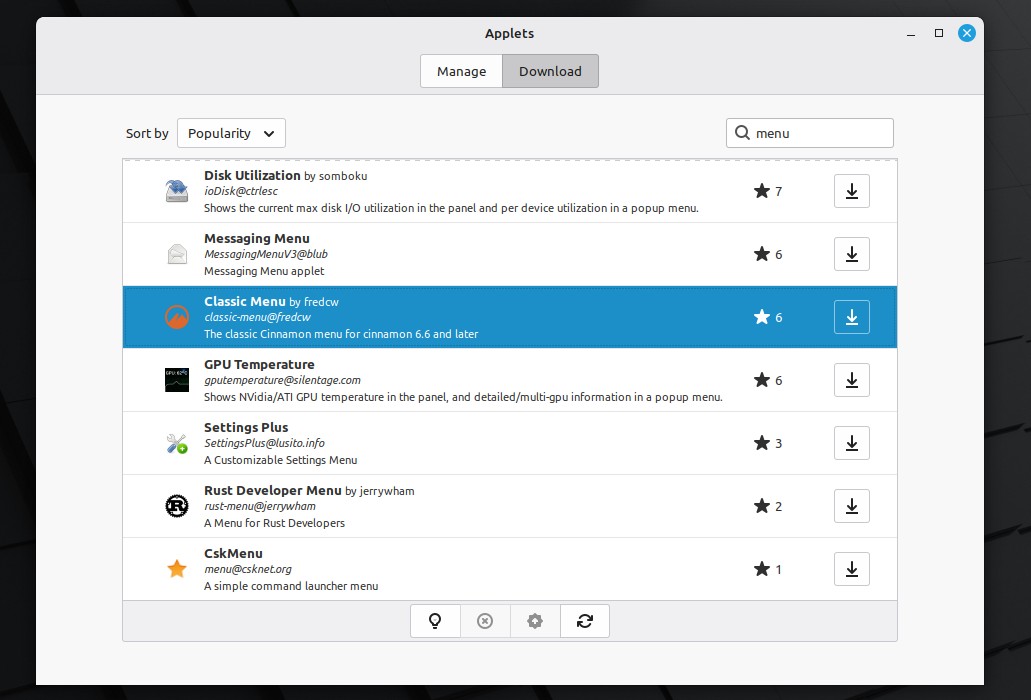
Finally, if the new Cinnamon menu isn’t quite your cup of tea, you can always switch back to the classic one, which is available to install from Cinnamon’s Spices collection.
For a full overview of everything new in the Cinnamon 6.6 desktop environment, check out our dedicated article on the topic.