
The Buddies of Budgie team has announced Budgie 10.10.4, the fourth maintenance update in the 10.10 series of the Wayland-based desktop environment. One notable change concerns panel auto-hiding, which has been reworked to address limitations from Budgie’s transition from X11 to Wayland.
Budgie 10.10.4 now uses maximized windows to determine when panels should disappear. Automatic mode hides a panel whenever any window on its monitor is maximized, while Intelligent mode hides it only when the focused window is maximized.
Additionally, hidden panels now retain a small 3-pixel activation area along the screen edge, allowing users to reveal them by moving the pointer there. They no longer reserve screen space, so maximized windows can use the entire display area. Panels remain visible while their menus or applet popovers are open.
Fullscreen handling has improved as well. Moving the pointer to the screen edge can now reveal an automatically hidden panel over fullscreen content. The new Super+T keyboard shortcut allows users to show or hide all panels without opening Budgie Menu.
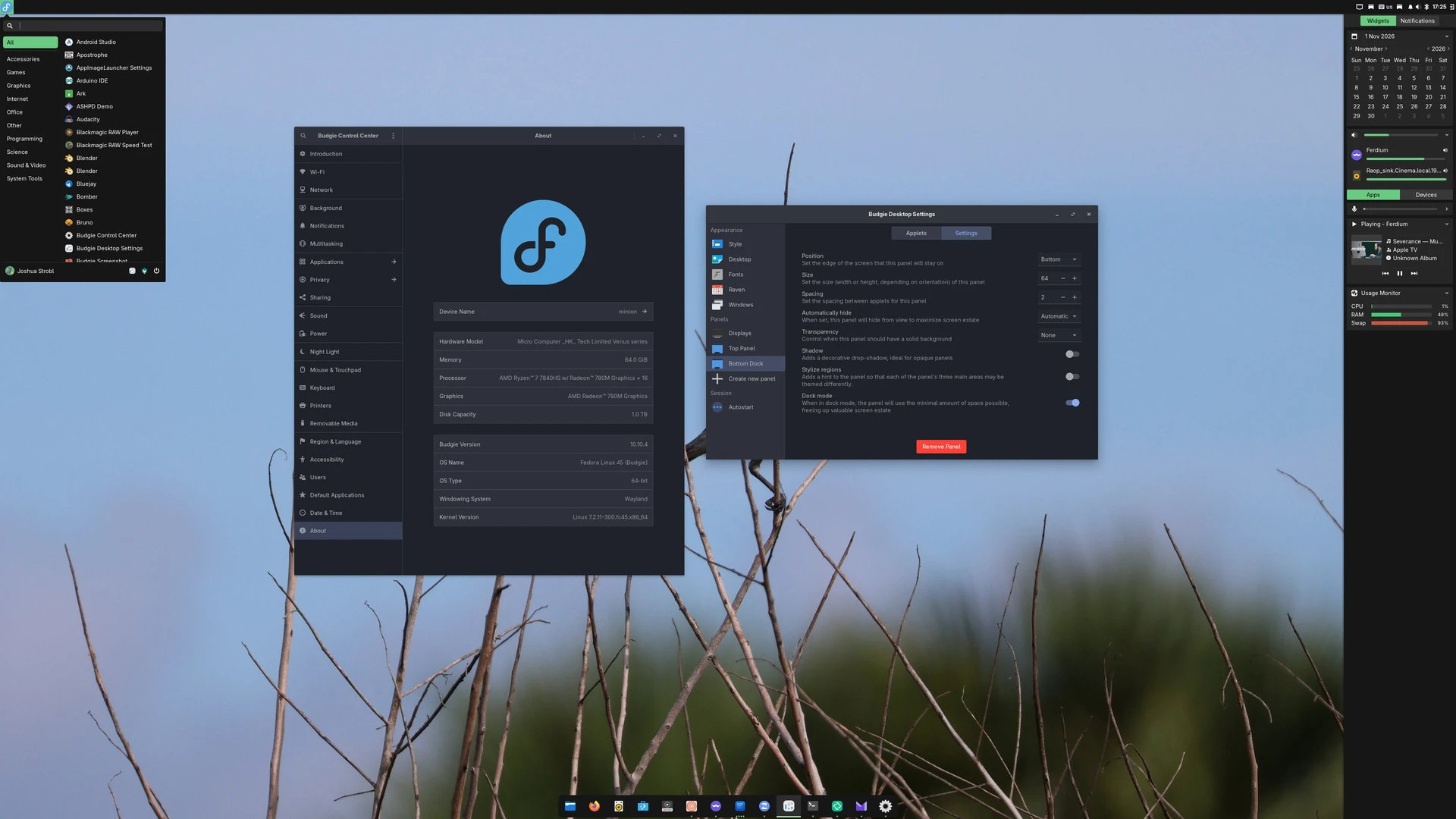
Another improvement concerns Raven, Budgie’s notification and widget sidebar. Users can switch between its widgets and notifications views using Super+A and Super+N, respectively. Pressing the shortcut for the active view closes Raven.
For multi-monitor setups, Super+Shift+arrow keys again move the focused window between monitors, restoring functionality from Budgie 10.9. Picture-in-Picture windows, including those created by Firefox, now remain above other windows.
On the performance side, developers have optimized how Budgie loads application information. Previously, several components independently scanned installed applications, causing redundant work. The application list is now loaded once and shared across the panel, updating when applications are installed or removed.
According to the project’s benchmarks, this change reduces panel CPU usage by about 36% during the first 90 seconds of operation. Application scanning time drops from roughly 200 milliseconds to 22 milliseconds, while temporary memory allocations decrease by 59%.
Budgie 10.10.4 also adds configurable screen-dimming delays from 30 seconds to 30 minutes, with an option to disable dimming entirely. Users can select gtklock or swaylock as their preferred screen locker, with automatic fallback if the selected locker is unavailable.
Regarding bug fixes, the release addresses an issue introduced in Budgie 10.10.3 that could cause panel applets to disappear when using languages other than English.
Other fixes address panel startup crashes, incorrect panel positioning, and dropdown menus unexpectedly closing applet popovers. The Bluetooth applet’s settings button has also been updated to open Bluejay, Blueman, or Budgie Control Center, depending on availability.
Finally, the update resolves mouse cursor visibility problems in VMware virtual machines, restores compatibility with older Qt applications through XWayland fallback, and includes several Crystal Dock fixes.
For more information, refer to the official announcement.
Image credits: Buddies of Budgie