
A new open-source project called APTUI emerged to make package management on APT-based Linux systems easier to handle directly from the terminal. The tool provides a terminal-based text user interface (TUI) that lets users browse, install, and manage packages interactively on systems such as Debian, Ubuntu, and Linux Mint.
Of course, APTUI does not replace APT itself. Instead, it serves as a frontend on top of the existing package management stack, providing a structured interface for tasks typically performed manually with APT commands such as apt install, apt remove, or apt upgrade.
The application is written in Go and uses the Bubble Tea framework, a toolkit for building terminal user interfaces. The result is a keyboard-driven interface that resembles a lightweight dashboard in the terminal, allowing users to navigate repositories, search for packages, and perform actions without leaving the command-line environment.
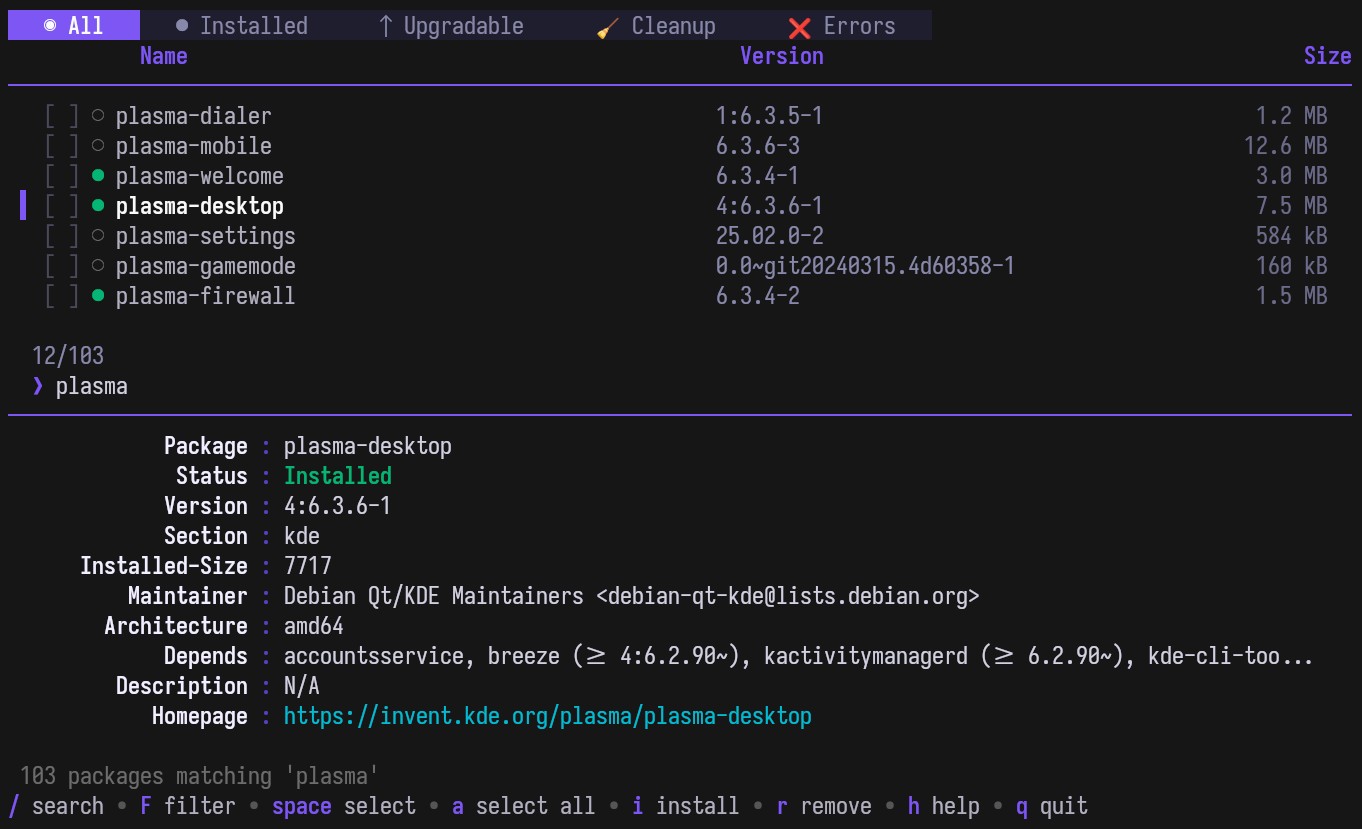
Yes, I know that many distributions offer their own graphical applications for this task. However, this is not the case on Debian or Ubuntu servers, where the graphical environment is usually absent. Also, let’s not forget that many users just prefer to do things in the terminal.
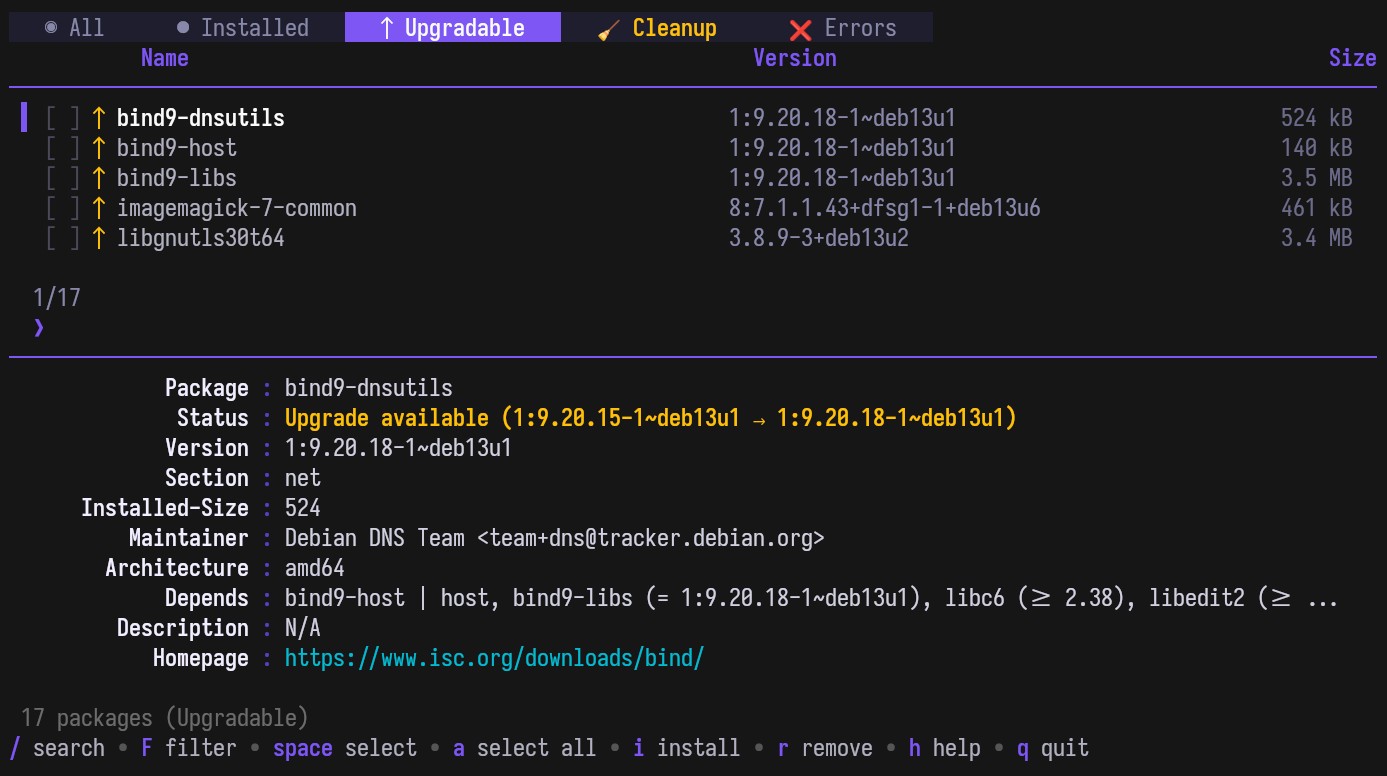
Now, let’s discuss its features. With APTUI, you can browse the full repository list, search packages using fuzzy matching, and apply filters based on different package attributes. The interface organizes results into tabs such as all packages, installed packages, and upgradable packages, making it easier to review system state and available updates.
The tool also supports typical package management actions. Packages can be installed, removed, purged, or upgraded directly from the interface. Bulk operations are possible when selecting multiple packages. A package detail panel displays metadata including version information, description, architecture, and repository source.
Another useful feature that distinguishes APTUI from many other terminal package tools is its transaction history system. The application records package operations and includes undo and redo shortcuts, allowing users to revisit recent actions from inside the interface.
APTUI also integrates repository management features. Users can manage PPAs from within the interface, including listing, enabling, disabling, adding, or removing repositories. The tool supports both traditional .list repository files and the newer DEB822 .sources format.
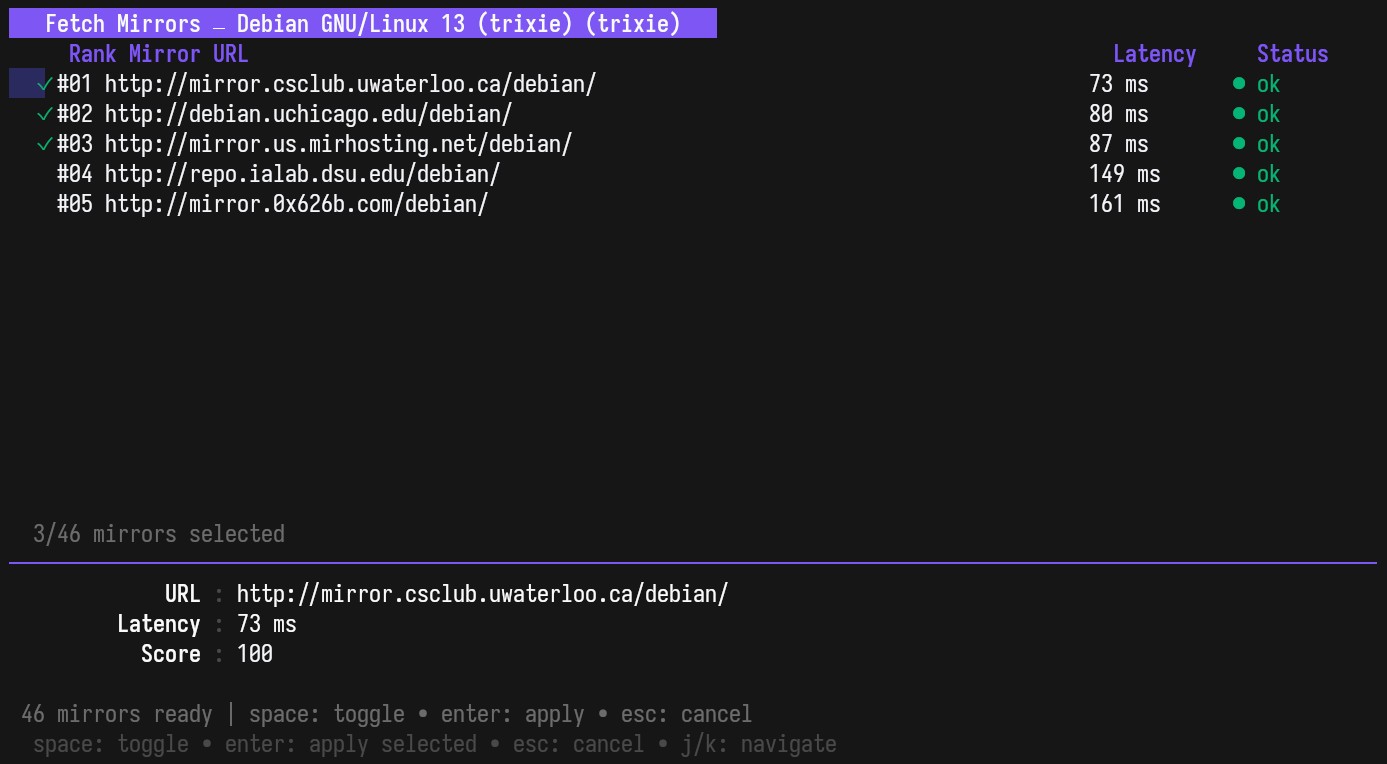
Another very handy feature is mirror testing and switching. The application can test available package mirrors and help users change sources when a faster or more reliable mirror is available.
As expected for a package management tool, administrative privileges are required when performing actions that modify the system. Running APTUI with sudo enables install, upgrade, and repository management operations.
Finally, even though the project is still in early development, it is already usable on systems that rely on the APT package manager. I say this because all operations during my tests went smoothly.
For more details, visit the tool’s GitHub repo. The source code is published under the MIT license, and installation instructions and prebuilt binaries are provided for users who want to test APTUI on their systems.





Hi Bobby, I’m the creator of this project, thank you for sharing!
Thank YOU for the amazing project. 🙂