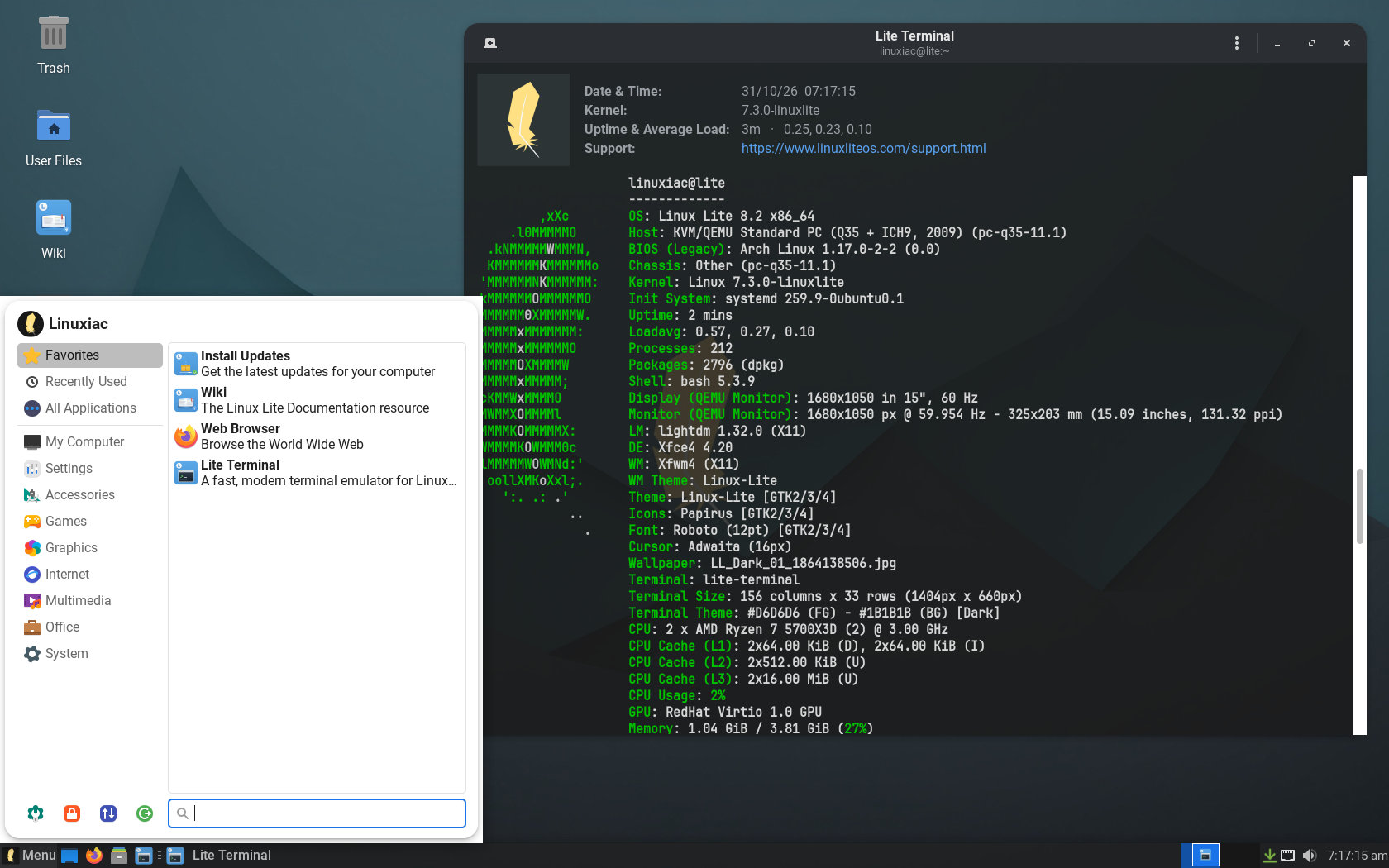
The Ubuntu-based Linux Lite has announced version 8.2, a minor update to the 8.x series featuring Linux kernel 7.3, gaming-focused optimizations, and improvements to several system utilities.
Built on Ubuntu 26.04.1 LTS, the release uses the Xfce desktop environment with LightDM and ships with two custom Linux 7.3 kernel variants, built from upstream sources with selected CachyOS patches and additional tuning.
The default linuxlite kernel is for everyday desktop use, with security mitigations enabled and dynamic preemption to balance responsiveness and throughput. The optional linuxlite-gaming variant targets gaming and latency-sensitive workloads, using full preemption, the BORE scheduler, and disabled security mitigations.
Burst-Oriented Response Enhancer adjusts CPU scheduling based on task execution patterns, prioritizing short, interactive workloads to help reduce latency. Both kernel variants retain the EEVDF scheduler, with BORE available exclusively in the gaming version.
Users can manage these kernels through Lite Kernel Manager, which includes benchmarking and an option to upload results. The utility has improved interface readability, an option to export installation logs, and better handling of failures with third-party DKMS modules.
On hardware compatibility, Linux Lite 8.2 includes updated NVIDIA kernel patches to support proprietary drivers on newer mainline kernels. Lite Driver Manager improves driver switching and adds safeguards against recommending incompatible NVIDIA drivers for older graphics cards.
The Calamares installer has received several fixes, especially for encrypted installations. These address bootloader configuration problems, encrypted swap cleanup, and cases where installations failed despite successfully writing the system to disk.
Other changes include improvements to Lite Game Center, such as support for installing 32-bit graphics libraries needed by some Windows games running through Wine-GE. The distribution’s utilities also received interface refinements and translation updates.
Existing Linux Lite 8.0 users can upgrade to 8.2 through the Lite Upgrade utility under Menu > Settings > Lite Upgrade. Devs recommend that users first install available updates and create a Timeshift restore point before proceeding.
Finally, keep in mind that the upgrade process does not automatically replace the installed kernel. Users who want to switch to Linux 7.3 must manage that separately through Lite Kernel Manager.
For more information, see the release announcement. Linux Lite 8.2 is available as a 2.4 GB ISO image from the project’s download mirrors.