Pangolin, an open-source, self-hosted identity-based remote access platform with over a million deployments worldwide that combines a tunneled reverse proxy with zero-trust VPN-style access, has released v1.19.
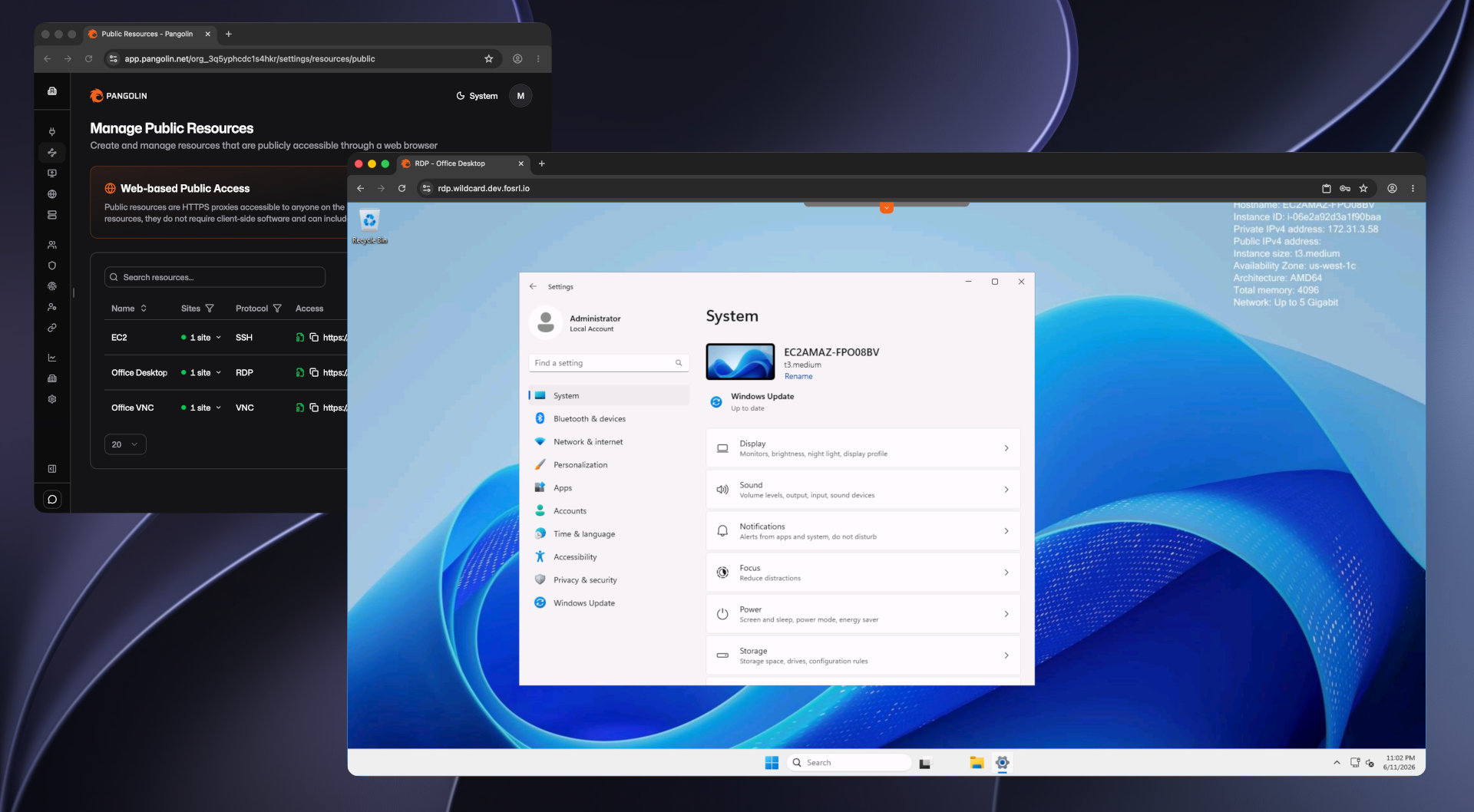
The main new feature is support for SSH, RDP, and VNC as primary public resource protocols. Users no longer need separate clients or a VPN to access supported systems. After authenticating with Pangolin, users can start interactive remote connections directly in a modern web browser.
For SSH, users access a web-based terminal that supports password, key-based, or Pangolin identity authentication, depending on configuration. For RDP, Pangolin enables full Windows remote desktop sessions in the browser, with clipboard and file transfer support. VNC resources are also accessible directly in the browser, eliminating the need for a separate viewer.
Version 1.19 also updates Pangolin SSH with a simpler setup mode. While native SSH support was introduced in version 1.16 with OpenSSH integration and certificate-based authentication, it required extensive host-side configuration, including changes to sshd_config and certificate authority trust.
The new Pangolin SSH mode eliminates complex setup for common scenarios. Sessions run directly on the host through the site connector, with no SSH server installation, authentication daemon configuration, or sshd_config changes required. Administrators simply select Pangolin SSH in the dashboard and run Newt as root on the target machine.
This mode is now the default for new SSH resources. Manual authentication uses existing host credentials, while automated provisioning is available for Pangolin identities.
Pangolin SSH supports both public and private resources. Public resources provide a browser-based terminal at the resource’s domain, while private resources are accessible through the Pangolin client using commands such as pangolin ssh. The CLI now also supports SCP over the same private tunnel for file transfers.
Moreover, automatic site updates for Newt, Pangolin’s site connector, are now available. When enabled, Newt checks for updates, downloads them, and restarts itself, allowing the site to reconnect without manual intervention. This feature can be enabled globally or per site and applies to binary installations. Docker and Kubernetes deployments continue to use their orchestration platforms for updates.
Pangolin 1.19 also introduces labels for larger deployments. These simple text tags can be attached to sites, machine clients, and resources, making it easier to search and filter large tables. Labels are shared across entity types, enabling grouping of related sites, clients, and resources.
Resource policies are also new in this release. Administrators can define shared authentication and access settings once and apply them to multiple public resources. Policies can include SSO, identity providers, PIN codes, user and role allocations, geo-blocking, ASN blocking, and IP allow lists.
In addition to the main features, Pangolin 1.19 includes UI improvements and bug fixes. New documentation covers deploying Pangolin and Newt on Kubernetes with Helm, including repository setup, values files, upgrades, rollbacks, and OCI-based chart installation.
For more details, see the announcement or refer to the changelog.
Image credits: Pangolin