
AppGrid 1.8 has been released as the latest version for this third-party application launcher for KDE Plasma 6, which, instead of KDE’s default Kickoff-style menu, offers a grid-based launcher with application categories, search, favorites, and two variants: a centered launcher and a panel popup.
The main change is a rewrite of the favorites system. They are now backed by KDE’s KActivities infrastructure through KAStatsFavoritesModel, the same plugin used by Plasma’s Kickoff launcher. Existing favorites migrate on first launch, while AppGrid keeps its own favorites namespace.
Moreover, the new favorites implementation adds more flexible handling. Users can drag favorites to reorder them with edge auto-scroll during drag operations or use Ctrl+Shift+Arrow for keyboard reordering. External .desktop files can also be dropped into AppGrid to pin them.
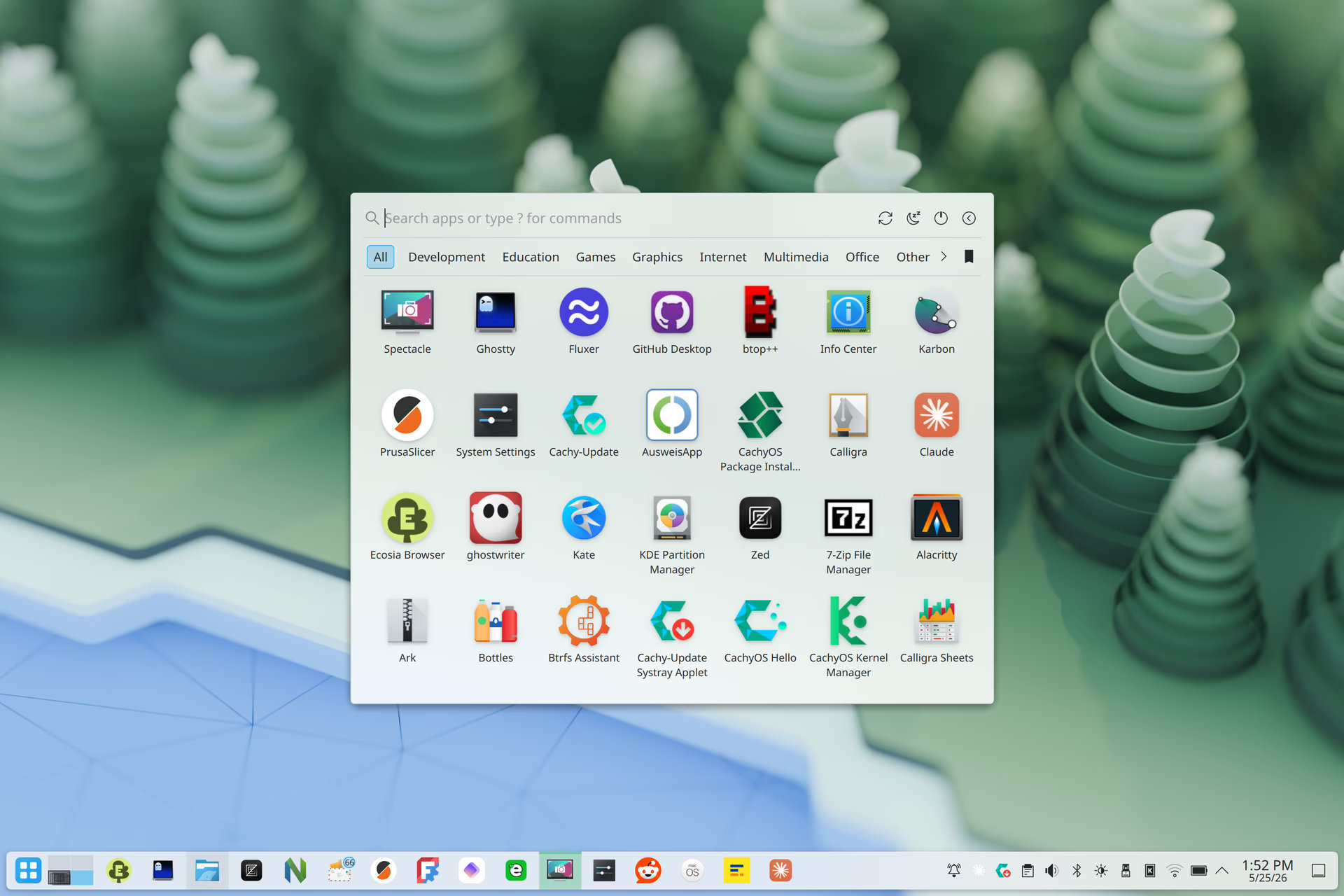
At the same time, drag-and-drop support has expanded beyond favorites. Apps can now be dragged out of AppGrid to the taskbar, panel, desktop, or Dolphin. The release also adds Ctrl+click multi-selection, allowing several apps to be dragged at once. Bulk pin, unpin, hide, launch, and copy actions are available from the context menu.
Search has been improved as well, with AppGrid 1.8 now ranking results more intelligently, with most-used applications and MIME-default apps receiving higher relevance. Plus, the search interface is modernized with section headers, an empty-state placeholder, and the highlighted result’s icon shown in the search bar.
For Flatpak users, the release adds a “Manage in Discover” context menu option for Flatpak applications. According to the devs, support for system packages is planned for later.
The update also adds configurable power and session buttons, which can be individually shown or hidden and reordered by dragging. Category navigation gained Alt+Left and Alt+Right shortcuts. The centered launcher now has a vertical position offset option. App icons can optionally use a light drop shadow.
On the performance side, hot lookups in search and filtering paths are now cached, and the favorites pipeline initializes only needed parts. This results in faster opening, smoother category switching, and lower CPU usage while scrolling, especially on lower-end systems or setups with large application lists.
AppGrid 1.8 includes several bug fixes. Icon theme changes update immediately, a favorites swap bug is fixed, and a new alphabetical sort option is added. The release also fixes a panel freeze during resize, reworks the scrollbar as an auto-hiding overlay, restores mouse-wheel scroll behavior, improves category bar paging, and prevents unwanted auto-scrolling in some clipped search-result and hover scenarios.
Finally, the release changes the default launcher icon for fresh installs, while systems upgraded from AppGrid 1.7.x keep their previous icon. Official packaging is now available through an Ubuntu PPA, Fedora COPR, AUR, and a beta universal package with an optional in-app update checker for users outside distro packaging channels.
For additional details, see the project’s GitHub release page.
Image credits: AppGrid