
Pangolin, an open-source, self-hosted identity-based remote access platform that incorporates both tunneled reverse proxy and zero-trust VPN-style access, has released v1.15, marking one year since the project’s first public beta. In that one year, the project exploded in popularity, earning over 18,000 stars on GitHub.
The headline feature on the new Pangolin 1.15 version is official mobile support. Native iOS, iPadOS, and Android applications (powered by Olm, Pangolin’s Go-based networking client) are now available through Apple’s App Store and Google Play. These apps allow users to access private resources from mobile devices using the same zero-trust model already available on desktop systems.
Version 1.15 also introduces device fingerprinting and posture collection, expanding zero-trust controls from users to hardware. Device fingerprinting assigns a persistent identity to each device using attributes such as serial numbers, operating system versions, and hostnames.
Complementing fingerprinting are posture checks, which assess whether a device meets defined security requirements before granting access. These checks can include disk encryption status, firewall state, antivirus activity, and other security indicators.
But what personally most impressed me is that Pangolin 1.15 adds Device Approvals. As you know, previously, access controls focused primarily on users and roles, allowing any device to connect as long as valid credentials were presented. But that’s no longer the case.
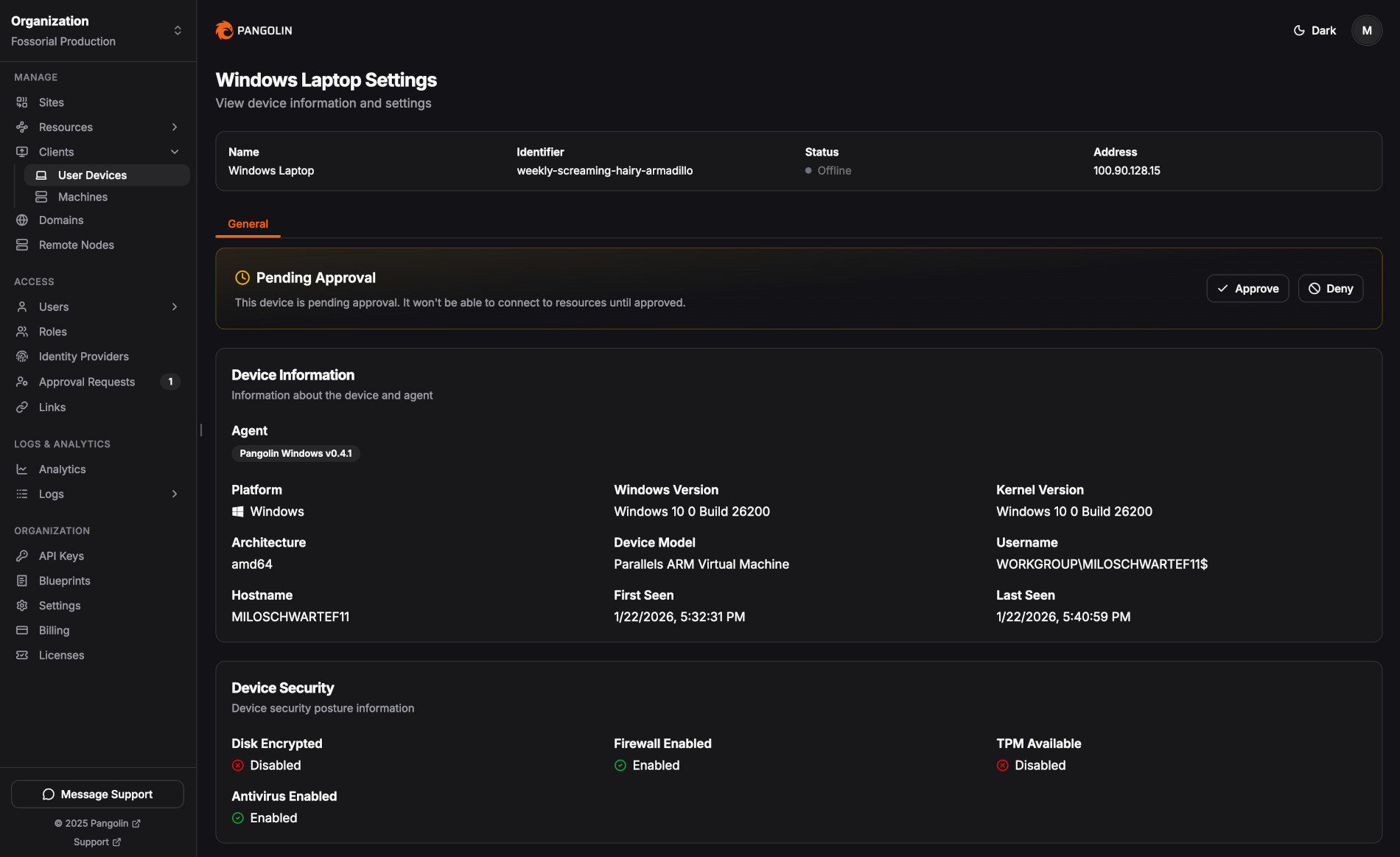
With device approvals enabled, Pangolin adopts a deny-by-default stance for new hardware. Even authenticated users are blocked until an administrator explicitly approves the device. Approval workflows are managed per role through the Pangolin dashboard, with a dedicated feed showing pending requests and relevant device details.
On top of that, the release also introduces clearer lifecycle controls for connected devices. Administrators can now block a device immediately if it is lost, compromised, or no longer trusted, cutting off access at once. Importantly, devices cannot be deleted outright. Instead, they can be archived, which preserves a permanent audit trail of all devices that have accessed protected resources.
Alongside these features, Pangolin 1.15 delivers a broad set of stability and performance improvements across clients and private connectivity components. To see them in detail, visit the changelog. The official announcement is here.
Image credits: Pangolin