
Linux users looking for a full-featured PDF editor have another option with JOPDF, a cross-platform desktop application that offers direct document editing, conversion, annotation, compression, and page management without subscriptions or paid feature restrictions.
Unlike many free PDF applications that mainly function as document viewers or annotation tools, JOPDF lets users modify existing text, images, and links inside PDF documents. Text formatting options include control over fonts, sizes, colors, and other properties. Images can be inserted, replaced, resized, rotated, and cropped.
The application also provides a collection of tools for highlighting text, adding comments, drawing over documents, inserting stamps, filling forms, and adding electronic signatures.
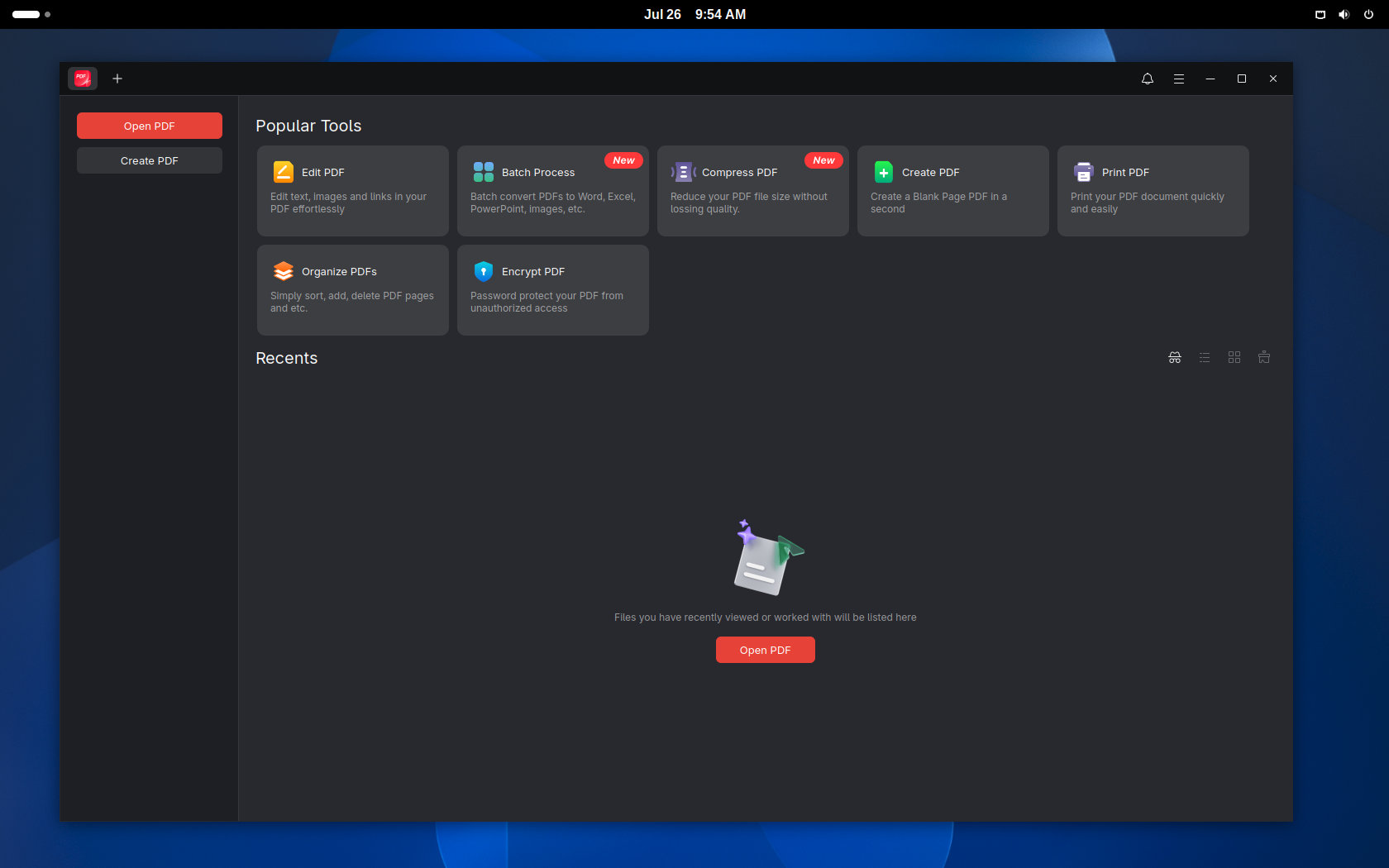
Beyond editing, JOPDF can convert PDF documents to Microsoft Word and turn common image formats like JPG, PNG, and HEIC into PDF files. It can also compress documents, merge multiple PDFs, split files, rotate or crop pages, delete unwanted pages, and rearrange them using a drag-and-drop interface.
Password protection is available, too, for users who need to restrict access or prevent copying, editing, and printing. According to JOPDF, documents are processed locally, allowing most editing tasks to be done offline instead of uploading files to a remote server. Some internet-dependent features may still require an active connection.
JOPDF says the application is completely free, with no registration, subscription, watermark, trial period, or locked premium features. This could make it an appealing alternative for users who need more than basic PDF viewing but do not want to pay for Adobe Acrobat or another commercial PDF suite.
However, “free” here refers only to the price. JOPDF is proprietary software, not open-source. Its license allows installation and use but restricts modification, redistribution, reverse engineering, decompilation, and attempts to extract its source code.
In other words, users can download and use JOPDF without paying, but they do not receive the freedoms normally associated with open-source software.
The Linux edition is distributed as downloadable DEB packages for both AMD64 and ARM64 systems. The software is also available for Windows and macOS, providing a similar interface and feature set across the three major desktop platforms.
For additional details, see JOPDF’s official website.

Debian? Really? This is not 1999. Sure, any reader who uses a Linux distro can always just spin up a Distrobox container, but offering a Flatpak would have been a much more user-friendly and business-savvy effort. Or, a Web app would have also been a more worthwhile effort.
Debian and Debian-based distros are some of the most popular distros and based used, of course it’s going to offer a version for that.
Others that are less popular will cause a harder time for the user to install them. I remember in the beginning of this year I tried to run Fedora on my laptop and it couldn’t handle Flatpaks properly. It would stutter and freeze when I tried to install official ones from the repositories. Not a good first experience. I don’t know what caused it and I don’t have the skills to fix it so I moved back to what works for me – Tuxedo OS.
You’re overrating the market penetration and user-friendliness of flatpaks… Not many people care about them.
Either way, they say it’s available for Ubuntu, Debian, Mint and Fedora, and it’s available in the AUR (although possibly not the latest version yet), so just check your repositories.
The download page only offers a .deb file, and there doesn’t appear to be a Fedora repo.