The KDE community has announced Plasma 6.8, the latest version of its popular desktop environment. And this one arrives on a special occasion: October 14 marks KDE’s 30th anniversary.
Apart from the celebrations, Plasma 6.8 is a release worth attention. But let’s start with the biggest change. With Plasma 6.8, KDE has ended support for running the desktop in an X11 session, making Wayland the only supported display protocol for Plasma sessions.
And before anyone worries about older applications, this doesn’t mean X11 software will stop working. Applications that depend on X11 can continue running through XWayland, the compatibility layer that lets them operate within a Wayland session.
More importantly, KDE applications will continue supporting X11 for the foreseeable future. In other words, the ability to run the Plasma desktop as a native X11 session is ending, not compatibility with X11 applications.
Another important development is progress with Union, KDE’s next-generation theming system. First introduced as an alpha in Plasma 6.7, it now reaches beta status in 6.8.
The idea is to provide a unified approach to application styling across KDE’s software, making it easier to maintain a consistent appearance. However, Union isn’t ready to become the default yet.
Those interested in experimenting can install the Union package, select “Breeze (Union)” under System Settings > Colors & Themes > Application Style, and restart their applications. KDE notes applications should look nearly identical to those using the traditional Breeze theme.
Remote desktop users have several improvements. Plasma’s built-in remote desktop server now adapts better to slower network connections and rapidly changing screen content, prioritizing responsiveness and reducing latency.
There’s also a new optional exclusive mode that locks the server’s physical screen while presenting the remote client with a virtual display matching its window dimensions.
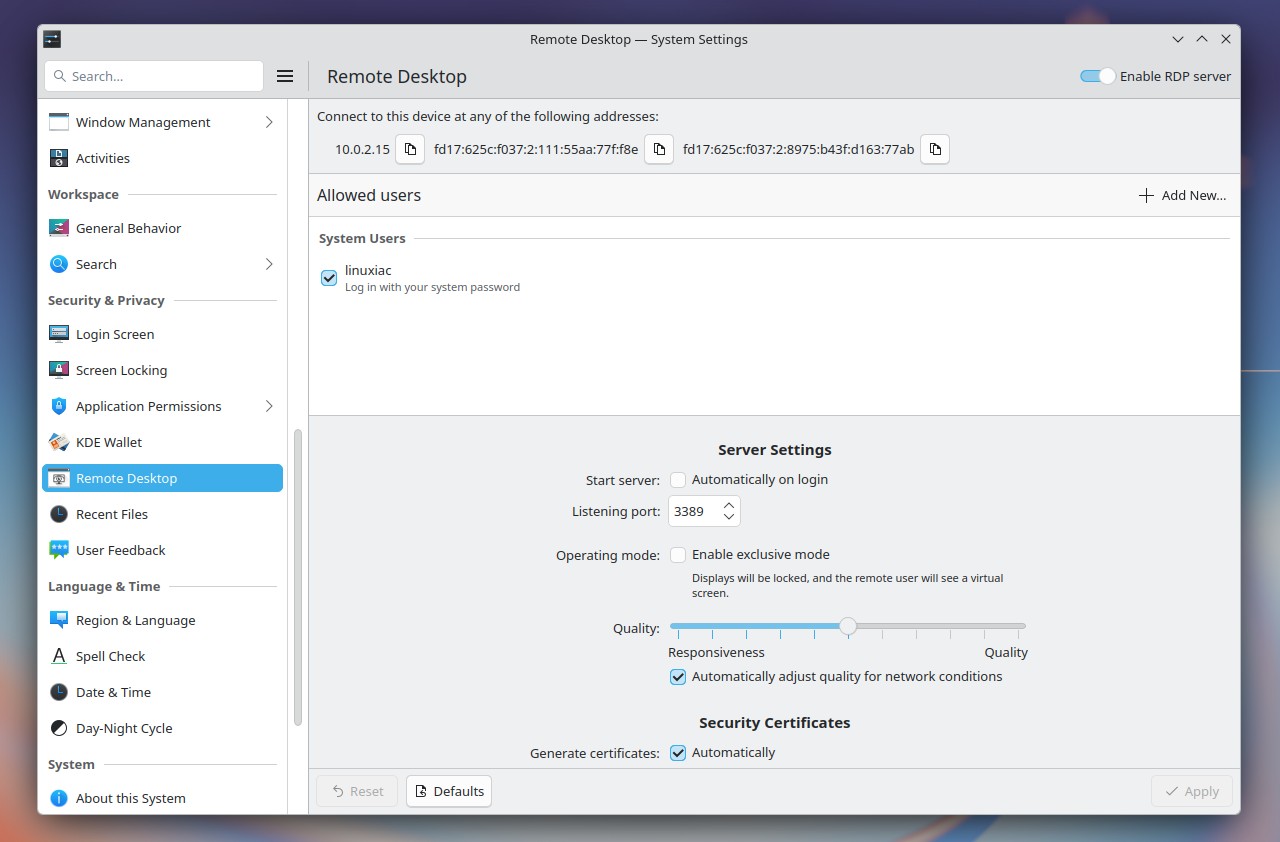
Additionally, bidirectional clipboard synchronization makes copying content between local and remote machines more convenient. However, these capabilities depend on support from the remote desktop client used.
Screen recording has improved as well. Spectacle can now capture system audio and microphone input together, which is particularly useful for recording tutorials, demonstrations, and presentations.
Plasma’s screen-sharing dialog now allows users to specify a custom resolution when creating a virtual display, instead of being limited to the previous 1920 × 1080 option. KDE has also improved the overall quality of screen recordings and screencasts.
Moreover, KDE has optimized Plasma’s startup process and reduced its memory consumption, and Discover’s update notifier now also uses less memory.
For NVIDIA users, KWin enables triple buffering by default, while HDR handling has been improved for systems using ICC color profiles. Plasma 6.8 also adds support for the HLG transfer function, allowing certain HDR content and applications that previously weren’t displayed correctly to work as intended.
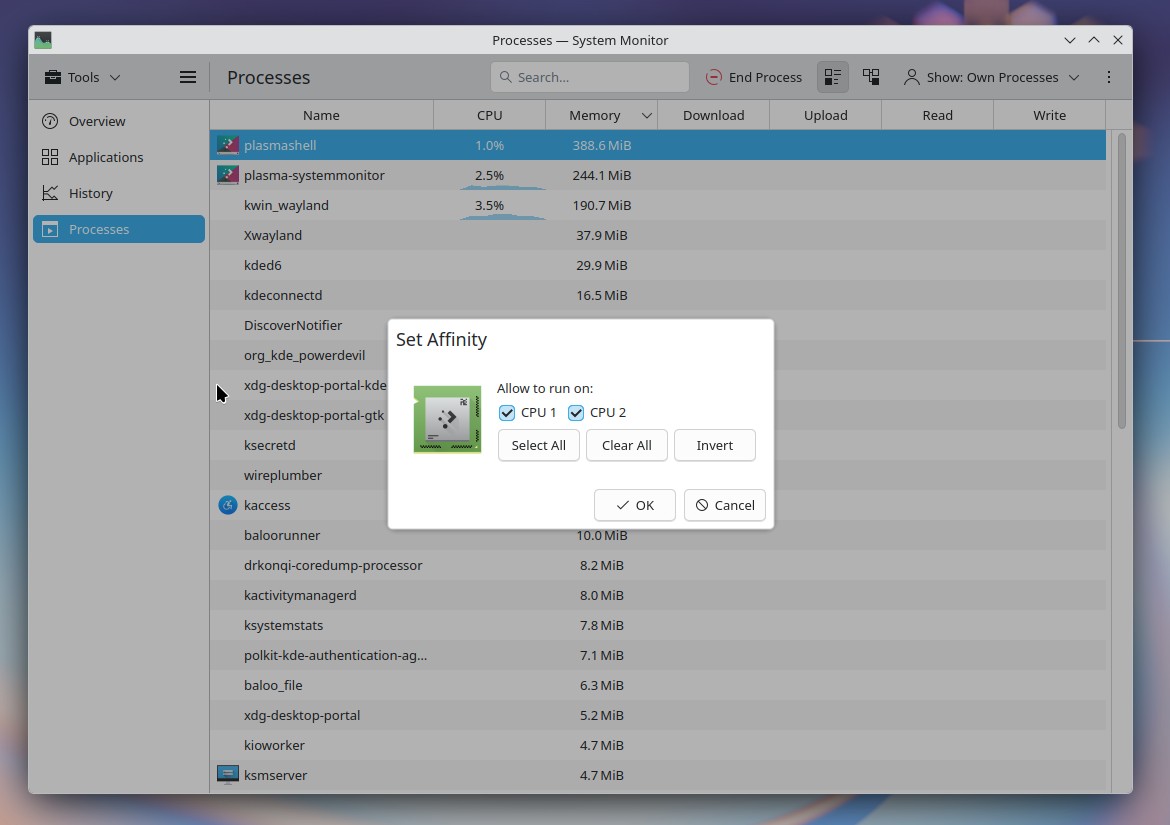
System Monitor also gains some useful features. Users can now assign individual processes to specific CPU cores directly from the application, offering more control over how demanding tasks use system resources. Plus, GPU monitoring is more convenient, with VRAM usage now shown as an easy-to-read percentage.
Plasma 6.8 also adds window rules that apply shadows, outlines, and rounded corners to applications using client-side decorations that lack them. Interestingly, KDE has also included a default rule for Steam, making Valve’s gaming client look more consistent with the rest of the Plasma desktop.
Window management gets new keyboard shortcuts. Pressing Meta + Ctrl + Page Up or Page Down cycles between tasks in the Task Manager, while adding Shift lets users reorder the active task.
On the accessibility side, a new built-in dwell-click feature automatically triggers a mouse click when the pointer stops moving, helping users with mobility limitations without extra software.
Beyond these headline changes, Plasma 6.8 includes several smaller improvements:
- A new
kscreenctlcommand-line utility for managing displays, including through scripts and automation. - Kup, KDE’s backup utility, is now released as part of Plasma.
- StrongSwan VPN connections gain EAP-TTLS authentication support.
- Autostart applications can be enabled or disabled without deleting their entries.
- In Display Configuration, you can reposition displays pixel by pixel using the arrow keys.
- Plasma now warns users when they attempt to print to an unavailable printer.
- Clipboard notifications better explain why copied passwords and other sensitive information aren’t stored in clipboard history.
- The Emoji Selector now supports displaying emojis at different sizes.
For additional details, refer to the official announcement or see the full changelog. Plasma 6.8 will receive six maintenance updates before Plasma 6.9, planned for late February, 2027.
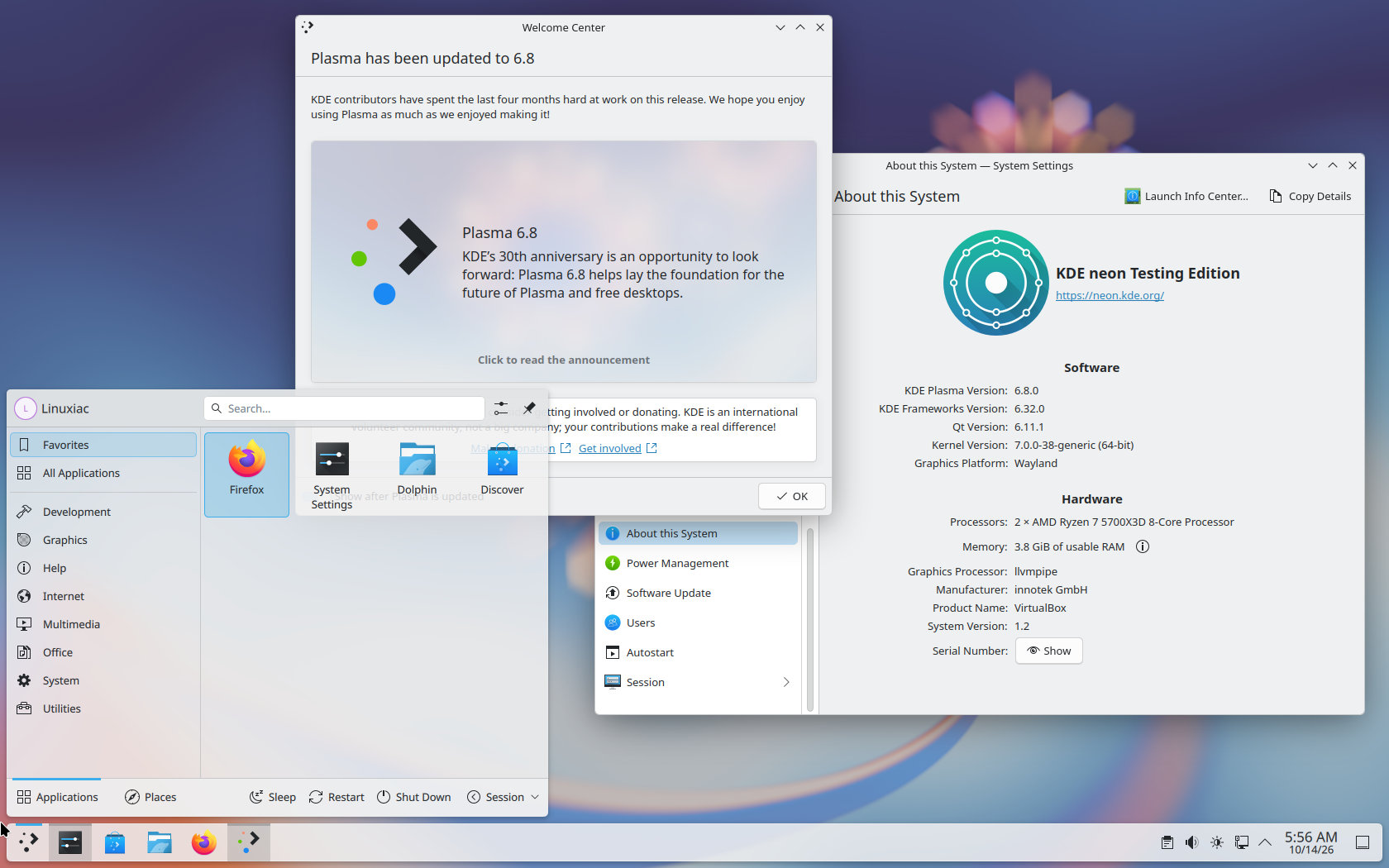
For those eager to explore all the new features immediately, the simplest route is to opt for KDE Neon Testing Edition, which already has Plasma 6.8 readily available. As usual, rolling-release distributions get the update first, while other Linux distros will ship it on their own release schedules.