The Buddies of Budgie team has released Budgie 10.10.3, the third maintenance update in the 10.10 series. One of the most visible additions is favorites support in Budgie Menu, as users can now right-click an application in the menu and add it to favorites. This creates a dedicated Favorites category, while compact mode places pinned applications at the top of the list.
The release also fixes a Wayland issue affecting Budgie Menu. When opened with the Super key, keyboard input could remain focused on the previously active application instead of the menu search field. Budgie Menu has been switched back to a proper GTK window, allowing the compositor to give it keyboard focus so users can press Super and start typing immediately.
Another notable change is the return of the Keyboard Layout applet, which was disabled for Budgie 10.10 because its previous implementation depended on IBus and X11-specific code, causing problems under Wayland. The applet has been rewritten in C and works with Budgie Control Center input sources, systemd-localed’s locale1 interface, and compositor-specific bridges.
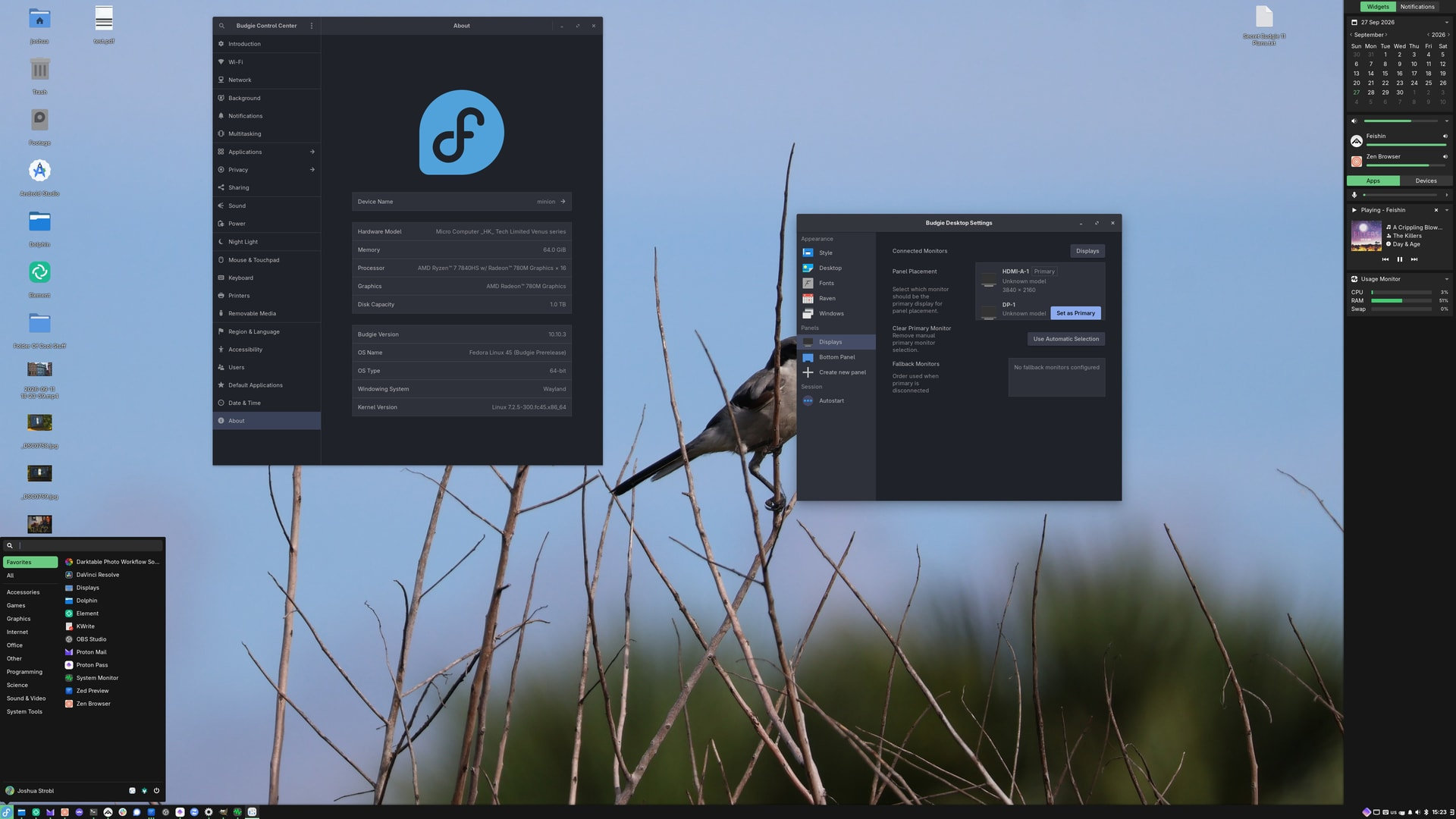
Budgie’s recommended Wayland compositor, labwc, also receives tighter integration. The desktop’s labwc bridge now handles keyboard layout switching, improves keybind management, adds working multimedia and launcher keys, and introduces configuration migrations that automatically update older Budgie-generated labwc configurations while preserving users’ changes.
For multi-monitor setups, Budgie 10.10.3 allows users to explicitly select their primary display. A new Displays section appears in Budgie Desktop Settings when multiple monitors are connected, letting users decide where panels, notifications, on-screen displays, and dialogs appear.
Desktop icon handling has also received a major upgrade in this release. Budgie Desktop View previously relied on a rigid grid layout, but 10.10.3 now lets users freely place icons across the desktop.
The right-click menu gains Auto-arrange, Snap to Grid, Align to Grid, and Sort By options, while Ctrl+scroll changes icon size. Multiple icons can be selected by dragging across the desktop, and standard keyboard shortcuts like Ctrl+A and Shift+arrow are supported.
Moreover, drag-and-drop behavior has been expanded. You can now move multiple selected files together, drag files directly into folders or Trash, and drop files onto the desktop from other applications where you place them.
Budgie 10.10.3 additionally introduces optional support for the oo7 Secret Service provider, which Fedora 45 is adopting instead of GNOME Keyring and KWallet. The functionality remains disabled by default and can be enabled by distributions when building Budgie Desktop.
Finally, the release delivers a broad collection of bug fixes covering the Tasklist, Icon Tasklist, panels, Raven, Polkit dialogs, desktop icons, Budgie Desktop Settings, and the system tray.
These include fixes for disappearing Tasklist buttons after workspace changes, incorrect Electron application grouping, panel crashes, Raven animation issues, and a Polkit dialog problem that could cause high CPU usage and prevent shutdown or restart dialogs from appearing.
More details about Budgie 10.10.3 are in the official release announcement.
Image credits: Budgie