Fastfetch, the popular command-line system information tool among users for displaying a sleek summary of system information in the terminal alongside an OS’s ASCII logo, has just rolled out version 2.65.
One visible change is that long lines wrap by default instead of being cut off. However, wrapped lines may overlap with the image logo. Users who prefer the old behavior can restore it by setting display.disableLinewrap: true in their configuration file or by launching Fastfetch with the --disable-linewrap true option.
On the hardware side, this release adds CPU code name and manufacturing technology detection for x86 processors. Fastfetch can now show information such as “Alder Lake,” “Zen 4,” “Intel 7,” or “TSMC N4,” depending on the processor. These details are also available for custom output formats through the new {code-name} and {technology} fields.
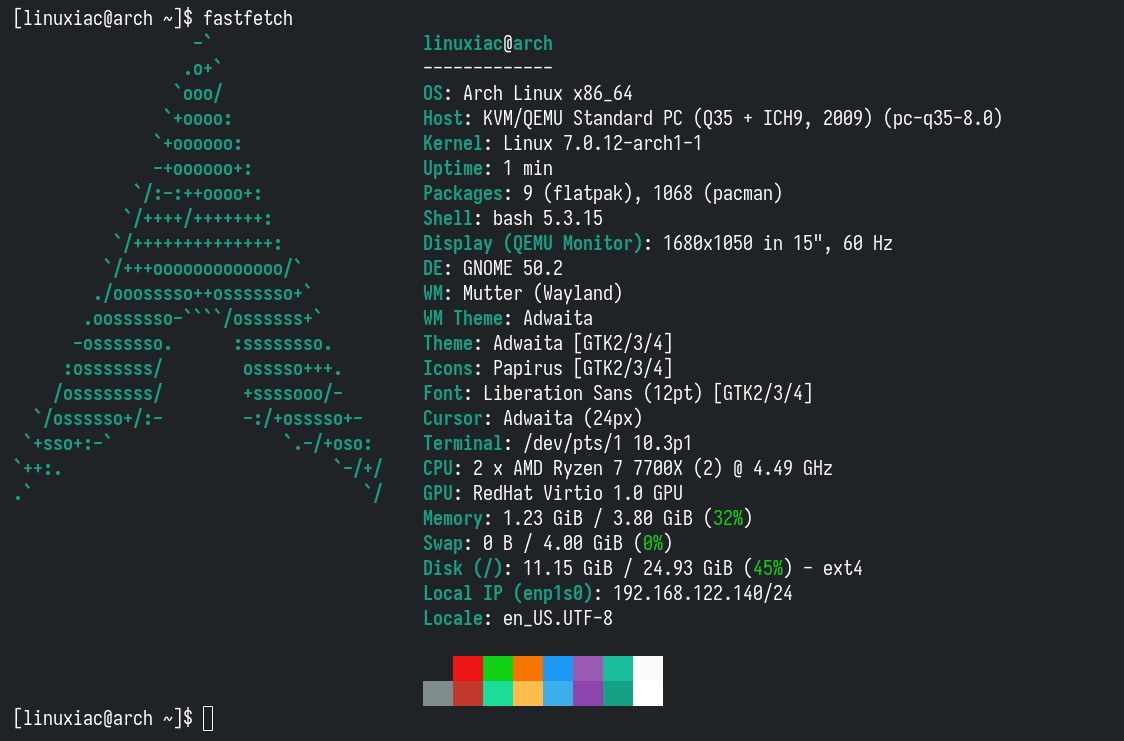
GPU detection gets an upgrade, too, as Fastfetch 2.65 can now detect PCIe link speed information on Linux and Windows, including current and maximum generation and lane data.
Regarding display detection, the release adds HDR display detection through the wp-color-management-v1 Wayland protocol. Until now, Fastfetch’s HDR detection was limited to KDE Plasma.
Speaking of KDE, Fastfetch 2.65 also improves display detection compatibility with KDE Plasma 6.7. Display serial number detection has been refined, with Fastfetch now preferring alphanumeric serial numbers when available. The detected serial value can be used in custom formats via the new {serial} field.
Additionally, there are several smaller Linux-related additions. Fastfetch can now detect the Weston compositor version, add terminal version and font detection for kmscon, and introduce package manager support for porg and install-release. Gentoo users should benefit from improved performance when detecting packages through emerge.
Another improvement concerns the Codec module on Linux. The release adds a va-x11 backend for VA-API and VDPAU, used when the va-drm backend fails to initialize. It also fixes an issue where the Codec module could incorrectly report no results when the codec.showType option was enabled.
Bug fixes include corrected physical core detection on non-x86 Linux systems, a fix for public IP detection randomly failing on Linux, and several memory leak fixes. Windows users also get fixes for console mode and output code page initialization problems when running Fastfetch in Conhost. Finally, on the visual side, this release adds a new logo for Zerene OS.
For additional details, see the changelog. Fastfetch 2.65 is now available from the project’s GitHub releases page, with prebuilt packages for Linux, FreeBSD, DragonFly BSD, Haiku, macOS, and Windows.