Parrot OS 7.2 has been released as the latest version of the Debian-based security distribution for ethical hackers and cybersecurity professionals. The key security update is the adoption of Linux kernel 6.19.13.
According to the Parrot team, this kernel addresses CVE-2026-31431, known as “Copy Fail,” a recent local privilege escalation vulnerability in the kernel crypto subsystem, which could allow an unprivileged local user to gain root access.
In addition to the kernel update, Parrot OS 7.2 updates a wide range of security and penetration-testing tools. Notable versions include:
- pypsrp 0.8.1
- NetExec 1.5.1
- OWASP ZAP 2.16.1
- BloodHound 9.0
- BeEF 0.6
- Certipy AD 5.0.4
- Evilginx 3.3
- Evil-WinRM-py 1.6
- sqlmap 1.10.3
- MCPwn 1.2
- Metasploit 6.4.127
- enum4linux-ng 1.3.5
- GDB GEF 2026.01
- Legion 0.7
- httpx-toolkit 1.7.4
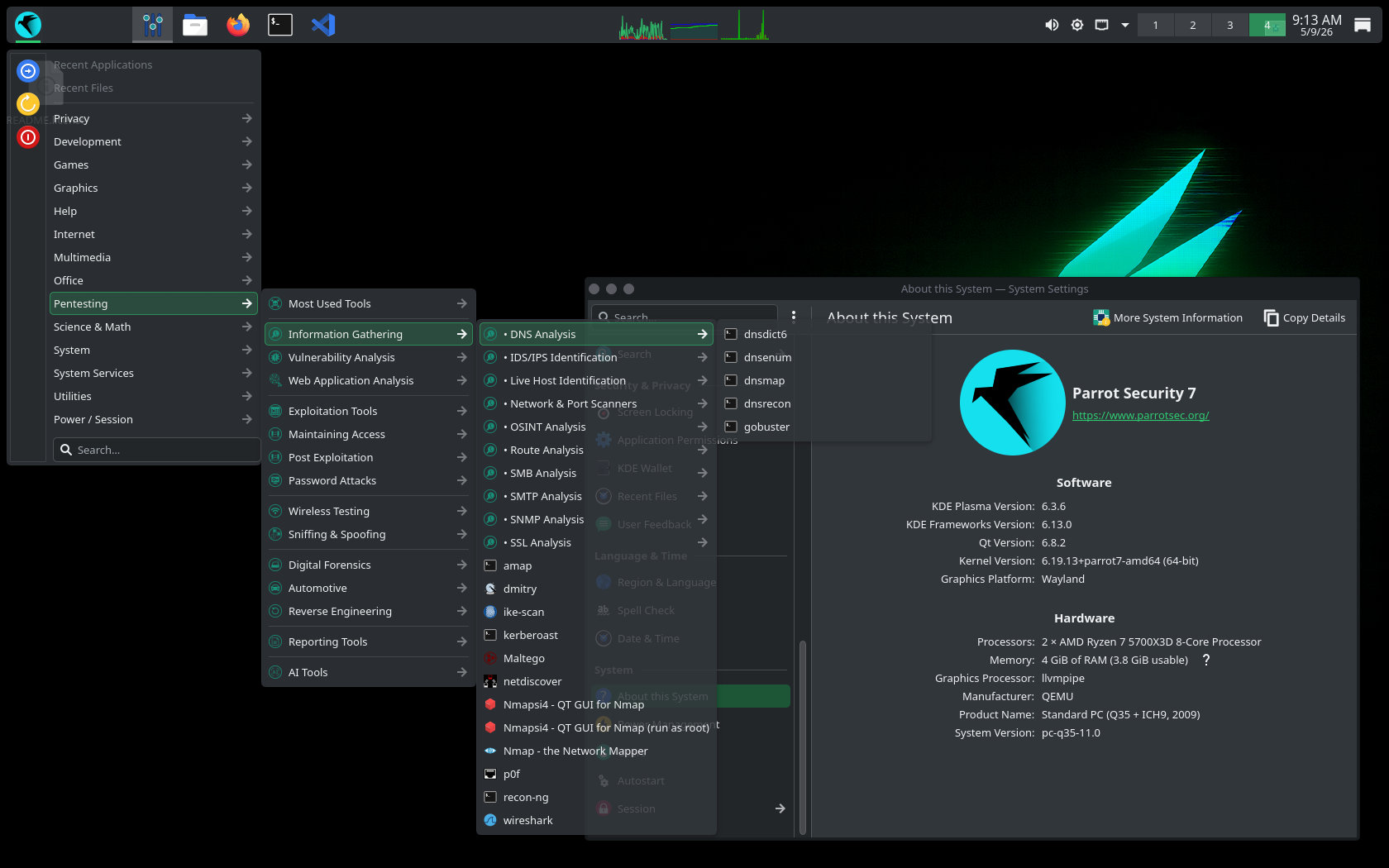
Regarding the desktop, the distro continues to bet on KDE as its default environment. Version 7.2 ships with Plasma 6.3.6, Frameworks 6.13, and KDE Gear 25.04.3 apps collection, built on top of Qt 6.8.2.
Several Parrot-specific components have also been updated. The Parrot menu is migrating to a new Go-based codebase, with more desktop entries added in this release. Parrot themes and tools have been improved, and parrot-core now includes a built-in Flatpak package check that automatically manages Flatpak updates.
Parrot OS 7.2 is synchronized with the latest Debian upstream updates, providing newer core packages, security fixes, and stability patches. Parrot’s security-focused package set remains aligned with the Debian base.
Finally, Parrot OS 7.2 adds image generation support for the Hack The Box Edition in both ISO and VM formats.
To learn more, check out the official announcement.
Parrot is available in two main desktop editions: Security and Home. The Security Edition includes a suite of preinstalled penetration testing and cybersecurity tools for professionals and researchers. The Home Edition is for everyday use, privacy, and development, offering a clean system without the full security toolset by default, though additional tools can be installed manually.